
La satisfacción de nuestros usuarios es nuestra máxima prioridad. Creemos que el uso del plugin en la lengua materna del usuario puede mejorar significativamente su experiencia. Para satisfacer las necesidades de nuestros clientes, hemos decidido ampliar la base de idiomas en los que está disponible ...
Blog

Flexible Checkout Fields - jetzt auch auf Deutsch!
Die Zufriedenheit unserer Nutzer hat für uns oberste Priorität. Wir sind davon überzeugt, dass die Verwendung des Plugins in der Muttersprache des Nutzers dessen Erfahrung erheblich verbessern kann. Um den Bedürfnissen unserer Kunden gerecht zu werden, haben wir die Sprachbasis, in der das Flexible ...

WooCommerce wishlist text customization in 4 steps
There are plenty of WooCommerce wishlist plugins available in the WordPress Repository. But did you know that not all of them let you customize visible text fields easily? In this article I will show you how to do it in just 4 steps with a free WooCommerce wishlist plugin. Step 1: ...

WooCommerce Price Calculator – Free Plugin to Calculate Product Prices by Weight, Volume & Dimensions
WooCommerce Price Calculator is essential if you want to sell products based on weight, volume, length, area or custom units instead of simple item quantities. With our free plugin, you can easily create dynamic price calculations in WooCommerce, letting customers buy exactly the amount they need — ...

Customize WooCommerce coupons & sell PDF vouchers
Use WooCommerce coupons as PDF vouchers to increase sales in your e-commerce store. Today, I'm going to show you some useful tips for managing PDF product vouchers and customizing such coupons in WooCommerce with a plugin. If you've been wondering how to display the variable product name on a ...

How to add product dimensions in WooCommerce?
Sometimes the standard unit of measure in WooCommerce is not enough. From this post, you'll learn how to add new units of measure and product dimensions in WooCommerce. See how easy it is to start selling products based on new units and product dimensions! Product Dimensions in WooCommerce By ...
Use Measurement Price Calculator for WooCommerce (free plugin)
In this article, I will show you Flexible Quantity in action - a FREE measurement price calculator for WooCommerce plugin. If you want to sell products by a different unit of measure in your store, the plugin is for you! Read when and how to use Flexible Quantity to have prices based on weight, ...

Wishlist icon: choose your own with the Flexible Wishlist plugin
You might think that choosing a custom wishlist icon may seem like a seemingly trivial feature. However, it’s details that make the difference and make your store stand out from the rest. The Flexible Wishlist for WooCommerce plugin lets you choose the icon, which best fits into the theme of your ...

Unlimited wishlists for FREE with Flexible Wishlist
Creating a single wishlist in a WooCommerce store is simple and convenient. But it is even better to make lots of these shopping lists. Few wishlist plugins - however - have the option to create unlimited wishlists for free. In the free version we are often limited to one list and the paid version ...

Omnibus Directive - make your WooCommerce store ready for changes
WooCommerce Omnibus plugin by WP Desk is a respondes to the new EU Directive, which is about to come into force. We face up to changes that are coming in the EU consumer laws and would like you to do the same. Let us introduce you to our WP Desk Omnibus Plugin. It automatically displays the lowest ...

A free WooCommerce wishlist plugin. How to add it to your store?
Managing an online store is not easy. As an online store manager, you have a whole lot of duties, such as uploading new products, creating special offers, sending out newsletters, calculating your margin and so on. But do you actually do something to keep the customers in your store? Adding a ...
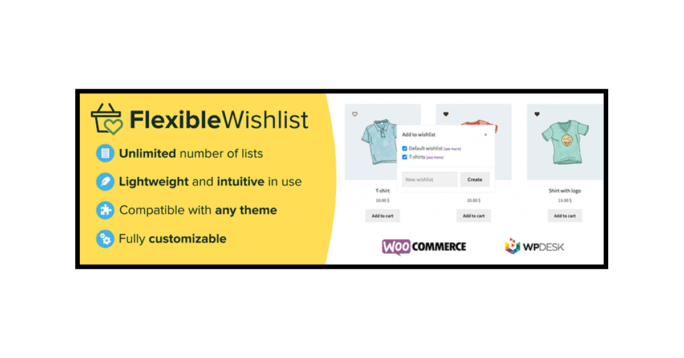
Introducing the Flexible Wishlist for WooCommerce plugin
We are happy to announce that a new plugin has been added to our portfolio! This time we have developed a WooCommerce wishlist free plugin - introducing Flexible Wishlist. In this post you will read all about what distinguishes this WooCommerce wishlist plugin from others and I will tell you about ...
Custom price based on user input in WooCommerce
Today, I will show you how to use WooCommerce custom price based on user input with Flexible PDF Coupons. I will also introduce you to a new plugin, Custom Price for WooCommerce. In short, in the article, you can read how to use the custom price to sell gift cards. I will show it in the example of a ...

WooCommerce Add Product To Cart With Custom Price
This article explains how to handle WooCommerce donations. With the free plugin you will give your website visitors the option to enter a donation amount. Please see the guide on how to add a donation to your WooCommerce website. Add product to cart with Custom Price Installing a free ...

How to Customize your WooCommerce Checkout Page for free
The importance of a well-customized checkout page is indisputable. It is where your client confirms the order, therefore it’s reasonable to make every effort and try to keep him undistracted in your online store until the end. Your aim here is to take one step further and provide all the information ...

How to enable custom price calculation in WooCommerce product?
In this post, you will find how to enable custom price calculation in WooCommerce for product with a free plugin. You'll also learn some ideas for a custom price that you can use in your WooCommerce. In the article, you will find the three steps of configuring the Custom Price for WooCommerce ...

How to print an order and address label in WooCommerce
Speeding up your WooCommerce store processes is a must in the fast-paced world. In this article, you will learn how to print WooCommerce orders and order details (and order list) plus address labels with a plugin. Those two things can help you speed up your WooCommerce order processing. Read more on ...

WooCommerce Conditional Shipping and Payments - Complete Tutorial
Today, you will read how to set WooCommerce shipping & payment methods. You will also see how to use conditional shipping and payments in WooCommerce with a plugin. Restrict shipping and payment gateways in your store, and manage your WooCommerce payment methods and options much better. Let's get ...

Use your social proof to improve your plugin rank
I guess you have probably heard of something called social proof. But do you really know what it is and why is it so important to your business? In this article I will tell you how to take care of your WordPress’ plugin's social proof. What is social proof? Straight to the point: what ...
Change WooCommerce order status using woocommerce_payment_complete hook
By default, clean WooCommerce installation will change order status to Processing after successful payment. This is very useful for physical orders. Thanks to this behavior, the customers know the shop staff is working on the order. As the customer sees that the order is paid and being processed, he ...

Product Price in WooCommerce - everything you should know about
You've got your shop; you've got great products. Do you need anything else? Yes, you need to set the price for your WooCommerce products! It's a crucial part of your business and essential in your e-commerce strategy. I'll start at the very beginning when you add prices to your WooCommerce products ...

How to generate WooCommerce Google product feed?
Do you think about how to quickly generate WooCommerce Google product feed for Google Merchant Center? Then this post is for you and your products also can go to the top of search lists! You will learn how to: Quickly generate a Google Merchant XML file from your WooCommerce products. Turn on ...

Sell WooCommerce tickets using a FREE plugin
WooCommerce is a great tool for e-commerce. Highly customizable and easy to configure. Yet, it lacks the feature of generating and selling PDF event tickets. And that is so useful during the Black Friday period! Using a free plugin, you can easily add such a feature to your WooCommerce store. Read ...

Color Picker for a WooCommerce product page
The Flexible Product Fields plugin extends WooCommerce product options with additional fields. It helps you to personalize your product page as you see fit. There are 20 different field types available, and the color picker is one of them🙂. In this article, I will tell you how to add the color ...
