In this article, I'll show you how to send invoice in WooCommerce. It is easy and it won't take long. We will use a free plugin for WooCommerce invoicing in this guide. Let's begin! ...
Blog
Issue and Download an Invoice in WooCommerce - Quick Guide
In this article, I'll show you how to download invoice in WooCommerce. It is easy and it won't take long. We will use a free plugin for WooCommerce invoicing in this guide. Let's begin! ...
Add Extra Fields to the WooCommerce Checkout like location picker for Brazil
Are you selling to customers from specific countries? Let me show you how to customize your WooCommerce checkout page with extra fields, for example, a location picker for buyers from Brazil! Let's use the free checkout fields editor to personalize the WooCommerce order page to your needs! Did ...
Ask Any Questions at WooCommerce Checkout (Know Your Customers!)
Today you'll learn how to add questions to the WooCommerce checkout page. Also, how to use a customer purchase note (using the standard WooCommerce order notes) to learn about customers and their needs. Let's begin! Knowing your customers is crucial. You can use the standard order notes but they ...

Let Your Customers Ask for Gift Wrapping at the WC Checkout
We all love receiving gifts! So what if I told you we love giving presents even more? Use this fact. Offer gift wrapping to boost sales in your WooCommerce store. You can simply implement a new option in the WC checkout. Read this step-by-step guide to learn how to do that! Have you ever received ...

Use the Apriori Algorithm for Better Product Recommendation Engine in WooCommerce
In this article, you will learn the effective product recommendations method (the so-called cart analysis). By using a special algorithm (Apriori algorithm), you will learn which products to sell in sets. Let's learn about the product recommendation engine (Apriori algorithm cart analysis) and ...
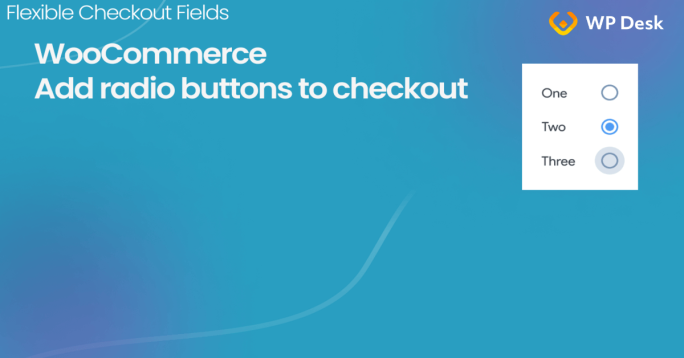
How to add Radio Buttons to the WooCommerce Checkout
Would you like to configure WooCommerce checkout radio buttons? Sure thing! You can't make it by default. But I have a method. It's simple and I'll guide you step-by-step in this article. Are your customers leaving you enough feedback about your products and services? Would be nice to ask ...

Set Any Message at WooCommerce Checkout (for Your Customers)
In this quick tutorial, I'll show you how to add and add custom text or a message to the WooCommerce checkout page! You will also learn how to edit such notice messages with a WooCommerce plugin. Let's begin 😊! Have you ever wanted to inform your customers about the longer time of delivery ...

How to Configure Checkout for Digital Goods
If you sell digital goods you'd like to set the lighter WooCommerce checkout. Probably, you'll only need a customer's name and an e-mail address, nothing more. I will also show you how to temporarily disable the WooCommerce checkout form and remove the company name field. Let's configure the ...

Custom Checkout Order Form with a FREE WooCommerce Plugin
In this article, you'll learn how to customize the WooCommerce checkout order form with a free plugin. The method is simple and it won't take long. You will also see how to reorder WooCommerce checkout fields in seconds! Standard WooCommerce doesn't let you adjust the order form or reorder fields ...
How to customize the WooCommerce checkout page & fields with CSS
There are two types of fields in WooCommerce: product and checkout fields. And you can personalize both of them! In this article, you'll learn how to assign a custom field class and use CSS to style the WooCommerce checkout page. I will be customizing WooCommerce checkout page fields with CSS with ...
How to Add Custom Upload Field to Your WooCommerce Store
There is an easy way to enable the checkout feature to upload files in WooCommerce without woocommerce_form_field. In this article, I'll show you two solutions to let customers add files in the WooCommerce checkout. One with the woocommerce_form_field function and action, and the second with a ...

How to Remove Required Fields from the WooCommerce Checkout & How to Set any field as required or optional
WooCommerce doesn't always let you configure checkout fields the way you want. In this article, I'll show you how to add, remove, and configure WooCommerce checkout fields to be optional or required. Let's begin 🚀! Have you ever seen an error in your WooCommerce checkout because some of the ...

How to Configure Validation for WooCommerce Checkout Fields Verification (like Email)
In this article, I'll show you how to configure automatic WooCommerce checkout email verification. You will be able to use the default WooCommerce checkout validation for fields like email, address, phone, or your custom fields too! Have you ever received an order with a misspelled email address ...
WooCommerce Checkout Notes: Configure the Section the Way You Want
The WooCommerce checkout gives you the Order notes field by default. You don't have to configure anything. WooCommerce shows this field but you may want to remove additional information in the WooCommerce checkout page or customize the form. Read the article to learn how to use Order notes, and ...
WooCommerce Stamps Guide and 2 Alternatives to Stamps.com service
In this article, I'll show you how to configure WooCommerce stamps in your store. I'll guide you step-by-step through the configuration process of adding custom fields to WooCommerce products. What's more, I will show you 2 WooCommerce alternatives to stamps.com service to print order details, or ...

5 essential WooCommerce tips to boost your sales
Do you need valuable WooCommerce tips and tricks to boost your sales? I'll give you 5 most essential WooCommerce tips and tricks. If you follow them, you can make changes that will boost sales in your store! Choosing the right tools is very important, but first, you need to know the things you ...

Adjust Your WooCommerce Store Checkout to GDPR
How to comply with GDPR? In this article, I'll guide you through WooCommerce GDPR checkout. I'll show you some WooCommerce privacy options. Also, I'll teach you how to create and add a GDPR checkbox to the WooCommerce checkout page. GDPR stands for General Data Protection Regulation. It went into ...
Shipping Cost Based on Number of Items in Customer's Cart (Easy Guide!)
In this article, I'll teach you how to configure WooCommerce shipping based on number of items. This way, the final shipping cost will depend on a number of items in the customer's cart. In general, the method is simple so this guide is short. However, I'll cover all the configuration steps for your ...
Easy Method to Configure Shipping by Cart Total in WooCommerce Store
In this article, I'll show you how to configure WooCommerce shipping by cart total in your store. This way the final shipping cost will depend on the total cost of your customer's order. The method is simple so this article won't be long :) Let's begin! ...
An easy way to add the Date Time Picker field to your WooCommerce checkout
Learn how to add a new field like delivery date and time picker in your WooCommerce checkout form. I'll show you the easy method in this article using a plugin. You'll see how to implement such a date/ time picker to the WC checkout. Do your WooCommerce customers contact you to learn about the ...
My Account in WooCommerce - Settings, Shortcode & Custom Fields
In this quick guide, I'll show you how to set the My Account page in WooCommerce using built-in settings and a shortcode. You will also see how to add custom fields to the page in WooCommerce. You can set up the page with built-in options and display custom fields with a free plugin, without editing ...
Create Custom Fields in WooCommerce Checkout and Product Pages
Standard WooCommerce doesn't let you create custom fields without writing your code. However, there are situations when you need the custom product or checkout fields to handle a WooCommerce order effectively! Don't worry. 2 free plugins will help you add custom fields in your store. You ...

How to Add and Display WooCommerce Custom Fields on the Checkout & Order Pages
In this article I'll show you how to add and display WooCommerce custom fields on the checkout and order pages. You can add many field types — text inputs, color pickers, uploads and more — and I'll show examples along the way. Want more fields on checkout because WooCommerce doesn't include them by ...
