• Skip to primary navigation
  • Skip to main content
  • Skip to primary sidebar
  • Skip to footer
WP Desk = premium plugins for WordPress & WooCommerce
  • Plugins
        • Checkout & OrdersMake your work easier and automate the orders. Adjust the order form to your needs and make it more useful to your customers. Print order labels directly from WooCommerce. Put the orders in order using our plugins. Find out how to streamline the procurement process in your store.
          • Flexible Checkout Fields
          • Active Payments
          • Automatic Payment Status
          • Flexible Refund and Return Order
          • Print Orders and Address Labels
          • Flexible Subscriptions Recurring Shipping
          • Flexible Subscriptions Payment Retry
          • Flexible Subscriptions Stock Management
        • ProductsThese plugins will help you manage your WooCommerce products. Here you will find the plugins to import and update products from XML or CSV files. Then you can change the product unit of measure, show the lowest price in the last 30 days (Omnibus Directive), or let customers name the product price!
          • Flexible Product Fields
          • Dropshipping Import Products
          • Dropshipping FTP Import Products
          • Dropshipping Export Products
          • Custom Price
          • WP Desk Omnibus
          • Flexible Quantity Calculator
          • Dropshipping Orders Export
        • MarketingPromote your store online. Add products from your shop to price comparison websites directly from WooCommerce. Acquire new customers and communicate with your existing ones. Build a customer base and communicate with clients using one of the most effective marketing tools, namely e-mail marketing. Check out our promotional tools!
          • Flexible Pricing
          • Flexible Wishlist - Analytics & Emails
          • OLX WooCommerce
          • Flexible PDF Coupons
          • ShopMagic
          • Flexible Invoices
  • Bundle🔥
  • WP Desk Care
  • Support
  • Blog
  • My Account
  • 0

More results

WooCommerce refunds even more flexible!

Plugin Updates, WooCommerce refunds

Albert Nogala3 minutes read2026-06-06

Refunds in online sales are an integral part of running an online store. By introducing appropriate refund procedures and meeting legal requirements, you will provide your customers with a positive shopping experience and build trust in your brand. Remember that it is satisfied customers (not only with the purchase, but with a smooth and easy refund!) who often become the most loyal and returning ones.

Contents

    • One Click Return for WooCommerce
  • Returns in WooCommerce – we've got it.
    • Even more possibilities
  • Refunds in WooCommerce: correct introduction and legal requirements
    • What excaclty are refunds in online sales?
    • One Click Return for WooCommerce
  • Entering returns in an online store – where to start?
    • To enter returns correctly in your online store, there are several key factors to consider:
  • At the end: order return is not only a loss
    • Related Articles
  • Add your own refund form in a WooCommerce store [🤫Free plugin inside]
  • How to set your WooCommerce refund and return system (with a free plugin)
  • How to make a full and partial refund in WooCommerce?
  • Return policy and process order refund in WooCommerce stores
  • How to handle returns and warranty requests in your WooCommerce store (with a free plugin)?

One Click Return for WooCommerce

Activate refund form, enable automatic returns, disable refund form after a specific time, and manage refunds directly from WooCommerce orders. Adapt your Shop to EU One Click Return Directive

💾 Active Installations: 2,000+ | WordPress Rating:

Download for free or Go to WordPress.org
WP Desk
2,000+ Active Installations
Last Updated: 2026-08-19
Works with WooCommerce 10.7 - 11.1

Returns in WooCommerce – we've got it.

At WP Desk, we try to help store owners at every possible level. That's why we are successfully developing our dedicated return management solution in WooCommerce. The Flexible Refund and Return Order plugin allows you to approach this problematic issue in an innovative way - to make the refund process as time-saving as possible, both for the store owner and the customer.
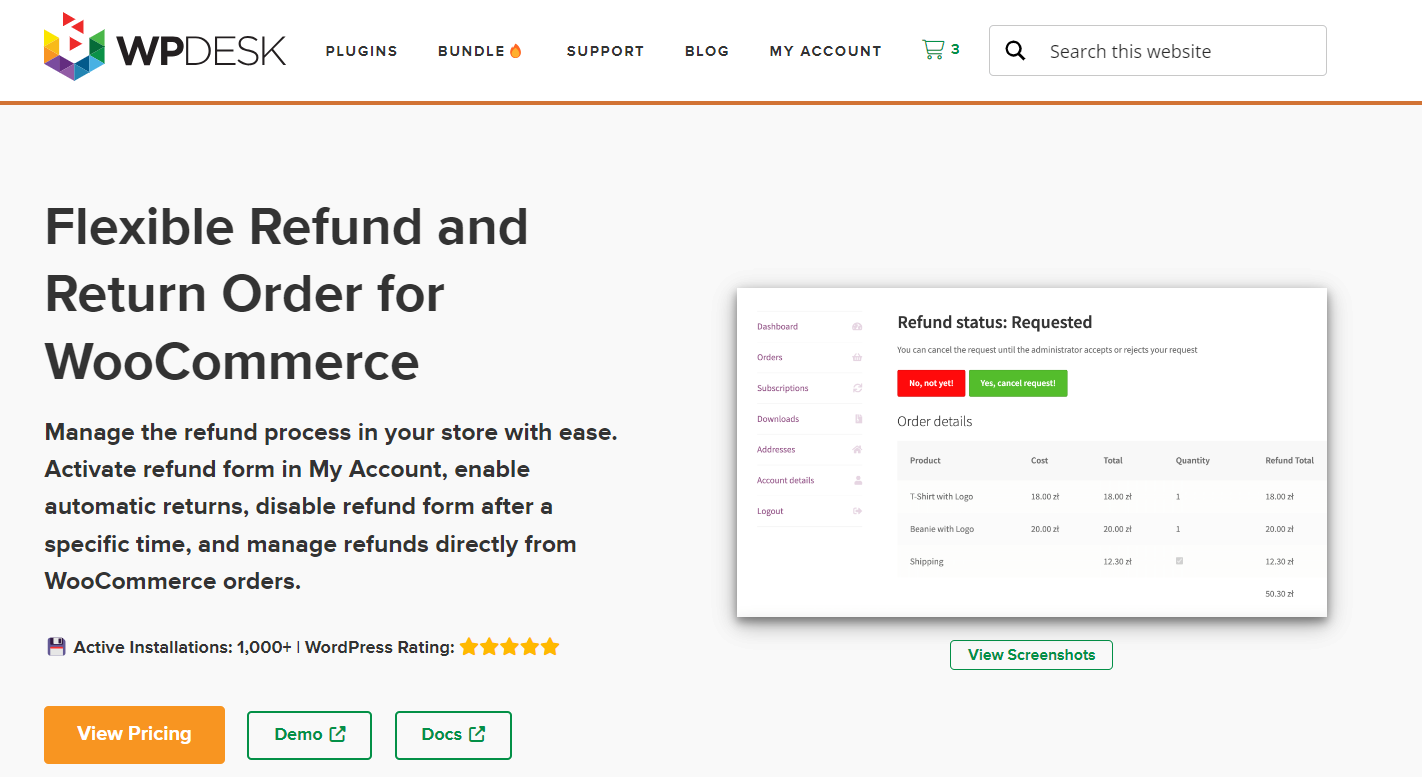
Flexible Refund and Return Order for WooCommerce - plugin

Even more possibilities

Responding to the needs of our customers, we have added new functionality that makes the return process even more flexible. From now on, a refund form can be created and embedded on any store subpage. Just add the previously generated shortcode to it. So, what are the benefits?

  • First of all - you can share the return form with unregistered customers who made a purchase as a "Guest".
  • The refund procedure no longer has to be strictly linked to the My Account tab - you decide on the best place to place the retfund form on your website.
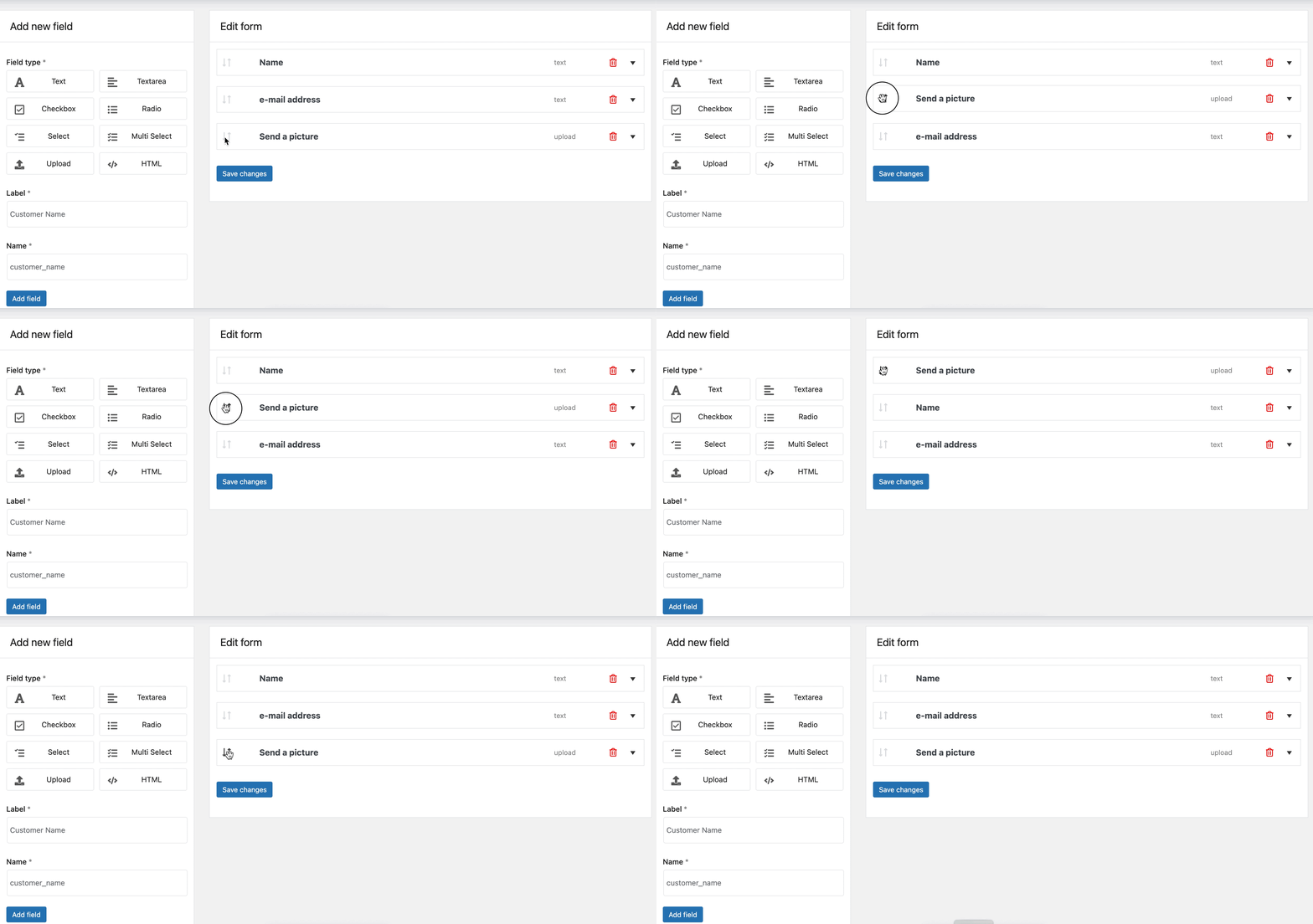
Cancel order for WooCommerce


You can learn more about the efficient and fast returns system we have prepared in this article.


Refunds in WooCommerce: correct introduction and legal requirements

But let's go back to the beginning. Online sales are becoming the most popular form of shopping, available to everyone. Customers not only want to buy easily and conveniently, but also return their unwanted purchases. Below we have some tips for you that will help you implement the returns process in the store not only from the technical side, but also from the formal side.

What excaclty are refunds in online sales?

The issue seems obvious, but let's clear up any doubts. Online sales refunds refer to situations where customers send returned products to a retailer for a refund. This may be due to a variety of reasons, such as failure to meet customer expectations, product damage during transportation, or the customer simply changing their mind. What is important, therefore, is that the customer subjectively decides on his intention to return the goods and in the vast majority of cases his motives are not assessed or verified. So let's not confuse the return of goods with a warranty! Return is a regulated consumer right that every customer is entitled to. The warranty, however, is a discretionary form - defined and enforced primarily by the manufacturer. Return and warranty may go hand in hand and complement each other, but they do not have to.

One Click Return for WooCommerce

Activate refund form, enable automatic returns, disable refund form after a specific time, and manage refunds directly from WooCommerce orders. Adapt your Shop to EU One Click Return Directive

💾 Active Installations: 2,000+ | WordPress Rating:

Download for free or Go to WordPress.org
WP Desk
2,000+ Active Installations
Last Updated: 2026-08-19
Works with WooCommerce 10.7 - 11.1

Entering returns in an online store – where to start?

To enter returns correctly in your online store, there are several key factors to consider:

  • Returns policy: Have a clear, understandable and easily accessible returns policy on your website. This policy should include information on return deadlines, return costs, terms and conditions of products accepted for return, and methods of refunding the customer.
  • Returns procedure: Develop an effective returns procedure that is both easy for the customer and for you as the seller. Determine what steps the customer must take to return the product, how it should be packaged and what documents he should attach.
  • Customer Communication: Give your customers easy access to returns information, such as the return address, phone number or email for technical support, and response time. Be available and proactively inform customers about the status of their return.
  • Return logistics: Determine whether the customer is responsible for the return costs or whether the store covers these costs. Organize an efficient returns processing system that allows for quick receipt, inspection and refund.


At the end: order return is not only a loss

Every moment of contact with a customer should be considered positive. Paradoxically, returning a product may also have additional value. This is a perfect time to research customer opinions. When processing your return, you can use the form to obtain a lot of key information, such as the reason for the return and your opinion about the product itself. It should be assumed that they may not have a positive effect if a return was made - however, they are invaluable in the context of improving the further operation of the store.

💡 You may read more on how to enable partial and whole order refunds in WooCommerce.

Related Articles

WooCommerce return form free plugin

Add your own refund form in a WooCommerce store [🤫Free plugin inside]

Dealing with returns and refunds can be a hassle for any WooCommerce store owner. But fear not, the Flexible Refund and Return Order for WooCommerce p...
How to set your WooCommerce refund and return system (with a free plugin)

How to set your WooCommerce refund and return system (with a free plugin)

As you know, the WooCommerce refund process may take some of your time. Especially if you have questions about reasons and want to provide a higher cu...
How to make full refunds and a partial refund in WooCommerce?

How to make a full and partial refund in WooCommerce?

We aim to make sales when creating a shop, managing its products, promotions, or customer communication. Right? But, in addition to sales, we also fac...
WooCommerce return policy and refund processing

Return policy and process order refund in WooCommerce stores

Returns of goods are an indispensable part of any online store. As many customers as many reasons why a product can be returned so it's a good idea to...
How to handle returns and warranty requests in your WooCommerce store with a free plugin

How to handle returns and warranty requests in your WooCommerce store (with a free plugin)?

Probably you’d rather not have them at all! But returns and warranty requests may happen, so let’s see how to manage them in your WooCommerce shop wit...

3 minutes read2690 views

Albert Nogala

Product Manager at WP Desk

LinkedIn Profile

Albert is a Product Manager with over 10 years of experience in IT, including 5 years of hands-on work implementing e-commerce platforms and develo...

Powered by WP Desk

WP Desk brings you great WooCommerce plugins. We strive to save your time and money by speeding up your processes. Use our plugins to build a better store. Awesome support included in the package.

Premium WooCommerce Plugins →
WP Desk › Blog › WooCommerce checkout & orders › WooCommerce refunds › WooCommerce refunds even more flexible!

Primary Sidebar

Contents

    • One Click Return for WooCommerce
  • Returns in WooCommerce – we’ve got it.
    • Even more possibilities
  • Refunds in WooCommerce: correct introduction and legal requirements
    • What excaclty are refunds in online sales?
    • One Click Return for WooCommerce
  • Entering returns in an online store – where to start?
    • To enter returns correctly in your online store, there are several key factors to consider:
  • At the end: order return is not only a loss

One Click Return for WooCommerce £59

Activate refund form, enable automatic returns, disable refund form after a specific time, and manage refunds directly from WooCommerce orders. Adapt your Shop to EU One Click Return Directive

💾 Active Installations: 2,000+ | WordPress Rating:

Add to cart or View Details
WP Desk
Plugins used by 239,745+ shops
Last Updated: 2026-08-19
Works with WooCommerce 10.7 - 11.1

Stay updated on our how-to articles

WP Desk news, WooCommerce tips, promo codes - right to your inbox.

By entering your e-mail, you agree to our Terms & Conditions and Privacy Policy.

By entering your e-mail, you agree to our Terms & Conditions and Privacy Policy.

Footer

WP Desk - WooCommerce Plugins

At WP Desk we create great WooCommerce plugins with awesome support. Save time and money with our e-commerce solutions. See how we can help you improve your e-store →

Secured by Comodo

WP Desk

  • About us
  • Giving Back
  • Blog
  • Get Support
  • Contact us

Products

  • Premium Plugins
  • WP Desk Care
  • Documentation
  • WooCommerce Invoices
  • Email Marketing
  • PDF Coupons

Legal

  • Terms & Conditions
  • Refund Policy
  • Support Policy
  • Privacy Policy

© 2026 WP Desk

We value your privacy

We use necessary cookies to make our site work. We'd also like to set additional cookies to understand site usage, enhance your browsing experience, and serve personalized ads or content. By clicking ‘Accept All,’ you consent to our use of additional cookies.

Functional Always active
The technical storage or access is strictly necessary for the legitimate purpose of enabling the use of a specific service explicitly requested by the subscriber or user, or for the sole purpose of carrying out the transmission of a communication over an electronic communications network.
Preferences
The technical storage or access is necessary for the legitimate purpose of storing preferences that are not requested by the subscriber or user.
Statistics
The technical storage or access that is used exclusively for anonymous statistical purposes. Without a subpoena, voluntary compliance on the part of your Internet Service Provider, or additional records from a third party, information stored or retrieved for this purpose alone cannot usually be used to identify you. The technical storage or access that is used exclusively for anonymous statistical purposes. Without a subpoena, voluntary compliance on the part of your Internet Service Provider, or additional records from a third party, information stored or retrieved for this purpose alone cannot usually be used to identify you.
Marketing
The technical storage or access is required to create user profiles to send advertising, or to track the user on a website or across several websites for similar marketing purposes.
  • Manage options
  • Manage services
  • Manage {vendor_count} vendors
  • Read more about these purposes
View preferences
  • {title}
  • {title}
  • {title}