
We didn't build Sandra because AI became trendy. We built her because, for years, we kept seeing the same problem across WooCommerce stores: data is right there, but turning it into something useful still takes too much time. This is the story of why WP Desk created an AI analyst that helps store ...
Blog

5 Questions About Your WooCommerce Sales You Should Be Able to Answer (Sandra Does It in 3 Seconds)
You've been running your WooCommerce store for months, maybe years. You have data – orders, customers, returns, coupons, products. But do you actually know which ones are making you money? Do your customers come back after the first purchase? Did your last promotion increase sales, or just cut into ...
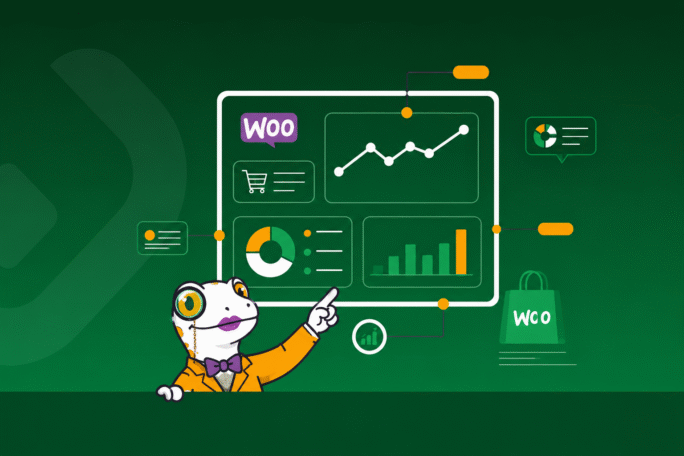
Meet Sandra – WooCommerce Sales Analytics Plugin
Looking for a powerful WooCommerce sales analytics plugin that delivers actionable insights? Meet Sandra Salamander – your personal AI sales analyst for WooCommerce and intelligent WooCommerce AI chatbot that turns raw data into clear reports and smart recommendations. This isn't just another ...

How to sell hotel services in WooCommerce?
If you run a hotel, guesthouse, or cabin rental, one thing matters most: customers should book and pay online themselves. Therefore, you can sell hotel services in WooCommerce without a separate booking platform. Also, the whole booking and payment process happens directly in your online store. As a ...

EU One Click Return rule in WooCommerce: how to implement the new refund rules?
EU One Click Return in WooCommerce changes how refunds and withdrawals work in online stores. Your shop needs a clear, intuitive withdrawal button in the customer account area, so buyers do not waste time searching for hidden forms. In this article, you will see how to prepare your WooCommerce store ...

Automatically Import Advanced Custom Fields (ACF) into WooCommerce Products
Managing a WooCommerce store with a large product catalog or a dropshipping model means working with big volumes of product data. While WooCommerce offers standard fields, many businesses still need more specific information to stand out. Advanced Custom Fields (ACF) lets you add custom data fields ...

How to Automatically Fill WooCommerce Product Yoast SEO fields?
Imagine managing a large WooCommerce store where every product is perfectly optimized for Google without touching each page manually. In this guide, you will learn how to automatically fill WooCommerce product Yoast SEO fields using data from an XML feed, so your titles and descriptions update ...
Why "WordPress Care" is the Secret Weapon of High-Growth Businesses
You’ve built your site, your plugins from WP Desk are firing on all cylinders, and your traffic is growing. Life is good. But then, it happens: a core update conflicts with a theme, a checkout page slows to a crawl, or a security vulnerability makes headlines. Suddenly, you’re not a CEO or a ...

Build Your Own Massage Scheduling Software on WordPress: No Monthly Fees, Full Control
Are you a massage therapist or a wellness center owner tired of paying hefty monthly fees for third-party massage scheduling software? Do you wish you had more control over your booking system, your client data, and your branding? If so, you're not alone. Many small businesses find themselves ...

Unleash Growth: How to Sell Customizable Service Vouchers in WooCommerce
Imagine a world where your spa, salon, or fitness studio doesn't just sell services, but sells experiences – tailored, personal, and effortlessly delivered. A world where gift-giving is transformed into a seamless, high-value transaction, and your business captures new clients with irresistible, ...
WooCommerce Allegro: How to Automate Allegro SMART Shipping (Step-by-Step Guide)
Running an online store can often feel overwhelming, particularly when you sell across multiple platforms, such as Allegro and WooCommerce. When you handle Allegro SMART shipments manually — including tasks like creating shipping labels, copying order details, and booking courier pickups — you not ...
Boost Sales with WooCommerce BOGO and Tiered Pricing
WooCommerce BOGO and tiered pricing are powerful ways to boost your store’s sales during Black Friday and other major sales events. In this article, you’ll learn how to set up a “Buy One, Get Another for $1” promotion and create tiered discounts that reward bigger orders. We’ll also cover ...
WooCommerce Subscriptions Without Recurring Payments: Flexible Alternatives for Modern Stores
A WooCommerce subscription without recurring payments gives customers one-time access to products for a set period or lifetime, without ongoing billing. It’s a flexible alternative to traditional subscriptions, perfect for digital goods, software, or premium content—simplifying management and ...
WooCommerce Checkout Optimization: How Conditional Fields Improve Speed and Conversions
WooCommerce checkout optimization plays a crucial role in turning visitors into customers. In e-commerce, every click and every checkout field matters — a fast, simple, and intuitive process is key to preventing cart abandonment. By using conditional fields that dynamically show or hide based on ...

WooCommerce Buy One Get One Free: Step-by-Step Setup to Boost Sales
When it comes to boosting online sales, few promotions work as well as a WooCommerce Buy One Get One Free (BOGO) deal. It’s an irresistible offer that instantly increases customer value perception and encourages bigger purchases. That said, setting up these dynamic promotions in WooCommerce isn’t ...
How to Customize the Look of Your WooCommerce Cookie Consent Banner in WordPress
Every WordPress and WooCommerce store needs a cookie consent banner, and to ensure brand consistency, you can customize cookie banner WordPress using the Flexible Cookies Style Add-on. With this plugin, colors, fonts, layouts, and messages can be adjusted easily—no coding required—helping improve ...

How to Blur Content in WordPress Until Cookie Consent is Given (WooCommerce GDPR Guide)
Ensuring your WordPress or WooCommerce store is GDPR compliant is not just a legal necessity; it’s about building trust. One effective method is adding a WordPress cookie consent overlay with blur effect, which blocks access until consent is given. This creates a professional look and improves user ...
How to Integrate Flexible Cookies with Google Tag Manager in WordPress & WooCommerce
Running a successful online store means balancing marketing, sales, customer service, and GDPR compliance. One of the biggest challenges is combining effective analytics with strict privacy rules. This is why a proper WooCommerce GTM integration and Flexible Cookies GTM setup are essential from the ...
Flexible Product Fields WooCommerce – How to fix incorrect gross prices (case study)
Online store prices must be not only attractive but also accurate. If customers see a different price on the product page than in the cart, confusion follows. That's why in this article, you'll learn how to solve such a pricing issue using Flexible Product Fields WooCommerce. We'll also show how ...
How to fix a plugin update issue in WordPress – case study
Properly updating plugins in WordPress is one of the cornerstones of maintaining a stable and secure online store. However, issues may occasionally arise that are difficult to resolve on your own — even when following official documentation. In this case study, we’ll walk you through identifying and ...

How to fix subscription page redirect issues in WooCommerce – Flexible Subscriptions case study
Managing subscriptions in a WooCommerce store can significantly streamline both sales and customer service. However, for everything to work smoothly, correct configuration is essential — especially when it comes to URL endpoints. In this case study, we show how the Flexible Subscriptions plugin and ...
WooCommerce option prices – plugin configuration fix
Have you noticed your WooCommerce option prices showing net values on the product page, while the cart displays the correct gross amount? You’re not the only one. Many store owners run into this issue after updates or configuration changes. In this case study, we’ll show you how we helped a ...
How to fix missing field data in WooCommerce orders – A Case Study with Flexible Checkout Fields PRO
Flexible Checkout Fields PRO is a popular WooCommerce plugin that lets you easily customize the checkout form to suit your store’s individual needs. You can add new text fields, dropdowns, checkboxes, or date pickers - all without writing a single line of code. It’s a great solution for store owners ...
How to remove shipping from WooCommerce checkout (5 practical methods)
If you're running a WooCommerce store, you've probably wondered: "How do I remove the shipping section from the checkout page?" Maybe you're offering digital products, in-person services, or want to streamline the checkout experience. Whatever the reason, this article walks you through 5 practical, ...
