

Looking for a powerful WooCommerce sales analytics plugin that delivers actionable insights?
Meet Sandra Salamander – your personal AI sales analyst for WooCommerce and intelligent WooCommerce AI chatbot that turns raw data into clear reports and smart recommendations. This isn't just another WooCommerce plugin; Sandra works directly on your store's database, giving you reliable analytics without the guesswork.
Contents
Why should you hire this AI WordPress plugin?
Sandra is an AI WordPress plugin that unlocks the knowledge locked inside your store's database. Here's what makes her special:
- Reliability: By working directly on your store's database, the bot has a very clear context, which limits the risk of hallucinations.
- Decision-making: The data in the reports lets you stay in control of your store's product and sales situation.
- Security: Sandra reads and recalculates sales data stored in your WooCommerce store database, but she has no permissions to make changes in the database.
- Simplification: Cross-analyses, trend analysis (e.g. retention or product sales), basket value analysis – all of this is child's play for Sandra.
- Acceleration: Complex tasks that normally cost you time and effort can be completed within a few minutes.
- Interpretation: Sandra will not leave you with dry data only. She can interpret the results and recommend actions to take in your store.
How does this WooCommerce sales analytics plugin work?
Creating automated sales reports WooCommerce stores need is child's play for Sandra! Complex analyses that used to take hours are now completed in just a few minutes with complete transparency. The process has three simple steps:
Step 1 – Plugin configuration
After installing the plugin, connect it to your store. It's simple! Go to the Settings tab, click Connect, and remember to use your store's address and the email used when placing the order. This secure connection allows Sandra to directly access your WooCommerce database for accurate analysis. Once connected, you'll instantly unlock the ability to generate detailed sales reports and gain actionable insights into your store's performance.
Step 2 – Defining the report
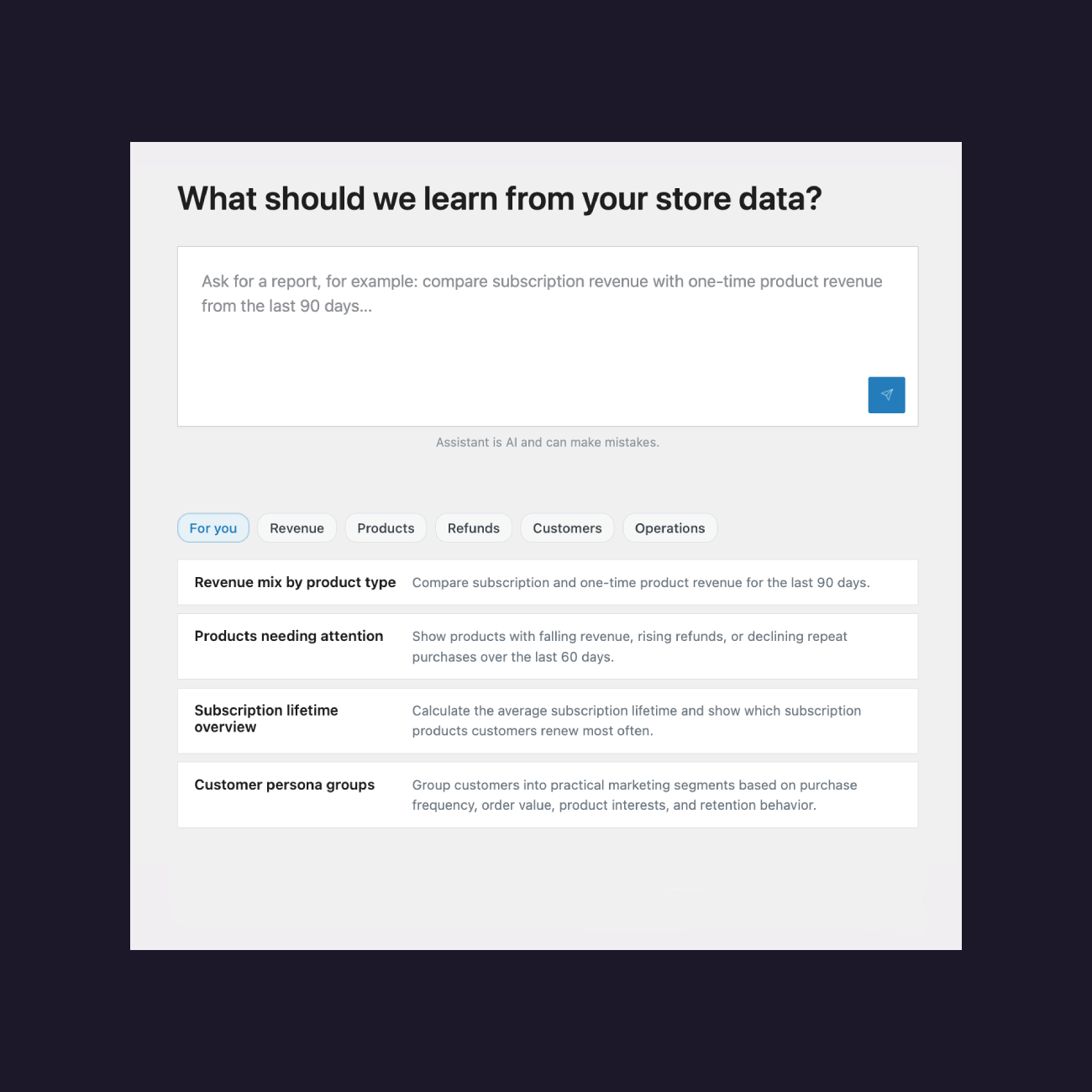
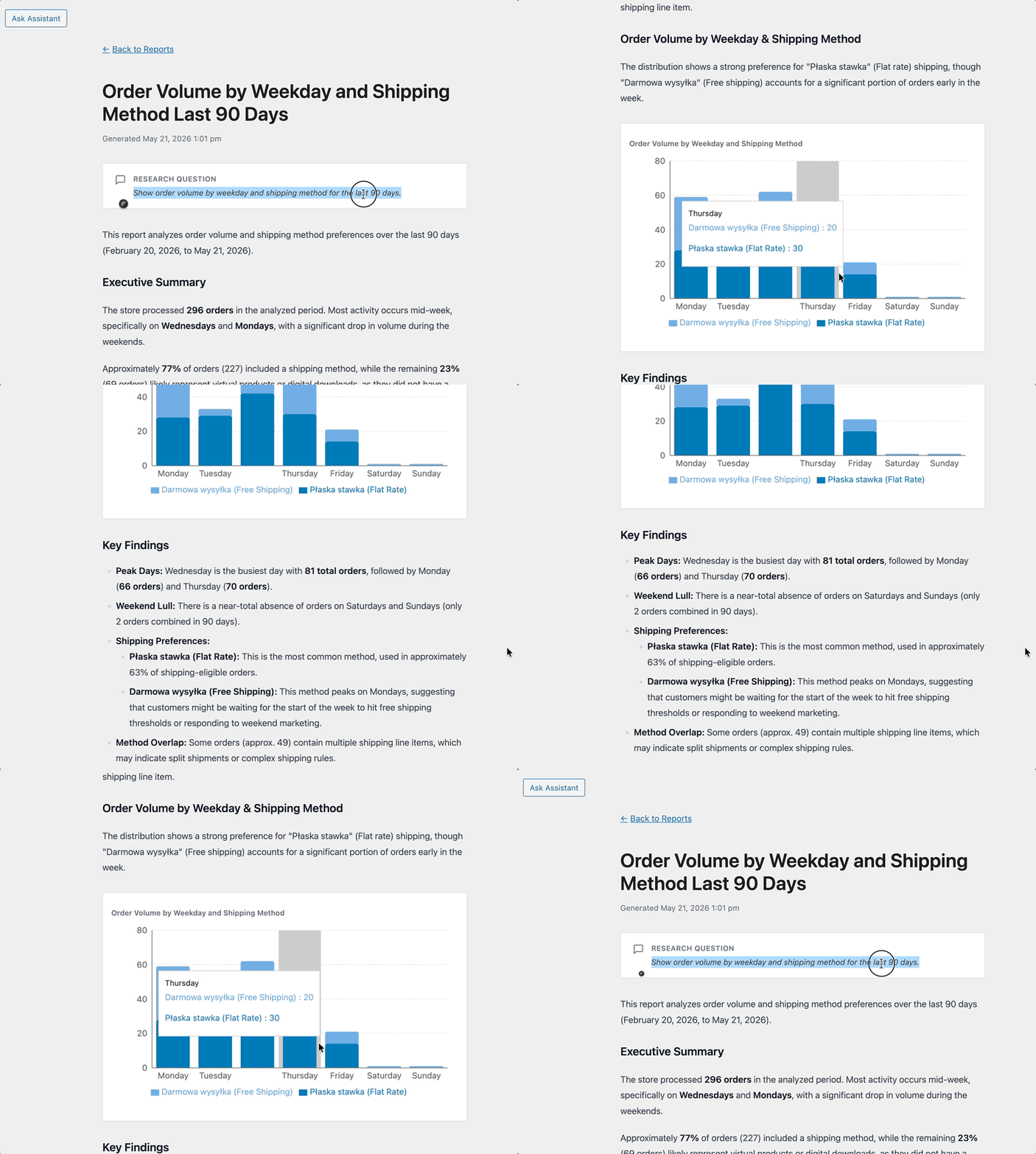
Describe in natural language what report you need Sandra to prepare. Specify what data should be analysed and over what period so that the report matches your business question as closely as possible. The more detailed your description, the better Sandra can tailor the analysis to your specific needs. Sandra will interpret the results and provide actionable recommendations to help you make informed decisions about your store's growth.
Step 3 – Reliability analysis
Wait a moment until Sandra generates a report. Once it is ready, review its contents and go through the SQL queries she used. This will help you build trust in the report and assess how useful it is. The transparent SQL queries let you verify exactly how Sandra calculated each metric. This level of transparency ensures you can confidently use the insights for critical business decisions.
Your WooCommerce Sales Analyst
Hire Sandra Salamander to analyse and interpret your WooCommerce sales data.Gain insights into your sales and make informed decisions about your store’s growth.
Test the plugin for free in 1st month or View DetailsUnlock a world of WooCommerce sales analysis possibilities!
See what kind of sales insights you will get access to when Sandra performs WooCommerce sales analysis:
- Product revenues
- Subscription lifetime (have you seen Flexible Subscriptions plugins?)
- Customer cohorts (by location and orders)
- Shopping groups
- Coupon usage
- Sales channels (based on Woo data)
- Average basket value over time
- Cart abandonment (based on Woo data)
- Returned orders
- Time from purchase to return
- Stock level changes
- And many more
FAQ – 5 Use Cases for Sandra
1. I want to understand which products generate the highest revenues
Ask Sandra for a product revenues report for the last quarter. The bot will analyze the data and highlight bestsellers, plus suggest optimization actions.
2. I'm seeing a high cart abandonment rate
Request a cart abandonment report from WooCommerce data. Sandra will show when and where customers abandon carts and suggest concrete corrective steps.
3. I want to know customer value from different regions
Ask for customer cohorts analysis by location. You'll get a breakdown of customer value from different regions with marketing recommendations.
4. I'm planning a campaign with discount coupons
Request a coupon usage report from previous campaigns. Sandra will analyze coupon effectiveness and help plan a more efficient strategy.
5. I notice fluctuations in average basket value
Ask for average basket value over time analysis. The bot will show trends, seasons, and downturns, helping you optimize your pricing strategy.
Pricing and satisfaction guarantee
Sandra offers three plans: up to 5 reports monthly, up to 50 reports (most popular), and up to 150 reports. Every plan includes the first month free, 1 year of email support, a 30-day money-back guarantee, and updates for 1 site.
If you're looking for a WooCommerce plugin that truly helps you understand your sales, Sandra is an excellent choice. This is not just a tool for automated sales reports WooCommerce – it's your partner in store growth.
Ready to transform your WooCommerce sales analysis? Hire Sandra Salamander today and start making data-driven decisions that grow your business!
Your WooCommerce Sales Analyst
Hire Sandra Salamander to analyse and interpret your WooCommerce sales data.Gain insights into your sales and make informed decisions about your store’s growth.
Test the plugin for free in 1st month or View Details
