

• Skip to primary navigation
  • Skip to main content
  • Skip to footer
WP Desk = premium plugins for WordPress & WooCommerce
  • Plugins
        • Checkout & OrdersMake your work easier and automate the orders. Adjust the order form to your needs and make it more useful to your customers. Print order labels directly from WooCommerce. Put the orders in order using our plugins. Find out how to streamline the procurement process in your store.
          • Flexible Checkout Fields
          • Active Payments
          • Automatic Payment Status
          • Flexible Refund and Return Order
          • Print Orders and Address Labels
          • Flexible Subscriptions Recurring Shipping
          • Flexible Subscriptions Payment Retry
          • Flexible Subscriptions Stock Management
        • ProductsThese plugins will help you manage your WooCommerce products. Here you will find the plugins to import and update products from XML or CSV files. Then you can change the product unit of measure, show the lowest price in the last 30 days (Omnibus Directive), or let customers name the product price!
          • Flexible Product Fields
          • Dropshipping Import Products
          • Dropshipping FTP Import Products
          • Dropshipping Export Products
          • Custom Price
          • WP Desk Omnibus
          • Flexible Quantity Calculator
          • Dropshipping Orders Export
        • MarketingPromote your store online. Add products from your shop to price comparison websites directly from WooCommerce. Acquire new customers and communicate with your existing ones. Build a customer base and communicate with clients using one of the most effective marketing tools, namely e-mail marketing. Check out our promotional tools!
          • Flexible Pricing
          • Flexible Wishlist - Analytics & Emails
          • OLX WooCommerce
          • Flexible PDF Coupons
          • ShopMagic
          • Flexible Invoices
  • Bundle🔥
  • WP Desk Care
  • Support
  • Blog
  • My Account
  • 0

More results

Sandra – WooCommerce Sales Analyst

Hire Sandra Salamander to analyse and interpret your WooCommerce sales data.
Gain insights into your sales and make informed decisions about your store’s growth.

View PricingDemo Docs
Sandra Salamandra product illustration with a salamander character in an orange hoodie
View Screenshots
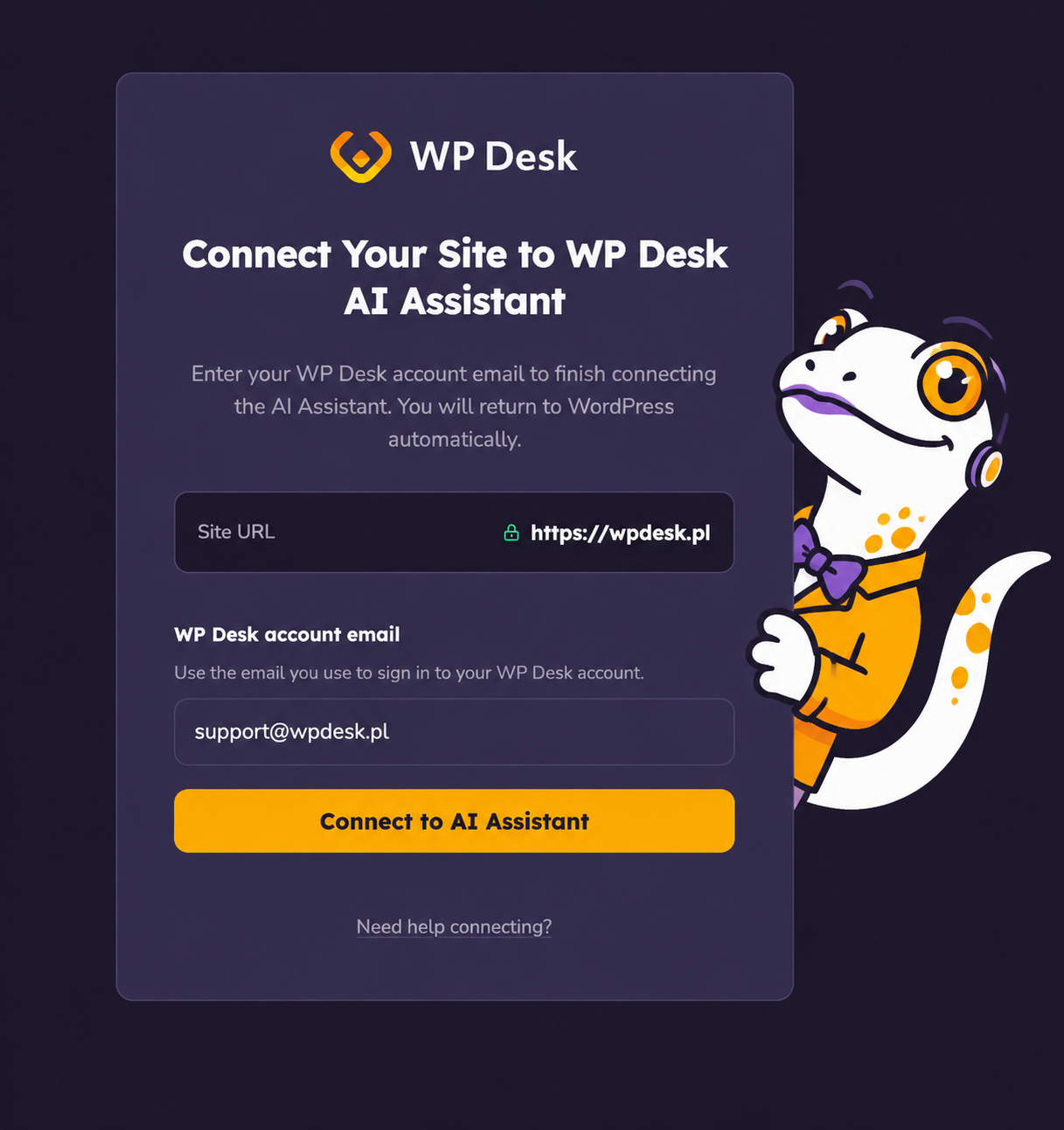
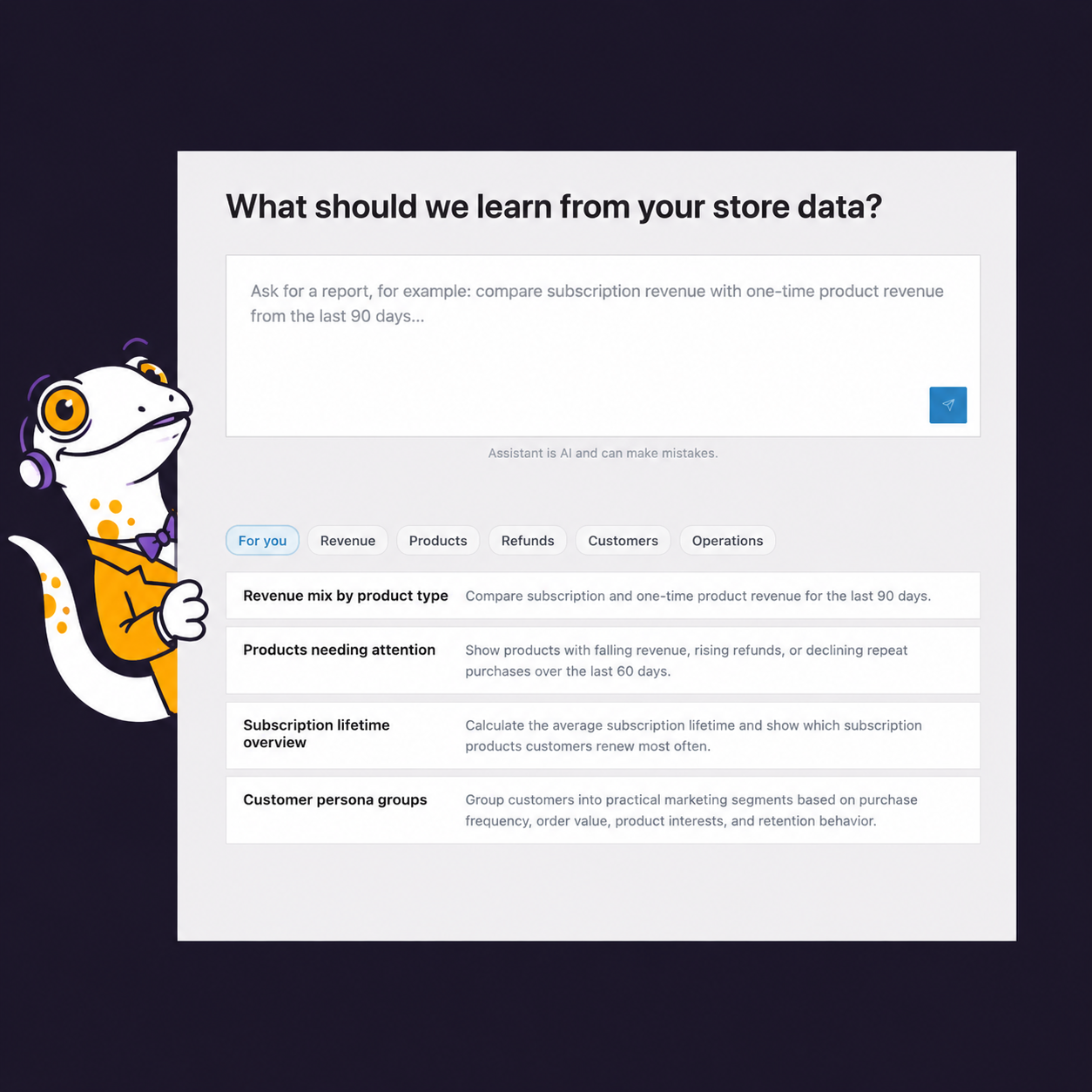
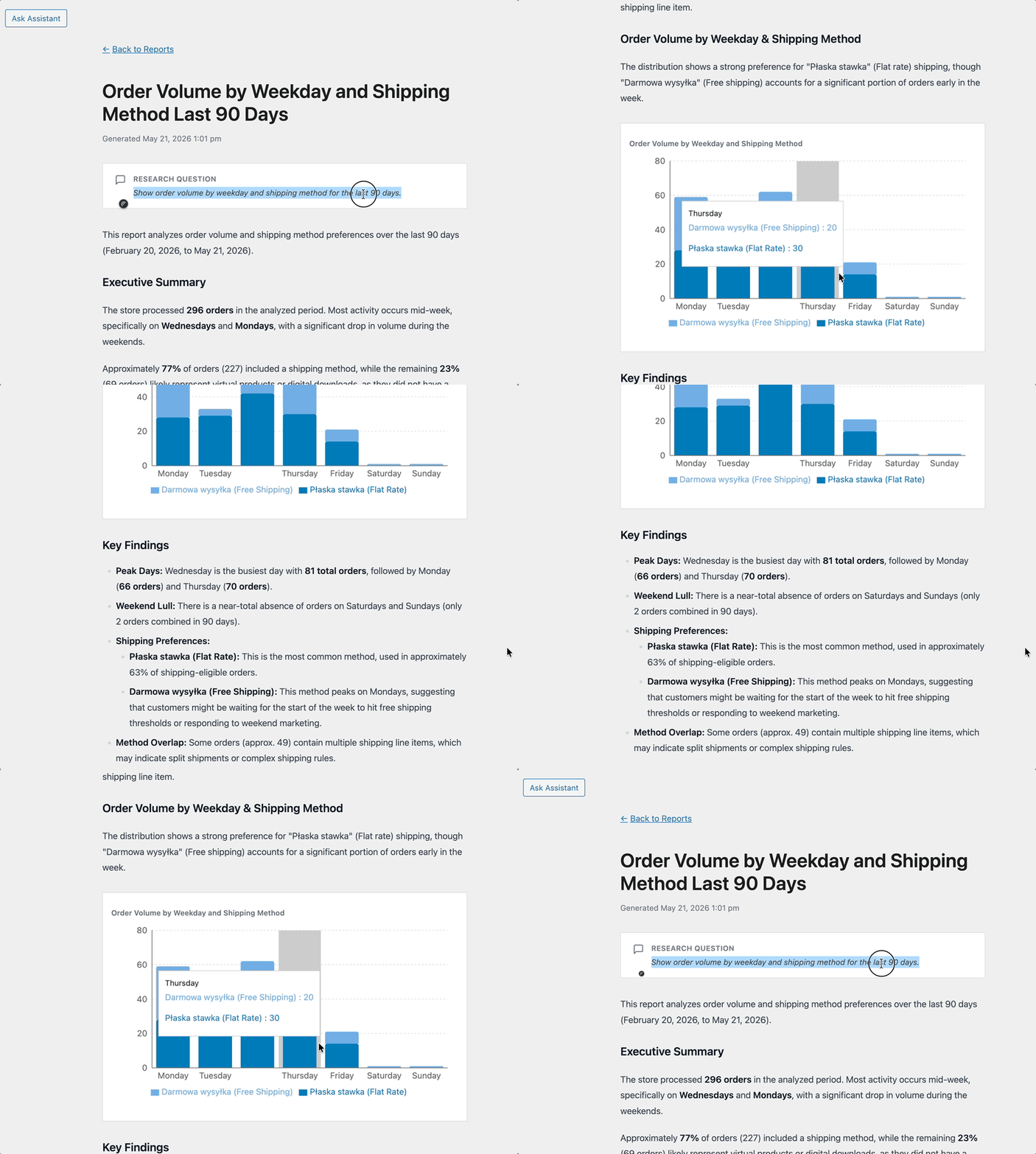
Account authorisation step in the Sandra Salamandra setupSandra Salamandra dashboard shown on a tablet deviceAnimated preview of the Sandra Salamandra sales analyst interface

Why should you hire Sandra Salamander?

Sandra is a bot that unlocks the knowledge currently locked inside your store’s database.

Reliability

By working directly on your store’s database, the bot has a very clear context, which limits the risk of hallucinations.

Decision-making

The data in the reports lets you stay in control of your store’s product and sales situation.

Security

Sandra reads and recalculates sales data stored in your WooCommerce store database, but she has no permissions to make changes in the database.

Simplification

Cross-analyses, trend analysis (e.g. retention or product sales), basket value analysis - all of this is child’s play for Sandra.

Acceleration

Complex tasks that normally cost you time and effort can be completed within a few minutes.

Interpretation

Sandra will not leave you with dry data only. She can interpret the results and recommend actions to take in your store.

Unlock a world of analytical possibilities!

See what kind of sales insights you will get access to when Sandra analyses:

  • Product revenues
  • Subscription lifetime
  • Customer cohorts (by location and orders)
  • Shopping groups
  • Coupon usage
  • Sales channels (based on Woo data)
  • Average basket value over time
  • Cart abandonment (based on Woo data)
  • Returned orders
  • Time from purchase to return
  • Stock level changes
  • And many more

    See an example report creation process

    Creating reports is child's play for Sandra! Complex analyses that used to take hours are now completed in just a few minutes with complete transparency.

    WooCommerce Analyst

    1. Step one – plugin configuration

    After installing the plugin, connect it to our store.
    It’s simple! Go to the Settings tab, click Connect, and remember to use your store’s address and the email used when placing the order. This secure connection allows Sandra to directly access your WooCommerce database for accurate analysis.

    Once connected, you’ll instantly unlock the ability to generate detailed sales reports and gain actionable insights into your store’s performance.

    Sandra - WooCommerce Sales Analyst

    2. Step two – defining the report

    Input the prompt

    Describe in natural language what report you need Sandra to prepare.
    Specify what data should be analysed and over what period so that the report matches your business question as closely as possible. The more detailed your description, the better Sandra can tailor the analysis to your specific needs

    Sandra will interpret the results and provide actionable recommendations to help you make informed decisions about your store's growth.

    3. Step three – reliability analysis

    Wait a moment until Sandra generates a report.
    Once it is ready, review its contents and go through the SQL queries she used.
    This will help you build trust in the report and assess how useful it is. In our opinion, it is extremely useful. The transparent SQL queries let you verify exactly how Sandra calculated each metric.

    This level of transparency ensures you can confidently use the insights for critical business decisions.

    WooCommerce Analyst

    WooCommerce Analyst

    Pricing

    Up to 5 reports

    £4.99 / month

    • 1st month free!
    • Support & Updates - 1 site
    • 1 year e-mail support
    • 30-day money back guarantee
    Buy now
    Most Popular

    Up to 50 reports

    £9.99 / month

    • Monthly price guarantee
    • Support & Updates - 1 site
    • 1 year e-mail support
    • 30-day money back guarantee
    Buy now

    Up to 150 reports

    £19.99 / month

    • Monthly price guarantee
    • Support & Updates - 1 site
    • 1 year e-mail support
    • 30-day money back guarantee
    Buy now

    239,745 +

    Active Installations

    4.6/5

    Average plugin rating

    30 day

    money back guarantee

    FAQ & Plugin Details

    Learn more about the plugin and check some of the most popular questions about the purchase.

    How do our plugins' subscriptions work?

    All the plugins we offer can be purchased in a yearly subscription model and are paid annually. An active subscription entitles you to 1 year of updates and our support.

    Renewing the subscription after 12 months is optional, not required, and you can cancel it at any time. The renewal cost is the same as the initial price. You may renew the subscription if you like or not if don't need to.

    Please mind that an active subscription grants you the possibility to download the plugins' newer versions and updates, get our tech support if you encounter any problems and move and activate the API keys between the sites/domains.

    If you decide to cancel the subscription or if it expires, you can keep using our plugins. They will work the same as before but you won't be able to do the updates, get our support and transfer the plugin files between sites and activate them in the new environment.

    View terms.

    Do you have the plugin demo or trial?

    You can set up your own full featured demo here: WP Desk Demo.

    We also offer 30 day money back guarantee, so you can test the plugin risk free in your WooCommerce store.

    Where can I find the plugin documentation?

    We wrote a fine piece of docs, just follow this link: Sandra – WooCommerce Sales Analyst Docs.

    Do you offer money back guarantee?

    Absolutely. We stand strongly behind our products and offer 30 days money back guarantee. Please read our refund policy for details.

    I have more questions!

    We will be happy to help, just drop us a line and we will try to answer in 24 hours: Contact WP Desk Support.

    What payment methods do you accept?

    We accept Stripe payments including the most popular credit cards.

    All payments are handled by Stripe secure payments and SSL checkout. We do not store your credit card details.

    Details

    • Works with

      WooCommerce 10.0 - 10.3

      PHP >= 7.4

    • Last Updated

      2026-06-02

    • Version History

      View changelog

    • Categories

      Accounting, Checkout & Orders, WooCommerce Plugins

    WP Desk › Premium Plugins › WooCommerce Plugins › Sandra – WooCommerce Sales Analyst

    Stay updated on our how-to articles

    WP Desk news, WooCommerce tips, promo codes - right to your inbox.

    By entering your e-mail, you agree to our Terms & Conditions and Privacy Policy.

    By entering your e-mail, you agree to our Terms & Conditions and Privacy Policy.

    Footer

    WP Desk - WooCommerce Plugins

    At WP Desk we create great WooCommerce plugins with awesome support. Save time and money with our e-commerce solutions. See how we can help you improve your e-store →

    Secured by Comodo

    WP Desk

    • About us
    • Giving Back
    • Blog
    • Get Support
    • Contact us

    Products

    • Premium Plugins
    • WP Desk Care
    • Documentation
    • WooCommerce Invoices
    • Email Marketing
    • PDF Coupons

    Legal

    • Terms & Conditions
    • Refund Policy
    • Support Policy
    • Privacy Policy

    © 2026 WP Desk

    We value your privacy

    We use necessary cookies to make our site work. We'd also like to set additional cookies to understand site usage, enhance your browsing experience, and serve personalized ads or content. By clicking ‘Accept All,’ you consent to our use of additional cookies.

    Functional Always active
    The technical storage or access is strictly necessary for the legitimate purpose of enabling the use of a specific service explicitly requested by the subscriber or user, or for the sole purpose of carrying out the transmission of a communication over an electronic communications network.
    Preferences
    The technical storage or access is necessary for the legitimate purpose of storing preferences that are not requested by the subscriber or user.
    Statistics
    The technical storage or access that is used exclusively for anonymous statistical purposes. Without a subpoena, voluntary compliance on the part of your Internet Service Provider, or additional records from a third party, information stored or retrieved for this purpose alone cannot usually be used to identify you. The technical storage or access that is used exclusively for anonymous statistical purposes. Without a subpoena, voluntary compliance on the part of your Internet Service Provider, or additional records from a third party, information stored or retrieved for this purpose alone cannot usually be used to identify you.
    Marketing
    The technical storage or access is required to create user profiles to send advertising, or to track the user on a website or across several websites for similar marketing purposes.
    • Manage options
    • Manage services
    • Manage {vendor_count} vendors
    • Read more about these purposes
    View preferences
    • {title}
    • {title}
    • {title}