

Efficient WooCommerce order fulfillment is the backbone of a successful online store. In this guide, we’ll explore the basics of what order fulfillment is, why it matters, and how WooCommerce store owners can optimize their processes using free plugins and proven methods. From receiving orders to shipping products and managing returns, mastering these steps ensures customer satisfaction and business growth.
Contents
- What is WooCommerce order fulfillment?
- Why optimize your WooCommerce order fulfillment?
- Questions to consider before WooCommerce fulfillment automation
- Step 1: Managing Incoming Orders in WooCommerce
- Step 2: Inventory management (and dropshipping) for WooCommerce
- Step 3: Order Processing in WooCommerce
- Step 4: Packaging with a shipping label
- Step 5: WooCommerce shipping integration
- Step 6: Invoicing plugin for WooCommerce
- Step 7: Managing Returns and Refunds
- Step 8: Email Notifications and Follow-ups
- In-house fulfillment vs outsourcing: which model fits your store?
- Main benefits of WooCommerce order fulfillment
- Things to remember
- FAQ – WooCommerce order fulfillment
- Summary & more WooCommerce fulfillment integration options
What is WooCommerce order fulfillment?
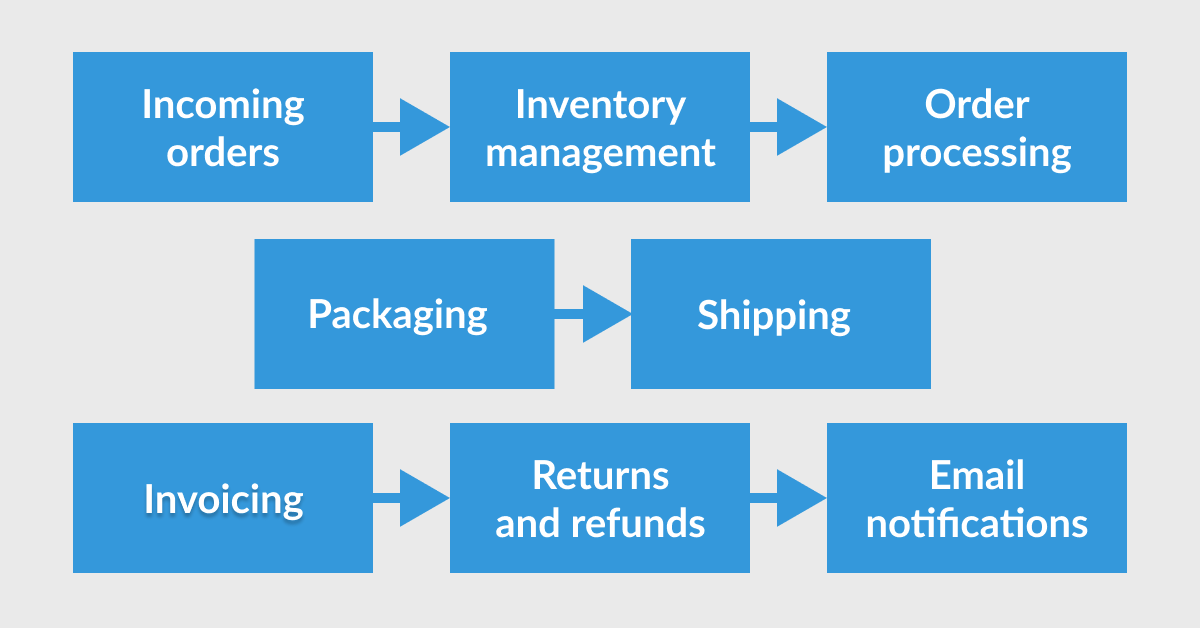
Order fulfillment refers to the process of receiving, processing, packaging, and shipping orders to customers.
In short, it's about managing orders and delivering products effectively.
Understanding the complete WooCommerce order fulfillment process helps streamline operations and avoid common pitfalls.
For instance, when a customer places an order, inventory levels and tracking details must be promptly updated, ensuring transparency and efficiency from the start.
The WooCommerce fulfillment system is built with several steps that can be optimized.
Why optimize your WooCommerce order fulfillment?
Optimizing WooCommerce order fulfillment reduces delays, speed up the order completion, minimizes errors, and boosts customer satisfaction.
Efficient fulfillment encourages repeat purchases and positive reviews.
Imagine reducing your manual workload significantly, allowing more time for business growth!
Here's a quick tip: Integrate reliable order management plugins and services early to automate tedious tasks and focus on strategic improvements. Some of the integration and extension options can use API to send information between services automatically.
Questions to consider before WooCommerce fulfillment automation
- What are the pros and cons of automating your WooCommerce order fulfillment?
- What specific resources and plugins will you need?
- How exactly can automation enhance your WooCommerce store?
- Who are the key people to involve in your fulfillment process?
- What critical details must you remember while setting up automation?
Think if adding automation is necessary. Will it really reduce the workload or add more tasks?
Ok, let's see the order fulfillment workflow running a WooCommerce store.
For each step, you will see two free plugin recommendations for a specific part of WooCommerce.
Step 1: Managing Incoming Orders in WooCommerce
Proper order management begins immediately after an order is placed. Organizing details clearly and accurately ensures smooth operations.
Plugin Recommendations:
Sequential Order Numbers for WooCommerce
The plugin allows changing the order numbers so they are added sequentially. It helps you find and manage orders.
source: https://wordpress.org/plugins/wt-woocommerce-sequential-order-numbers/
Pre-Orders for WooCommerce
This extension adds a new order status in WooCommerce called Pre Ordered allowing presales.

source: https://wordpress.org/plugins/pre-orders-for-woocommerce/
Step 2: Inventory management (and dropshipping) for WooCommerce
Effective inventory management for WooCommerce prevents stockouts and delays, directly enhancing customer satisfaction.
Plugin Recommendations:
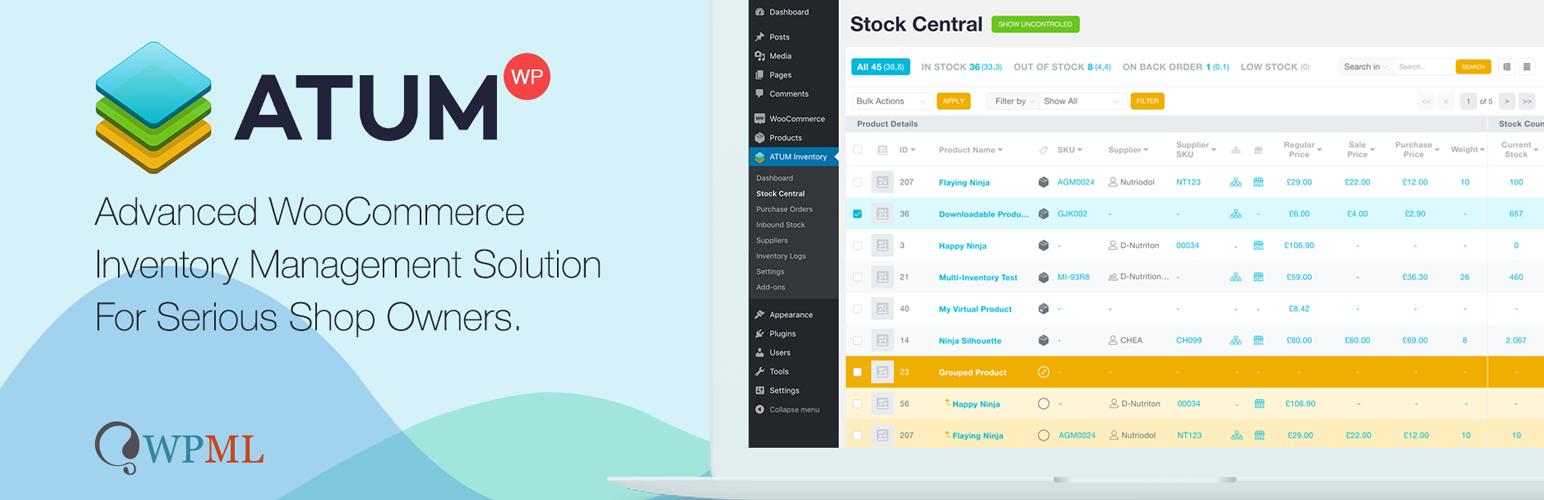
ATUM WooCommerce Inventory Management and Stock Tracking
The plugin helps in previewing and bulk managing product data in WooCommerce.
source: https://wordpress.org/plugins/atum-stock-manager-for-woocommerce/
Dropshipping XML for WooCommerce
This extension for WooCommerce can import and update products from CSV or XML files making it easier to synchronize product stock levels.
source: https://wordpress.org/plugins/dropshipping-xml-for-woocommerce/
Step 3: Order Processing in WooCommerce
Processing orders quickly and accurately boosts efficiency. Confirm order details thoroughly to prevent errors.
Example: Automated order status updates reduces mistakes significantly.
Plugin Recommendations:
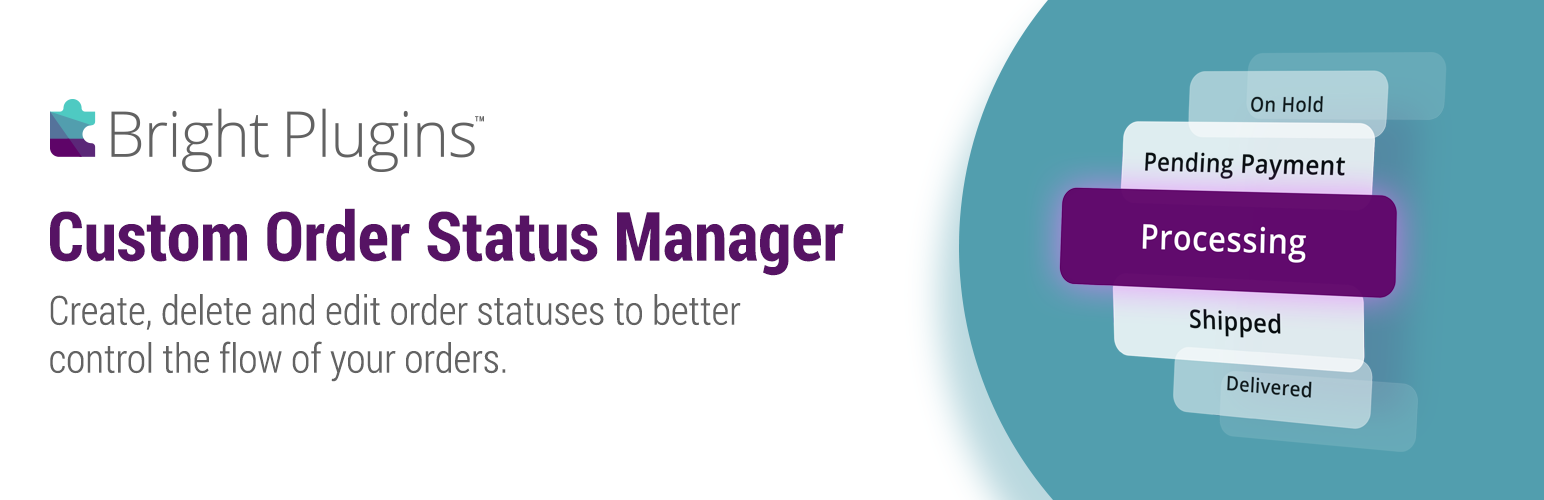
Custom Order Status Manager for WooCommerce
If you need to add custom order statuses (with emails) in WooCommerce you can use this plugin.
source: https://wordpress.org/plugins/bp-custom-order-status-for-woocommerce/
Order Status Control for WooCommerce
This extension allows changing the order status automatically for all orders, paid orders, or virtual products.

source: https://wordpress.org/plugins/order-status-control-for-woocommerce/
Step 4: Packaging with a shipping label
Proper packaging protects products and enhances customer perception. Great packaging can turn one-time buyers into loyal customers.
Example: Using professional-looking packing slips can greatly improve your brand image.
Plugin Recommendations:
Simple Shipping Labels for WooCommerce
The plugin to print shipping labels on a printer with information about WooCommerce orders.

source: https://wordpress.org/plugins/simple-shipping-labels-for-woocommerce/
Another plugin to print labels for products and orders, also with QR codes and barcodes.

source: https://wordpress.org/plugins/a4-barcode-generator/
Step 5: WooCommerce shipping integration
Reliable shipping methods ensure timely delivery, boosting trust and repeat purchases.
Plugin Recommendations:
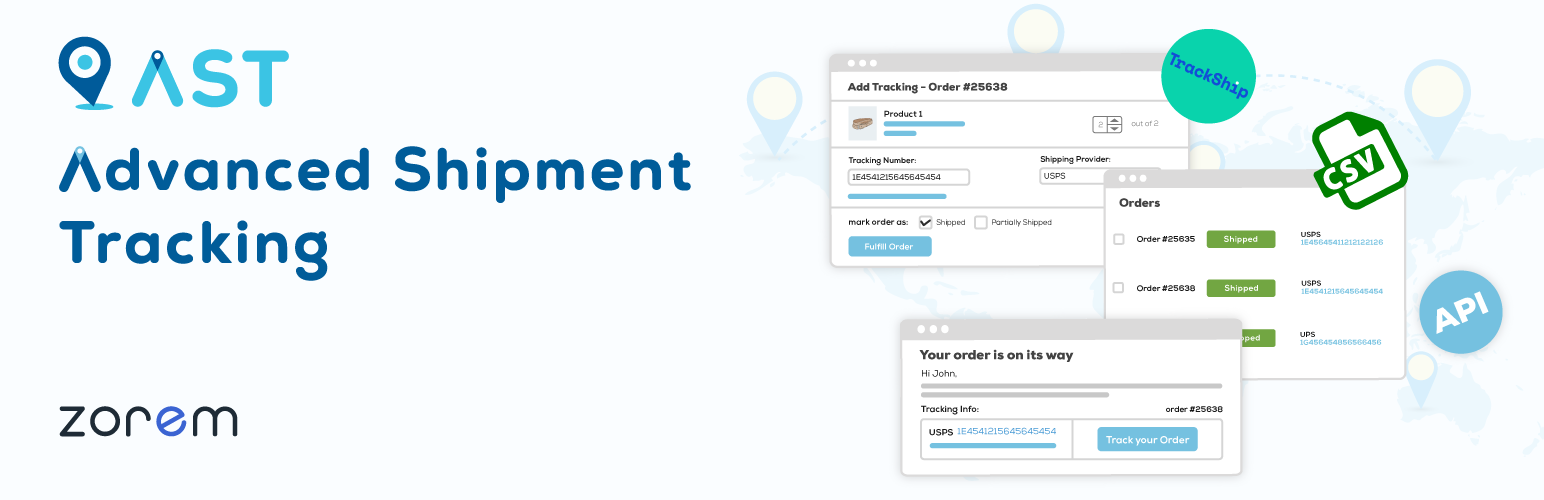
Advanced Shipment Tracking for WooCommerce
The plugin adds the widget for order tracking information directly to the My account page.
That's also the place for customers to check order information like shipping carrier or the ETD.
source: https://wordpress.org/plugins/woo-advanced-shipment-tracking/
Table Rate Shipping Method for WooCommerce by Flexible Shipping
Flexible Shipping allows dynamic shipping cost calculations based on weight or cart total.

source: https://wordpress.org/plugins/flexible-shipping/
Step 6: Invoicing plugin for WooCommerce
Timely, accurate invoicing enhances customer trust and transparency, essential for building long-term relationships.
Example: Automate invoice generation for consistent accuracy and professionalism.
Plugin Recommendations:
Print Invoice & Delivery Notes for WooCommerce
Printing invoices and receipts for WooCommerce orders. With several options including document template editor preview.

source: https://wordpress.org/plugins/woocommerce-delivery-notes/
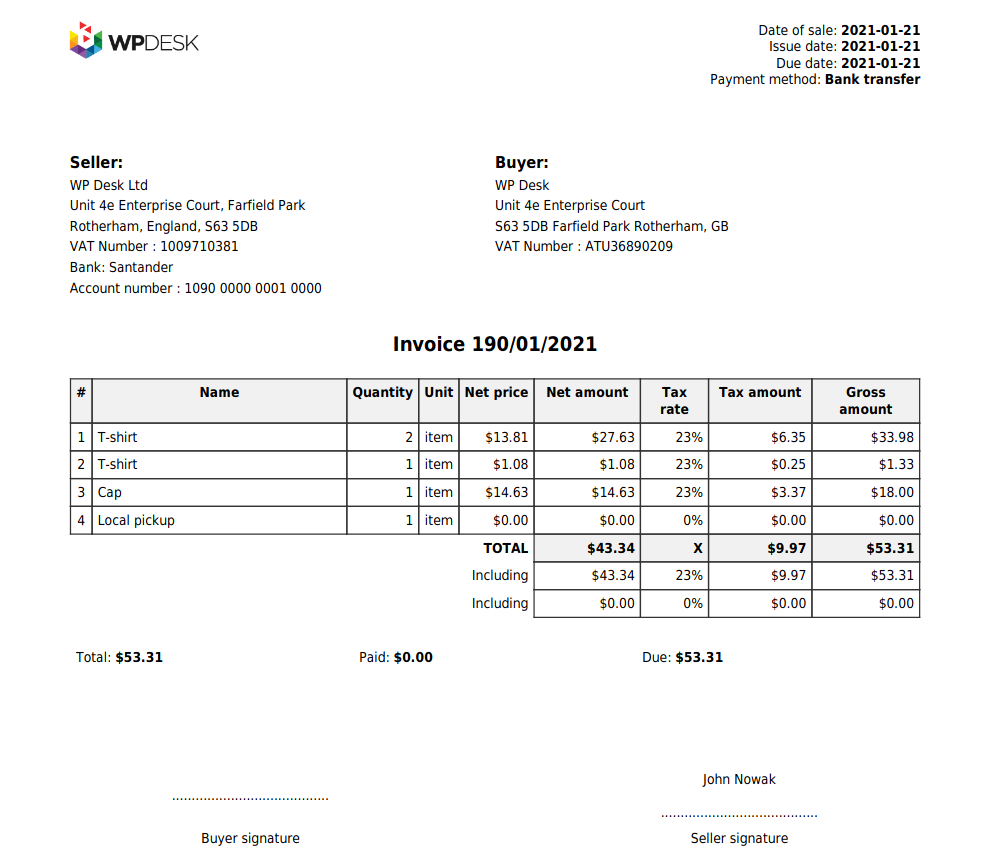
Flexible PDF Invoices for WooCommerce & WordPress
This extension allows issuing PDF invoices for WooCommerce orders, but also for a standalone WordPress. With a predefined PDF invoice or customizable templates based on the Gutenberg block editor.
source: https://wordpress.org/plugins/flexible-invoices/
Step 7: Managing Returns and Refunds
Efficient returns management can transform dissatisfied customers into advocates.
Plugin Recommendations:
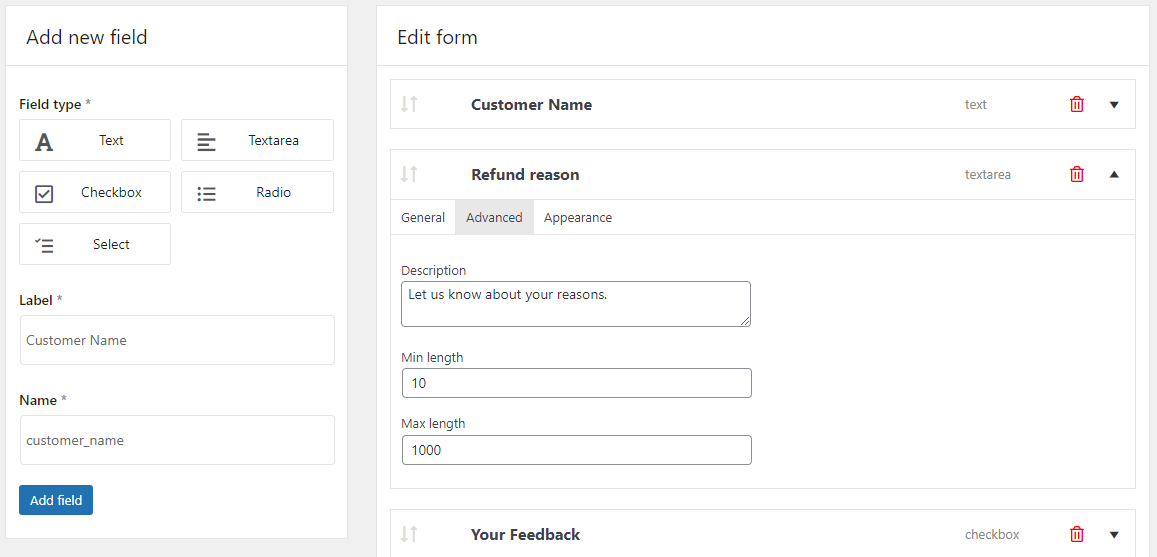
Flexible Refund and Return Order for WooCommerce
The plugin allows customers to send refund requests for WooCommerce orders. The site administrator can manage and send email notifications to users for refunds directly from WooCommerce. With refund form builder.
source: https://wordpress.org/plugins/flexible-refund-and-return-order-for-woocommerce/
Cancel order request / Return order / Repeat Order / Reorder for WooCommerce
Order cancellation plugin for WooCommerce allowing also handing re-orders.

source: https://wordpress.org/plugins/cancel-order-request-woocommerce/
Step 8: Email Notifications and Follow-ups
Timely email communication keeps customers informed and enhances the overall experience.
Plugin Recommendations:
ShopMagic for WooCommerce
The free email marketing automation plugin for WordPress and WooCommerce. Automated emails and follow-ups to users after purchase or for abandoned carts. Free email template builder. Support for translations. Statistics.

source: https://wordpress.org/plugins/shopmagic-for-woocommerce/
Kadence WooCommerce Email Designer
The extension to customize the default emails in WooCommerce. Visual editor with the email preview. It's also possible to design email heading, subtitle, content, and test WooCommerce emails inside the plugin.

source: https://wordpress.org/plugins/kadence-woocommerce-email-designer/
In-house fulfillment vs outsourcing: which model fits your store?
Before you automate anything, decide who physically handles the goods. In-house WooCommerce order fulfillment means you keep the stock, pack the parcels and control the whole customer experience. It costs less at low volume and lets you add branded packaging or a handwritten note. The trade-off is time: every order competes with the rest of your work, and peak seasons multiply that pressure.
The alternative is third-party logistics, where a warehouse stores your products and ships them on your behalf. A 3PL provider takes over storage, picking, packing and often returns handling, which makes sense once daily order volume stops fitting into a single working day. The connection usually runs through an API or a dedicated plugin that pushes new WooCommerce orders to the warehouse and pulls tracking numbers back into the store, so the customer still sees your brand in every notification.
There is no volume at which one model automatically wins. Look at three numbers instead: how many hours a week fulfillment takes you now, what your error rate looks like, and how much your current shipping costs differ from rates a 3PL can negotiate. If packing eats more than a day a week and mistakes are creeping in, outsourcing part of the WooCommerce fulfillment process is usually cheaper than hiring. If your margins are thin and your volume is seasonal, staying in-house and automating the repetitive steps gives you more room.
Main benefits of WooCommerce order fulfillment
- Save significant time managing orders
- Drastically reduce fulfillment errors
- Increase customer satisfaction through efficient processes
- Enhance inventory accuracy with reliable automation
Implementing effective WooCommerce order fulfillment typically reduces processing time and errors.
Things to remember
- Clearly evaluate the pros and cons before automating
- Regularly assess and update your fulfillment plugins
- Engage your team in the automation process
- Monitor and optimize fulfillment continuously
- Provide clear, actionable steps at each fulfillment stage
FAQ – WooCommerce order fulfillment
What are the steps of the WooCommerce order fulfillment process?
The process covers receiving the order, checking stock, processing payment, picking and packing the products, printing the shipping label, handing the parcel to the carrier and handling any return that comes back. Each step can be automated with a plugin, but the order itself stays the same in every store.
Can I automate order fulfillment in WooCommerce for free?
Yes. Free plugins from the WordPress repository cover order statuses, shipping labels, tracking numbers, PDF invoices and follow-up emails. Paid extensions add conditional rules and carrier integrations, but a small store can automate most of the routine work without spending anything.
How long should WooCommerce order fulfillment take?
Most stores aim to hand the parcel to a carrier within one working day of payment. What matters more than the exact number is publishing it on the product page and keeping to it, because a realistic dispatch time creates fewer support tickets than an optimistic one.
Do I need a warehouse to sell on WooCommerce?
No. You can ship from home at low volume, use a third-party logistics provider once orders grow, or work with dropshipping suppliers who ship directly to your customers. Each model changes how you handle stock levels and returns, so pick one before you configure your plugins.
How do I handle returns in WooCommerce order fulfillment?
Give customers a return request form in their account, set a clear time limit and connect the request to an order status your team can filter. Stores selling to consumers in the EU also have to provide an easy withdrawal option under Directive 2023/2673.
Summary & more WooCommerce fulfillment integration options
In this blog post, you could learn how to speed up order management system using WooCommerce plugins.
Of course, you may further improve things that WooCommerce does not provide: for example, update the order status in WooCommerce based on specific conditions or send custom order notification emails.
How?
Using free or paid extensions for WordPress and WooCommerce. You may find free plugins in the WordPress repository and free plugins by WP Desk.


Every successful online store depends on a fulfillment process that is accurate, efficient, and scalable. By streamlining order processing and leveraging automation, businesses can reduce operational complexity while providing a seamless shopping experience.