Today, I will show you how to export WooCommerce products with variations. You will see 3 methods to export variable products in WooCommerce (two built-in options and one with a dedicated plugin). Choose the one that suits your needs. Let’s begin!
You can export product variations in WooCommerce with WordPress and WooCommerce alone. But, you can’t modify the output of the feed that easily 🙁.
First, I will show you two free methods. Then you’ll see how to export products with variations in WooCommerce with a plugin and adjust the exported data 🙂.
Contents
- WooCommerce product attributes and variations
- Export products with variations (3 methods)
- Which export method should you choose?
- Test the plugin & get a free plugin to import products
- FAQ – exporting WooCommerce products with variations
- How to export WooCommerce products to Excel?
- How to export WooCommerce products with categories?
- How to export WooCommerce products with images?
- WooCommerce variable product (comprehensive guide and free plugins)
- Export products from WooCommerce in 4 steps
WooCommerce product attributes and variations
First, let’s remind ourselves why and how to use attributes and variable products in WooCommerce.
WooCommerce product attributes
In short, what are WooCommerce product attributes?
They let you add more detailed information about products:
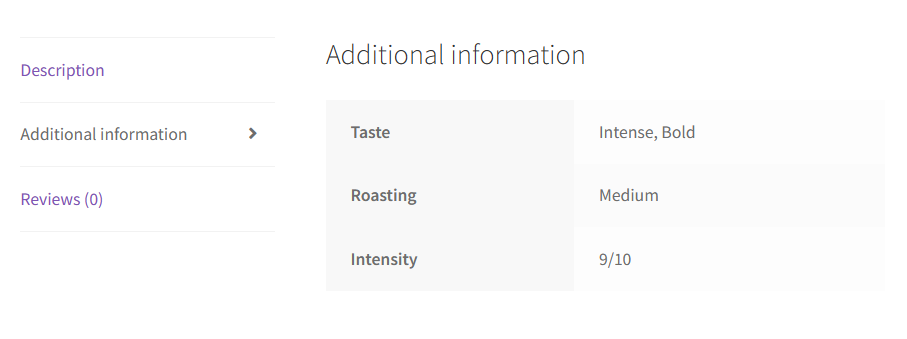
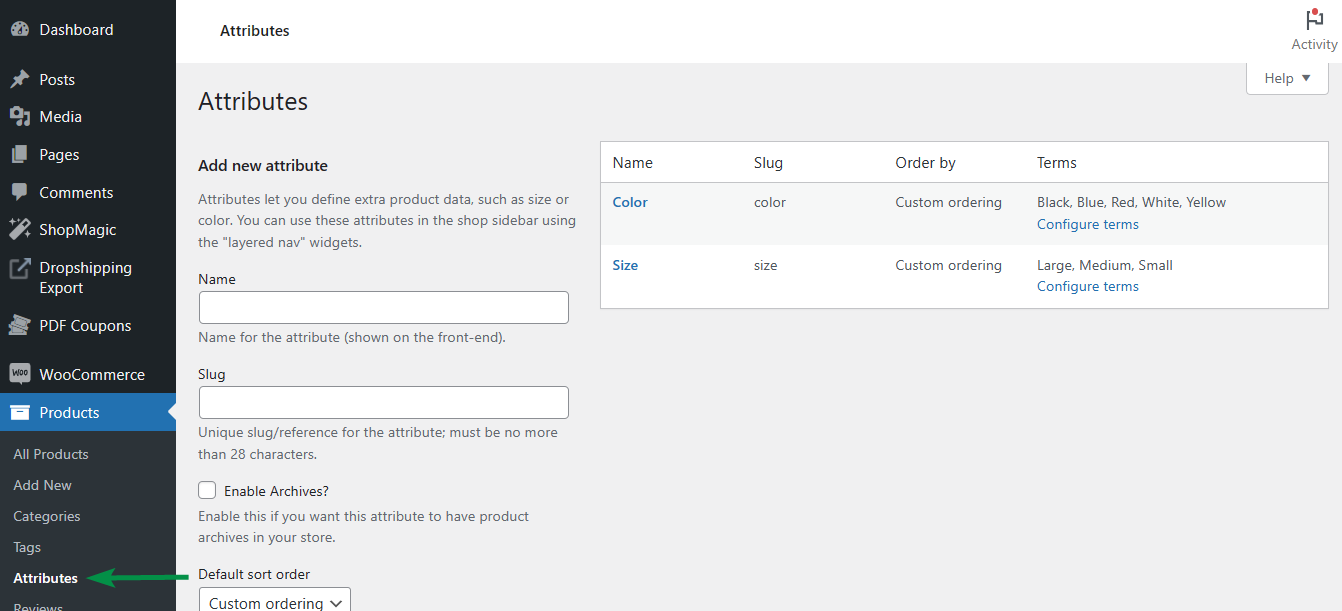
You can set product attributes and their values (terms) in the Products → Attributes menu.
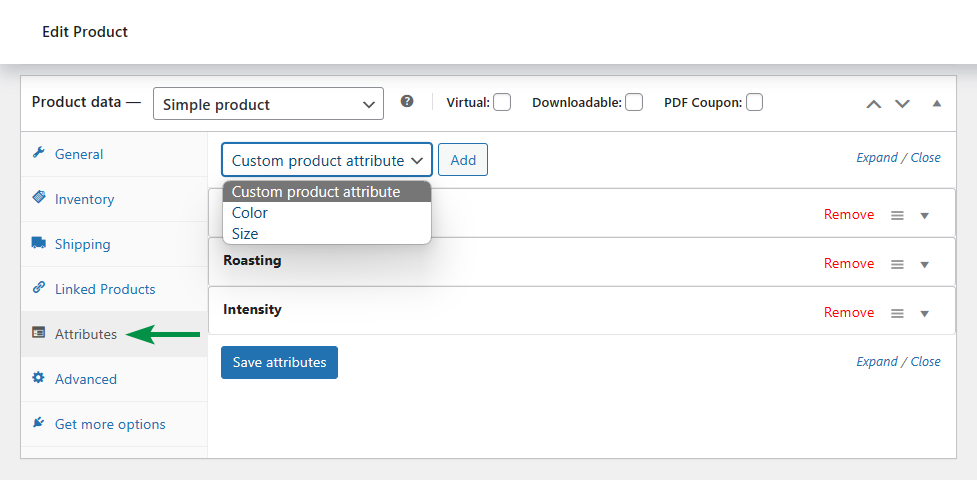
When adding or editing a WooCommerce product, you can then choose a new attribute from the global list (as set above) or add a unique attribute per product.
WooCommerce variable products (products with variations)
Attributes may be used for internal purposes (not visible on the product page):

They are mostly used as a good way of gathering and showing product details to customers.
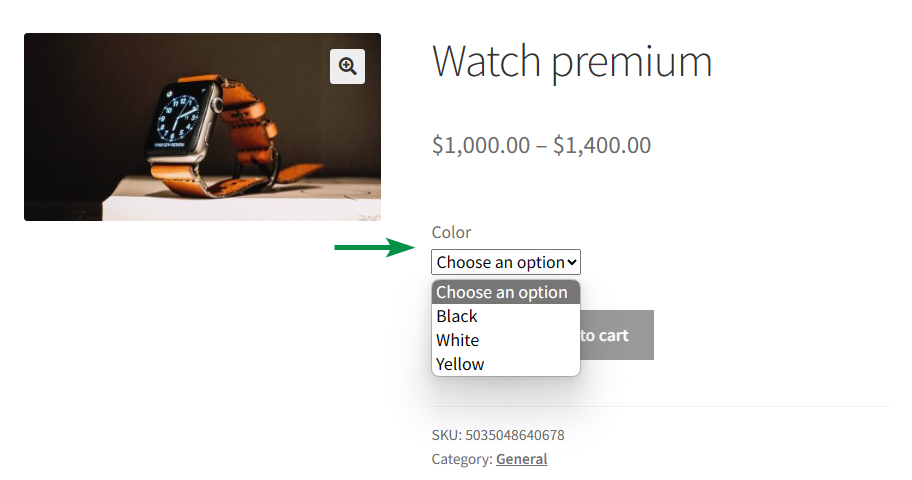
But, you can also use them to sell products with variations. For example, t-shirts with different brands and sizes, phones with options, or a nice watch with colors:
How to set up a variable product in WooCommerce?
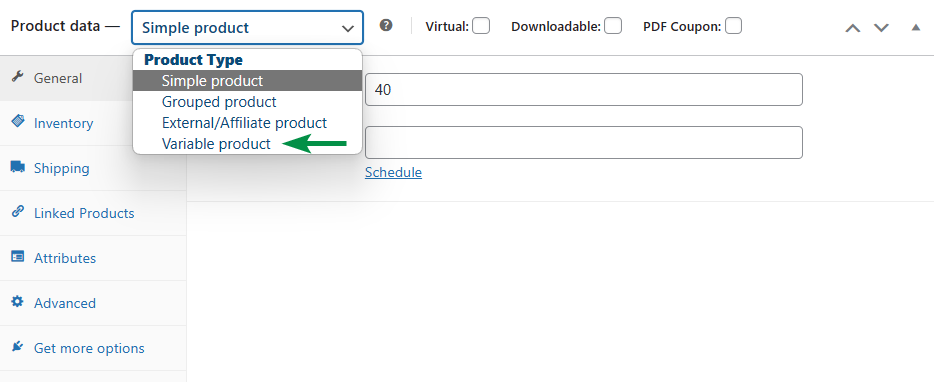
First, change the product type to a Variable product:
Then, check the attributes for variations:
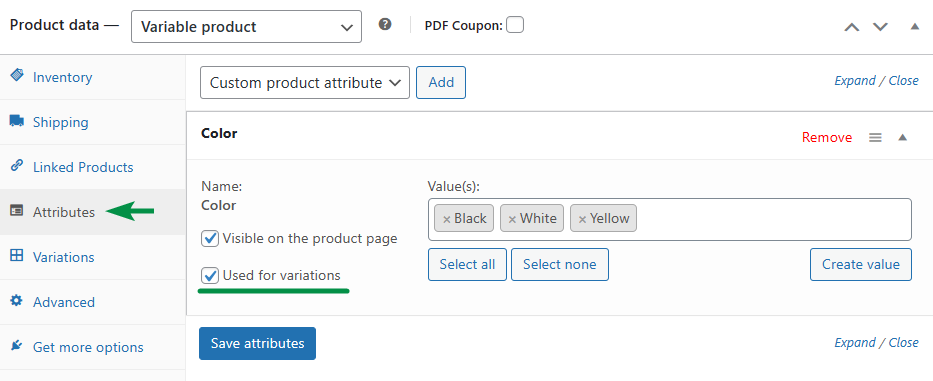
Next, generate product variations (from available combinations of attributes):

Finally, set options for each variation (at least the price). And that's it.

Now, let’s go back to the main topic of this article (product export).
Export products with variations (3 methods)
If you need to export WooCommerce simple products, variations, or both), you can choose one of three options.
Export variable products with WordPress exporter
First, you can use the built-in WordPress tool to export data:
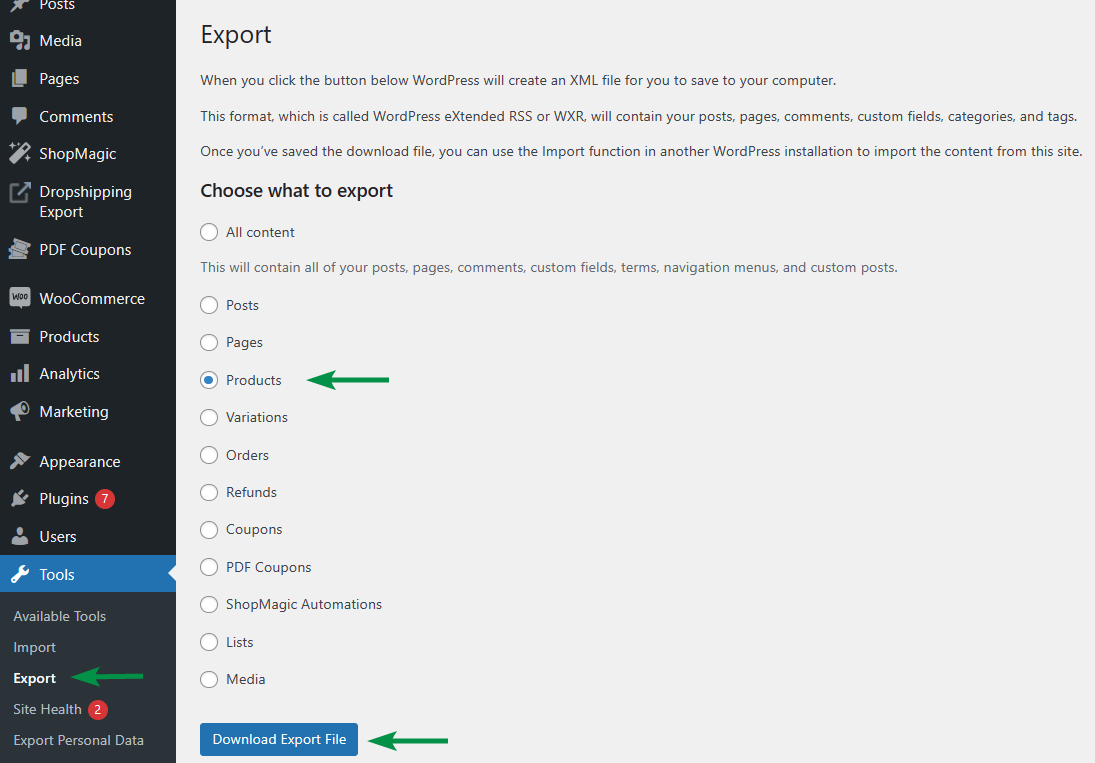
As you can see, I’ve picked up Products, but the exported XML file will contain only the main product (container) for variants.
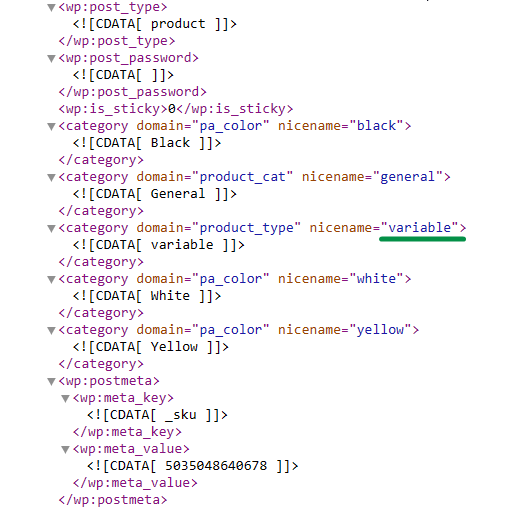
So if I want to get product variations, I will have to generate a second file with Variations.
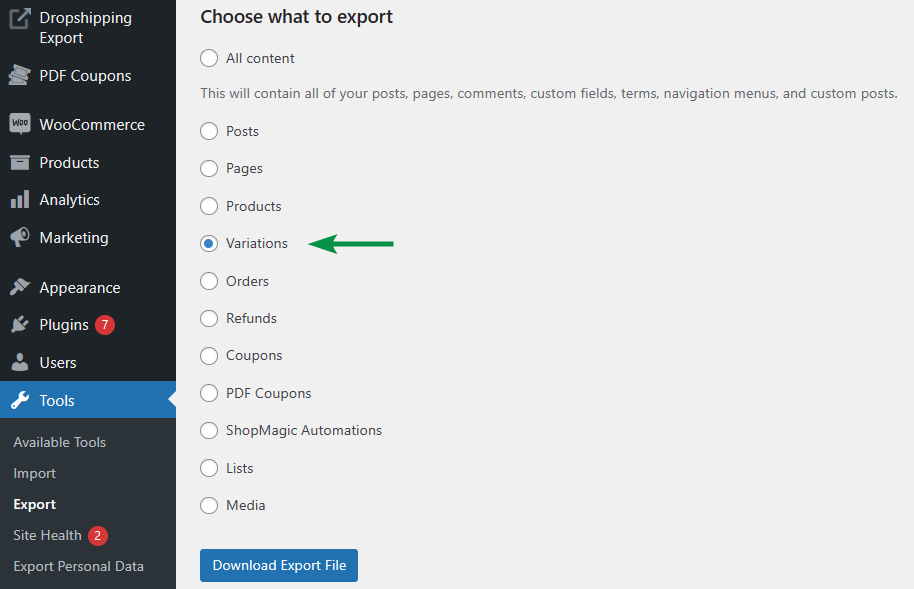
WordPress will create a new XML file with WooCommerce product variations only.

This free tool is ok if you need to quickly migrate products from one WooCommerce to another. But exporting WooCommerce products and variations separately may take time and be a little confusing.
Export products with variations with WooCommerce alone
The second free way of exporting products (including variable ones) is in WooCommerce.
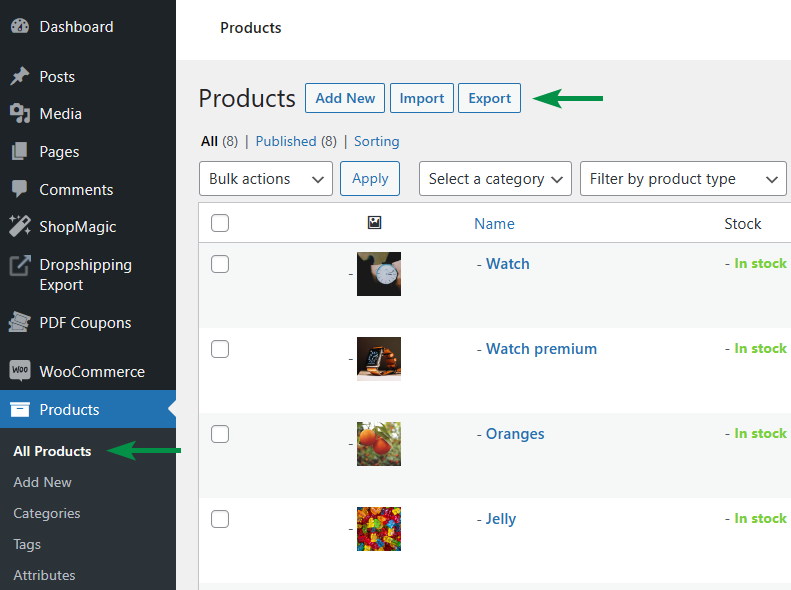
What’s more, here you can choose the product type, columns, and meta to export.

This tool will let you customize the columns and even export products from specific product categories. The WooCommerce exporter will generate a CSV file with a cleaner view and necessary data.
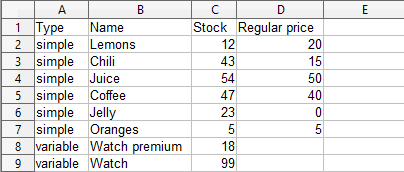
You may also export WooCommerce product variations:

With product variations, the option to select categories is missing, but you get a more detailed CSV:

The WooCommerce way of exporting products is much better, but is there anything more?
Export WooCommerce variable products with a plugin
Yes, there is a way to export WooCommerce products with variations (and other types) with advanced options. I will use the Dropshipping Export Products for WooCommerce plugin.
Let me show you how to use the plugin to export WooCommerce products with variations.
-
Set the new export file
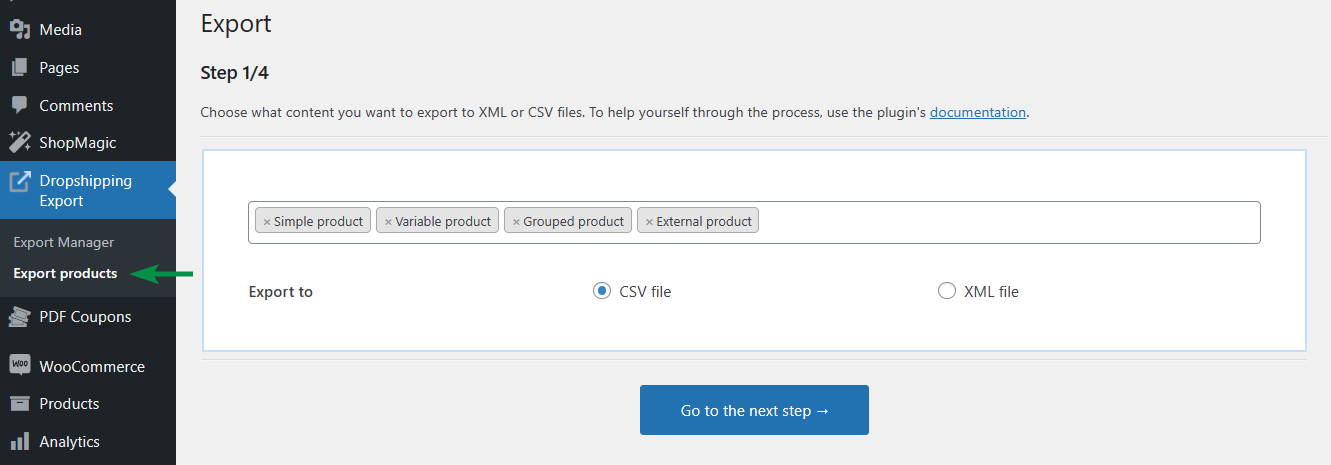
After the installation, go to the plugin menu, and add a new export with the Export products option.
-
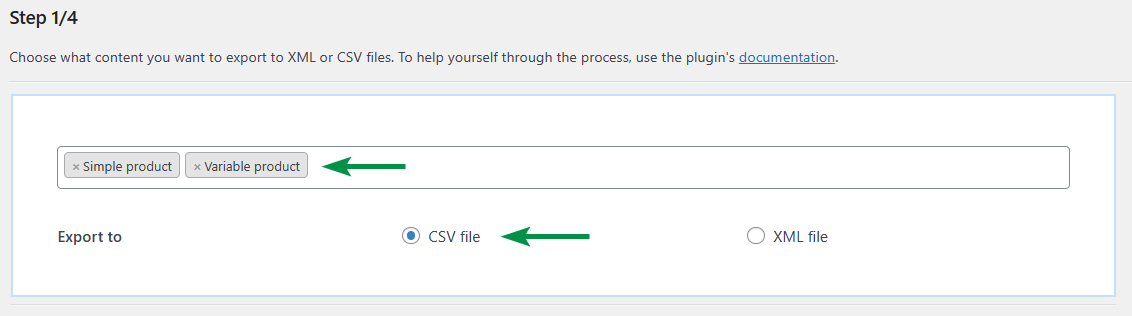
Choose the product type and file format
Then, select the WooCommerce product types for this export and the output file format (XML or CSV).
-
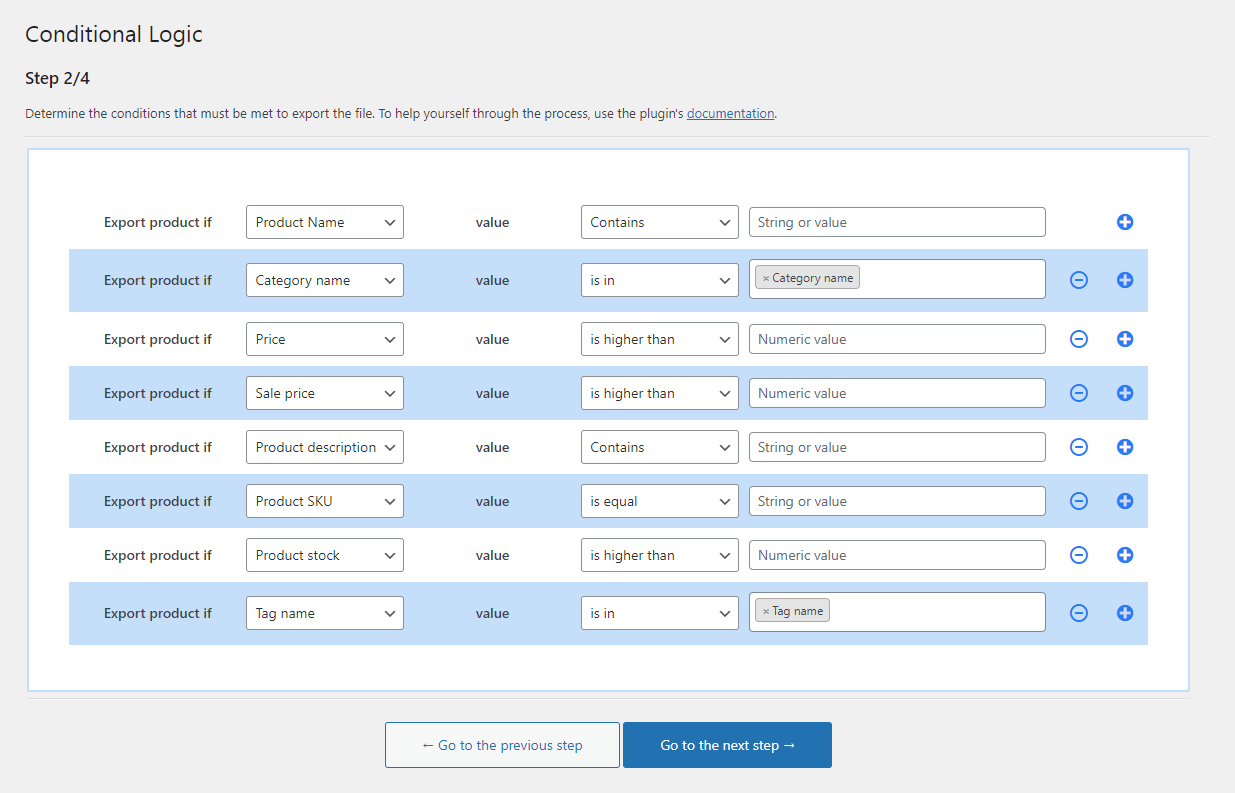
Conditional logic
In the next step, use the plugin's advanced features to filter products to export based on the product name, category, price, stock, etc.
-
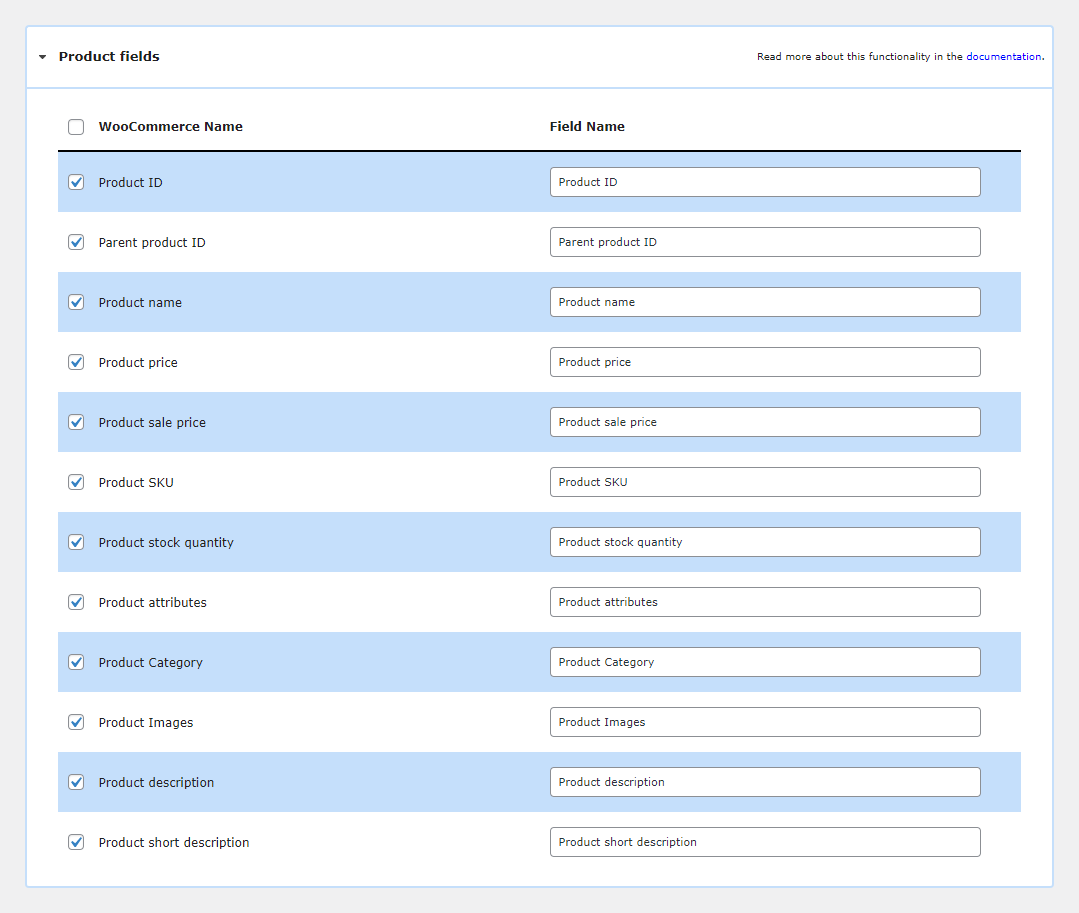
Product fields mapper
Next, choose the product fields to export.
-
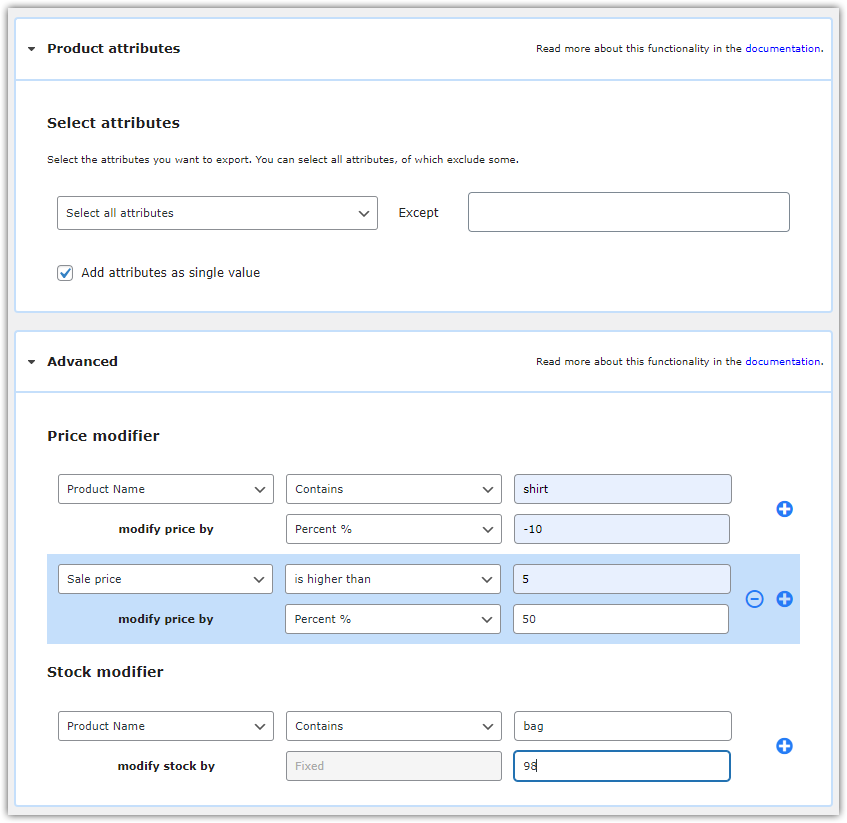
Modify the product price and stock
What’s more, use the plugin to quickly adjust the product prices and stock. It’s useful if you want to import products into other dropshipping or affiliate stores.
Of course, you may also bulk update WooCommerce product prices and stock that way.
 Check out our twin plugin to import WooCommerce products for free 🙂.
 -
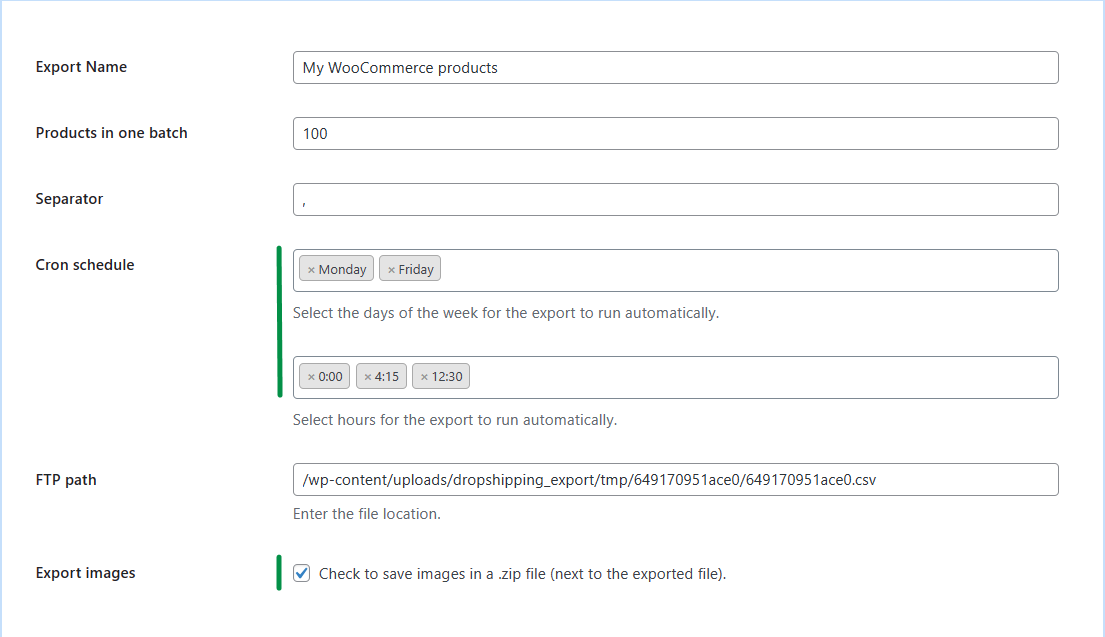
Choose the product options
Then, set the last export options, for example, export name, schedule for automatic exports, or generating all product images in one .zip file.
-
Start the export & manage multiple files
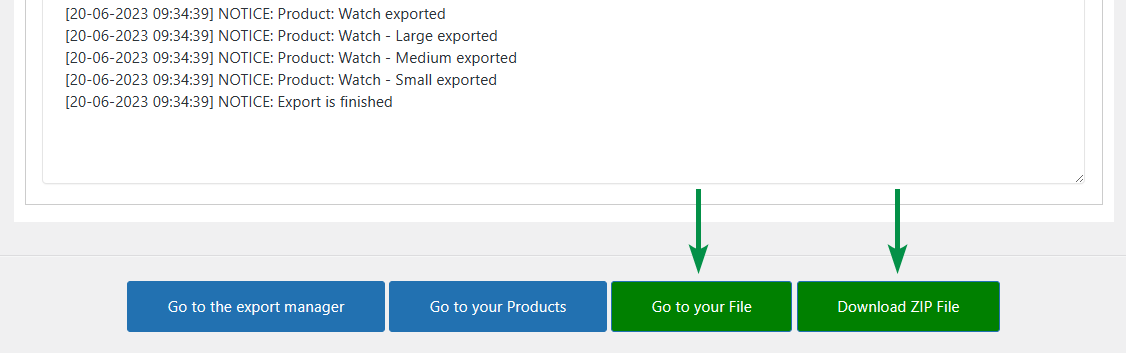
Finally, start the export process.

And get your exported files (CSV and ZIP with images):
Create multiple exports and adjust their settings easily!
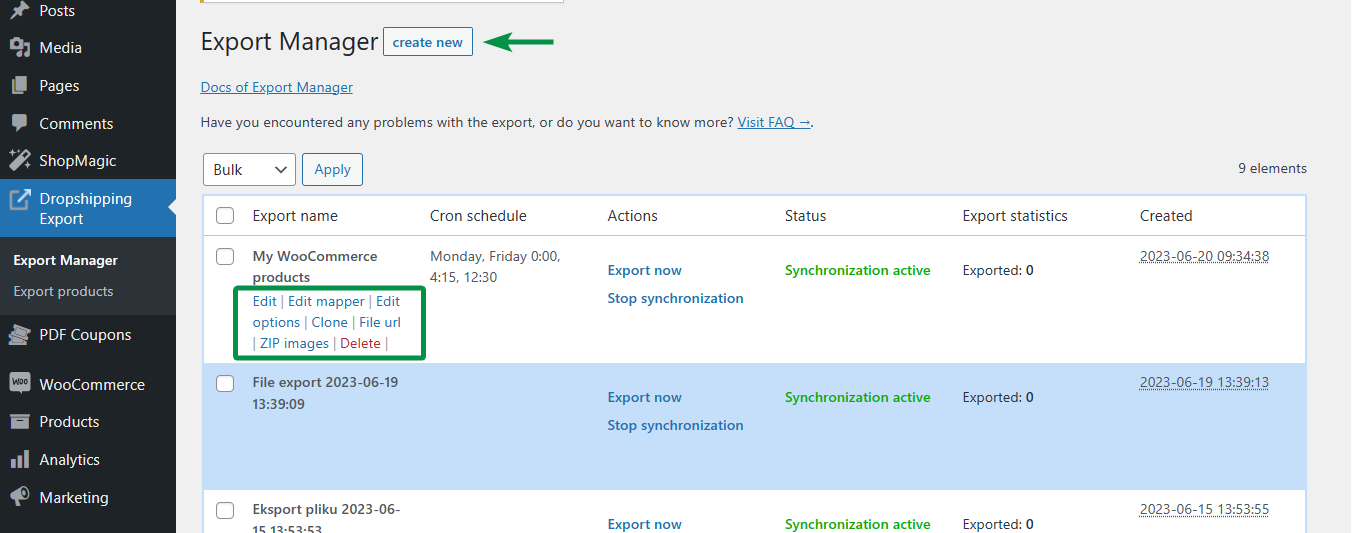
Of course, you can get your exported files anytime. It's useful as you do not have to set and run the exports manually anew.
Which export method should you choose?
The three methods solve different problems, so the right pick depends on what happens to the file afterwards. The built-in WordPress exporter produces XML and is meant for moving a whole site, which is why it splits parent products and variations into two separate files. Use it when you migrate WooCommerce products between installations and want WordPress to rebuild the relationships on the other side. It is the wrong tool if anyone has to open the file and read it.
The WooCommerce CSV exporter is the better default for everyday work. It lets you pick columns, filter by product type and export product categories, and the resulting CSV opens cleanly in a spreadsheet. Its limits show up quickly, though: you cannot filter by price or stock level, you cannot change values during the export, and every run is manual. For a one-off export of a product catalogue it is enough.
A dedicated plugin makes sense once the export repeats. Scheduled WooCommerce product export, conditional filters, field mapping and price or stock adjustment during export matter when you feed a product feed to a marketplace, a comparison engine or a dropshipping partner, because those systems expect the same file structure every time. If you export the same catalogue more than once a month, or if the receiving system needs fields named its own way, automating the export saves more time than it costs to set up.
Frazy: WooCommerce product export, export product variations, scheduled product export, product feed, migrate WooCommerce products.
Test the plugin & get a free plugin to import products
Today, I’ve shown how to export WooCommerce products with variations. You may use each method (depending on your needs) for the product export. Visit the plugin page and test the plugin in your free demo 🙂.
If you have any questions let us know.
FAQ – exporting WooCommerce products with variations
Why does the WordPress exporter split products and variations into two files?
The built-in exporter treats variations as a separate content type, so the products file contains only the parent products and their attributes. To get the full catalogue you have to run a second export for variations and import both files, parents first, so WordPress can rebuild the links between them.
Can I export only selected products from WooCommerce?
The WooCommerce exporter lets you narrow the export by product type and by category. Filtering by price, stock level or product name requires a dedicated plugin, because those conditions are not available in the built-in tool.
What is the difference between a CSV and an XML product export?
CSV is a flat table that opens in any spreadsheet and suits catalogues, price lists and imports into other stores. XML keeps a nested structure and handles complex relationships better, which is why site migrations and most marketplace feeds use it.
Can I export product images together with the products?
The built-in tools export image URLs, not the files themselves, so the receiving store has to download them from the original site. A plugin can package the images into a ZIP archive alongside the data file, which matters when the source store is going offline.
How do I schedule an automatic product export in WooCommerce?
Neither WordPress nor WooCommerce can schedule exports on its own; both run on demand only. Recurring exports need a plugin that saves the export configuration and triggers it on a schedule, which is the usual setup for dropshipping partners and marketplace feeds.
Dropshipping Import Products for WooCommerce
Export products from WooCommerce to CSV or XML files in an easy way. With Dropshipping Export Products for WooCommerce, it's child's play!
Download for free or Go to WordPress.orgDropshipping Export Products for WooCommerce €79
Export products from WooCommerce to CSV or XML files in an easy way. With Dropshipping Export Products for WooCommerce, it's child's play!
Add to cart or View DetailsAll Plugins Bundle €99
Export products from WooCommerce to CSV or XML files in an easy way. With Dropshipping Export Products for WooCommerce, it's child's play!
Add to cart or View Details