Hey WooCommerce store owners! Are you ready to transform the way you display prices per unit in your online store? Let's dive into the game-changing plugin, Flexible Quantity Calculator for WooCommerce.
Discover how to display WooCommerce price by quantity. This feature is not just cool, it's super useful for your customers, especially when you're selling items like fabrics, liquids, or anything that's measured. And guess what? The Flexible Quantity Calculator for WooCommerce is your go-to tool for this!
Contents
- WooCommerce price by quantity
- WooCommerce price per unit of measure
- How to set the dynamic pricing per unit in WooCommerce?
- Custom units of measure in WooCommerce
- WooCommerce price by quantity and per unit - summary
- FAQ
- WooCommerce measurement price calculator: Free download
- Advanced product quantities, decimals, and new units in WooCommerce
- Unit of measure in WooCommerce - all that you need to know!
- Use Measurement Price Calculator for WooCommerce (free plugin)
- How to set the new unit of measure for WooCommerce products
WooCommerce price by quantity
Simply put, Flexible Quantity Calculator is a WooCommerce plugin that dynamically calculates prices based on the unit of measure you set for your products. This gem is a game-changer for stores that deal in items sold by weight, length, area, volume, or even your own custom units (pro).
👉🏽 This means if you're selling fabric by the yard, spices by the gram, or lumber by the foot, this plugin has got you covered.
Flexible Quantity Calculator for WooCommerce
Enable product price calculation based on dimensions on the product page. Set price and shipping thresholds for product quantities. Support for product variations.
💾 Active Installations: 2,000+ | WordPress Rating:
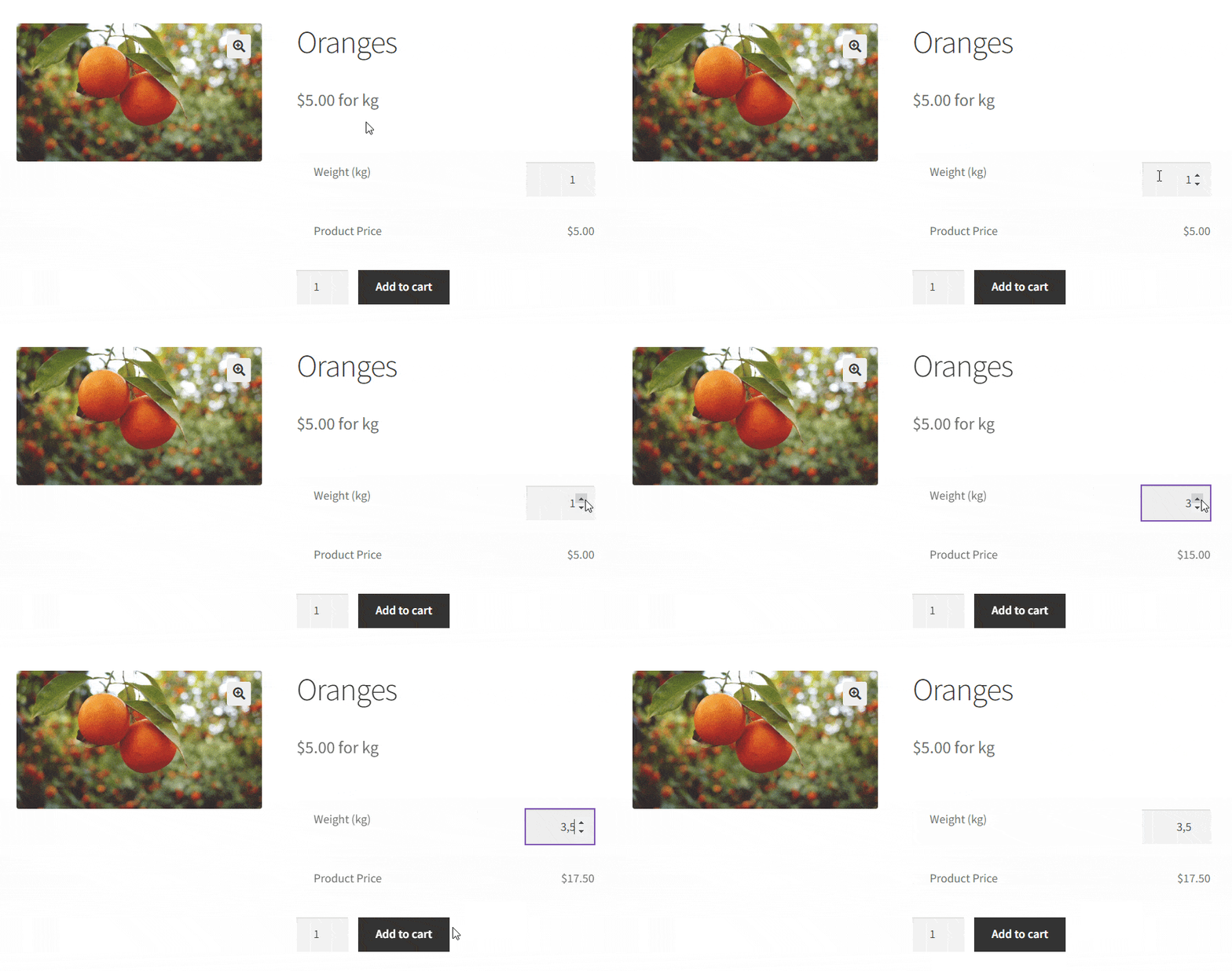
Imagine you're selling fruit - let's say, oranges. Not just any kind of oranges, but oranges that customers can purchase in any amount they desire. That's where the plugin steps in. It's not just about showing the WooCommerce price per unit and per quantity. It's about offering a whole new level of flexibility and precision in pricing.
👀 Just look:
And the best part of it? Flexible Quantity Calculator dynamically calculates the price based on the quantity or measurements your customers choose 😍.
✅ Let's see some examples of using the Flexible Quantity plugin. I will show you how you can show price per unit in WooCommerce without any effort.
Showing the price per unit isn't just about accuracy — it's also about trust. When customers see a clear price per gram, meter, or liter, they can compare your offer to competitors and to their own budget without doing mental math. This transparency matters even more for higher-priced or bulk-oriented products, where a vague "per item" price can feel misleading if the actual quantity varies. Displaying the price per unit up front removes that ambiguity and sets clear expectations before the customer even reaches the cart.
WooCommerce price per unit of measure
At the heart of this plugin is the dynamic price calculation feature. This isn’t your average, run-of-the-mill setup. Whether you're selling fabric by the yard or candy by the pound, this plugin dynamically adjusts the price based on the customer's chosen quantity. It’s like having a smart calculator right on your product page.
This is undoubtedly an advantage of this plugin, as the customer sees the price changing dynamically in front of his own eyes. You, of course, also gain a lot here, because you can define the price per unit yourself.
How to set the dynamic pricing per unit in WooCommerce?
You can find all the settings of the plugin in the Product edit screen. Select any product and enter the edit screen. There you will find the Flexible Quantity tab.

Psst... Of course, it will appear only after you install and activate the plugin 😉
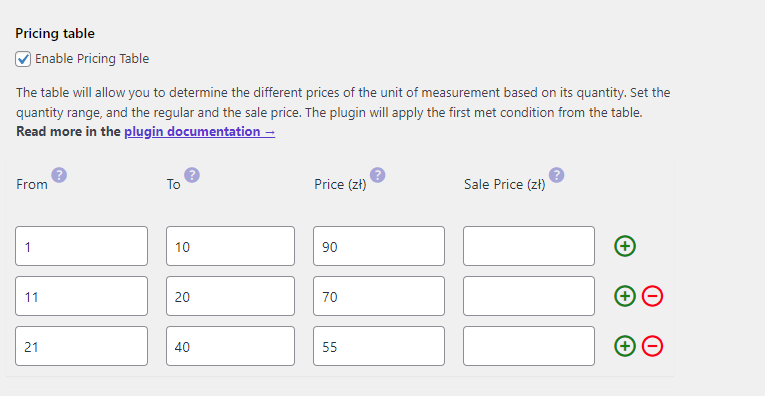
Flexible Quantity plugin for FREE →To set up different prices based on the quantity of the new unit, just have to Enable Pricing Table (almost at the bottom of all settings) in the product edit screen and set your own rules with new prices. And that's it, the price by quantity is ready to be changed dynamically based on the WooCommerce unit price.
To set up different prices based on the quantity of the new unit, just have to enable the pricing table and set your own rules with new prices. And that's it, the price is ready to be changed dynamically based on the WooCommerce unit price.
Decimal quantities: precision at its best 📏
The plugin also shines with its ability to handle decimal quantities. This means you can sell products like liquids, powders in precise measurements or products with non-standard dimensions, elevating the shopping experience to a whole new level of accuracy and customer satisfaction.
What if your customer wants 1.5 pounds of those scrumptious almonds? No problem! The plugin handles decimal quantities like a champ, ensuring customers can get exactly the amount they need, and you price it just right
Precision on the price per unit also protects your margins on both ends. Rounding every order up to the nearest whole unit might seem simpler, but it either costs you money on frequent small orders or annoys customers who feel overcharged for a fraction they didn't need. Supporting decimal quantities means the price per unit stays accurate no matter how small or large the order is — whether someone wants 0.5 kg of coffee or 12.75 meters of fabric, the total always reflects exactly what they're getting.
Where to set the decimal price per unit?
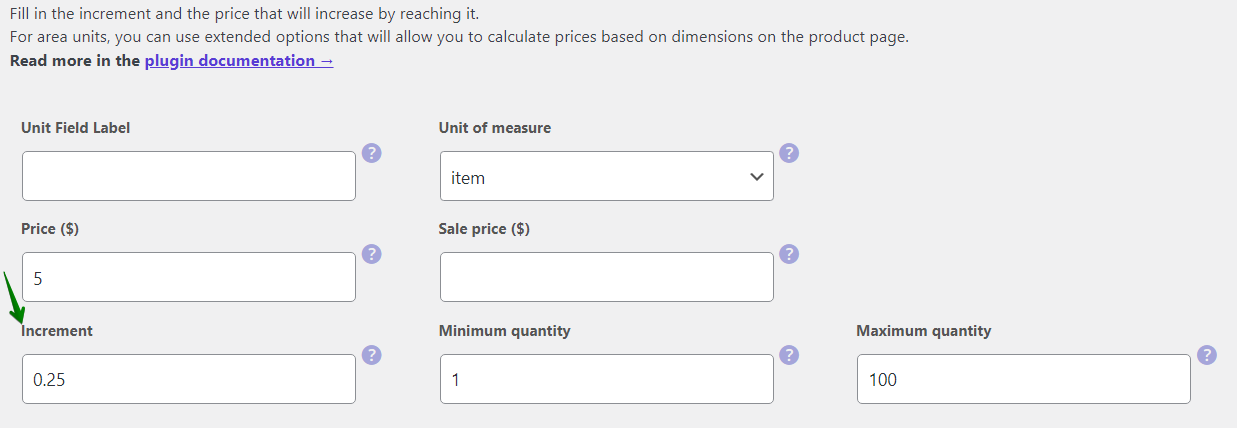
Once you're in the Flexible Quantity tab in the Product edit screen, set the new unit of measurement: the input name, its price for the unit, the increment value, and the minimum and maximum quantity of the unit. This is where you can use decimal values.
👀 Have a look:
Piece of cake!
Custom units of measure in WooCommerce
What if the product you're selling doesn't have a typical measurement unit and you can't find it among the available units of measure supported by Flexible Quantity? How about selling wooden packages by the pallet? Set up the price per units in WooCommerce as you need. After you set a new unit of measurement, you can define fixed values, or let customers enter their own quantities. Plus, there are settings for minimum and maximum values, because who wants to sell a million of wooden pallets in one go, right?
👀 See what this looks like on the product page:

Where to set the customizable WooCommerce price per unit?
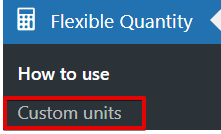
Once you have activated the plugin, a new option will appear in the Flexible Quantity menu: Custom units. Click it.
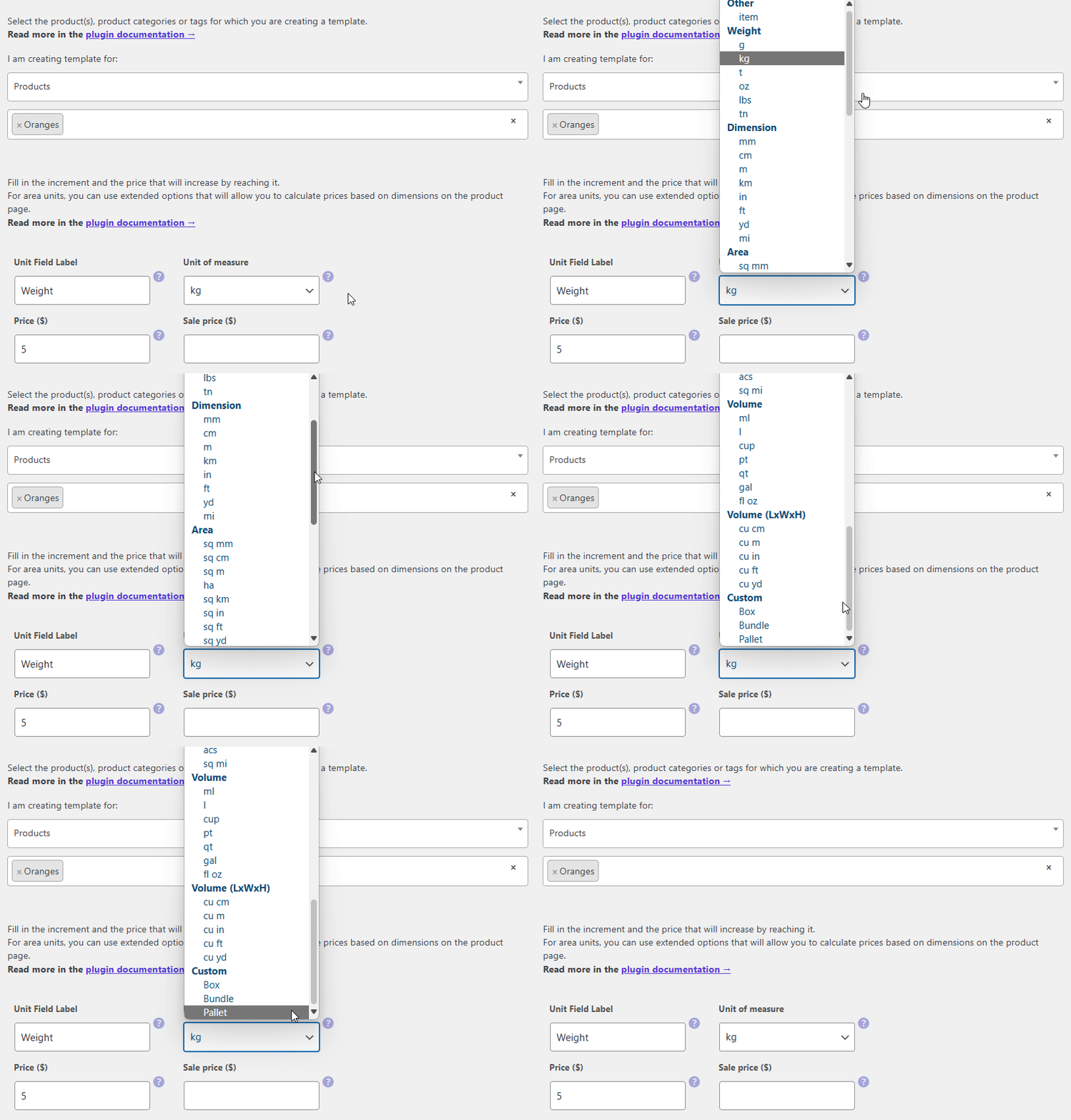
This is where you can add custom units, which will be added to the list of units next to the product. Simply add name to the custom unit. To add another custom unit click "plus". To delete custom unit click "minus".

Why it's a game-changer for your store
Imagine a customer visiting your store to buy fabric. They can enter exactly how many meters they need, and the price adjusts accordingly. No more guessing games, no more "one size fits all" pricing. It's all about offering a tailored shopping experience that can really make your store stand out. This way, your customer will find exactly what they are looking for in your store. You will stand out from the competition, and he will be happy to come back to you for more purchases. And that's what it's all about 😊.
WooCommerce price by quantity and per unit - summary
To sum it up, showing the price per unit in WooCommerce is not just a nice feature to have; it's a necessity for certain types of stores. And the Flexible Quantity Calculator for WooCommerce is your perfect partner in this. It’s user-friendly, versatile, and can transform how you price and sell products. Give it a shot and see your customer satisfaction and sales grow!
Flexible Quantity FREE →FAQ
How do I show price per unit in WooCommerce?
Install the Flexible Quantity plugin, go to the product's Flexible Quantity tab, and set the unit of measure along with its price. The plugin displays and calculates the price per unit automatically on the product page.
Can I set a different price per unit for the same product at different quantities?
Yes, but this requires the PRO version. The free version calculates a single, consistent price per unit, while PRO adds a pricing table for quantity-based pricing tiers.
Does WooCommerce support price per unit for decimal quantities?
Yes, with the Flexible Quantity plugin. You can set increment values and minimum/maximum quantities that include decimals, so customers can order exact amounts like 1.5 kg or 12.75 meters.