• Skip to primary navigation
  • Skip to main content
  • Skip to primary sidebar
  • Skip to footer
WP Desk = premium plugins for WordPress & WooCommerce
  • Plugins
        • Checkout & OrdersMake your work easier and automate the orders. Adjust the order form to your needs and make it more useful to your customers. Print order labels directly from WooCommerce. Put the orders in order using our plugins. Find out how to streamline the procurement process in your store.
          • Flexible Checkout Fields
          • Active Payments
          • Automatic Payment Status
          • One Click Return for WooCommerce
          • Print Orders and Address Labels
          • Flexible Subscriptions Recurring Shipping
          • Flexible Subscriptions Payment Retry
          • Flexible Subscriptions Stock Management
        • ProductsThese plugins will help you manage your WooCommerce products. Here you will find the plugins to import and update products from XML or CSV files. Then you can change the product unit of measure, show the lowest price in the last 30 days (Omnibus Directive), or let customers name the product price!
          • Flexible Product Fields
          • Dropshipping Import Products
          • Dropshipping FTP Import Products
          • Dropshipping Export Products
          • Custom Price
          • WP Desk Omnibus
          • Flexible Quantity Calculator
          • Dropshipping Orders Export
        • MarketingPromote your store online. Add products from your shop to price comparison websites directly from WooCommerce. Acquire new customers and communicate with your existing ones. Build a customer base and communicate with clients using one of the most effective marketing tools, namely e-mail marketing. Check out our promotional tools!
          • Flexible Pricing
          • Flexible Wishlist - Analytics & Emails
          • OLX WooCommerce
          • Flexible PDF Coupons
          • ShopMagic
          • Flexible Invoices
  • Bundle🔥
  • WP Desk Care
  • Support
  • Blog
  • My Account
  • 0

More results

How to Set Up Subscription Renewal Reminder Emails in WooCommerce

Subscriptions for WooCommerce

patrycja.wojas4 minutes readUpdated: 2026-10-12Updated: 2026-10-07
blog category heading image

To send renewal reminder emails in WooCommerce, install Flexible Subscriptions and add the Emails add-on, then set the reminder to fire seven days before renewal for monthly plans and fourteen to thirty days for annual ones. The message needs three facts in the first line: the amount, the charge date and the last four digits of the card on file. That is the whole configuration. The rest of this guide explains the timing, what belongs in the message, and why the cancellation link should stay visible.

Contents

  • A renewal nobody warned them about
  • What is a subscription renewal reminder email?
  • Why reminders reduce failed payments
  • How to set up renewal reminders in WooCommerce
    • Step 1: Choose the timing
    • Step 2: Put the three facts first
    • Step 3: Include a cancellation link
    • Step 4: Test on a real subscription
  • What to include in the email
  • Check your payment gateway first
  • Summary
  • Frequently asked questions
    • How many days before renewal should the reminder go out?
    • Will renewal reminders increase cancellations?
    • Do reminders replace failed payment notifications?
    • Can the reminder be sent for free subscriptions or trials?
    • Does WooCommerce send renewal reminders on its own?

A renewal nobody warned them about

A subscription charge that lands without notice is one of the most common reasons customers cancel. The payment often goes through, but the surprise costs you the relationship, and the refund request arrives anyway.

Renewal reminder emails remove that surprise. They tell the customer what will be charged, when, and from which card, while there is still time to react.

What is a subscription renewal reminder email?

A renewal reminder is an automated message sent a set number of days before the next billing date. It confirms the plan, the amount, the charge date and the payment method on file.

A receipt arrives after the money has moved. A reminder arrives before, which is the whole point: the customer can update an expired card, switch plans, or cancel without feeling cornered.

Why reminders reduce failed payments

Most failed renewals are accidents. Cards expire, banks reissue numbers after fraud alerts, balances run low in the last days before payday. Nobody thinks about a subscription until the charge bounces.

A reminder moves that moment forward. Instead of discovering the problem when access stops, the customer sees it while the card can still be replaced. Fewer failed charges, fewer suspended subscriptions, fewer tickets asking why the service went dark.

A reminder reduces how often that happens, but it does not eliminate it. For the charges that still fail, set up automatic payment retries as the second layer.

There is a second effect worth naming. A store that announces charges in advance looks like a store that will also handle a cancellation properly, and that perception reduces chargebacks.

How to set up renewal reminders in WooCommerce

Flexible Subscriptions adds subscription products to WooCommerce and handles the recurring order flow. The Emails add-on extends it with automated messages tied to subscription events, including renewals.
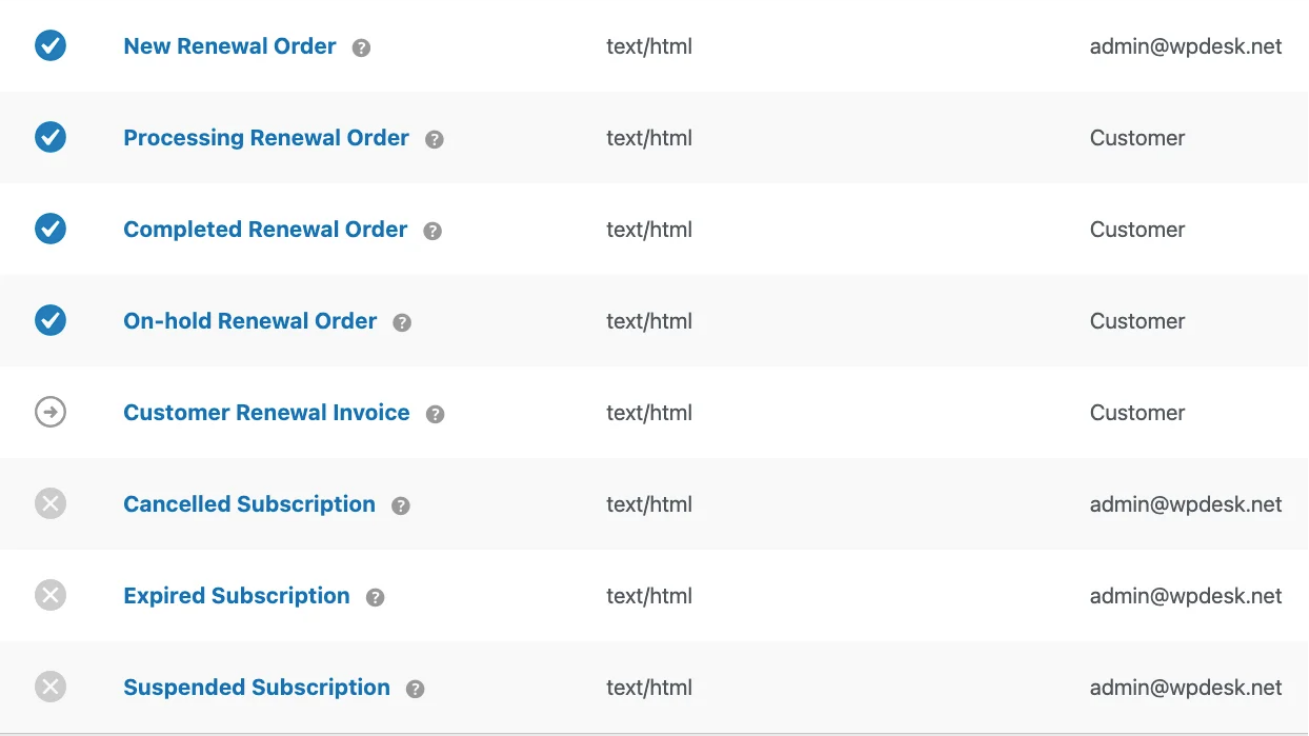
WooCommerce subscription renewal reminder email received by a customer

Step 1: Choose the timing

Seven days before renewal suits monthly plans, because it leaves room to replace a card. For annual subscriptions, use fourteen or thirty days: a larger charge deserves longer notice, and annual renewals are the ones customers forget entirely.

Step 2: Put the three facts first

Amount, date, payment method. Everything else is secondary. A customer scanning the email on a phone should be able to answer "how much and when" without scrolling.

Step 3: Include a cancellation link

This feels counterproductive, and it is the single thing stores most often leave out. Hiding the cancellation does not keep anyone. It converts a voluntary cancellation into a chargeback, which costs more and can put your payment account at risk.

Step 4: Test on a real subscription

Create a test subscription with a short billing cycle, let the reminder fire, and open it on a phone. Reminders are read in crowded inboxes, usually between other things.

What to include in the email

Subscription name and plan. Renewal amount including tax. The exact charge date. The last four digits of the card. A link to the customer account area. A cancellation link.

What to leave out: upsells. A reminder is a billing message, and mixing promotion into it is what makes customers stop opening them.

Stores that sell physical subscription boxes should also check stock before the renewal fires, so the reminder does not announce a charge for something you cannot ship.

Check your payment gateway first

Reminders only help when the renewal itself can go through. Flexible Subscriptions works with gateways that support WooCommerce subscription renewals, and one exception is worth knowing: WooPayments is currently removed from the available methods when a subscription product sits in the cart.

WP Desk telemetry from 19,803 WooCommerce stores, collected in August 2026, shows that 32.3% of stores offer four or more payment methods and 5.1% have none configured at all. If your store sits in that second group, the reminder is not the first thing to fix.

If you are still choosing a subscription plugin, the comparison of WooCommerce Subscriptions alternatives covers which gateways each option supports.

FLEXIBLE SUBSCRIPTIONS
Emails add-on
Automated subscription emails tied to renewals, payment failures and status changes.
See the add-on »

Summary

Renewal reminders cost nothing to send and remove the most common friction point in subscription billing. Set the timing to match the billing cycle, state the amount and date plainly, leave the cancellation link visible, and let the customer act before the charge rather than complain after it.

Frequently asked questions

How many days before renewal should the reminder go out?

Seven days for monthly billing, fourteen to thirty days for annual plans. Less than three days leaves no time to replace an expired card, which defeats the purpose.

Will renewal reminders increase cancellations?

Some customers will cancel. Those are largely the ones who would otherwise have requested a refund or disputed the charge, and a voluntary cancellation costs you far less than either.

Do reminders replace failed payment notifications?

No. A reminder goes out before the charge, a failure notice after it. A complete setup has both.

Can the reminder be sent for free subscriptions or trials?

Yes, and it is a good idea before a trial converts to a paid plan. That first charge is the one customers dispute most often.

Does WooCommerce send renewal reminders on its own?

No. Core WooCommerce sends order and invoice emails, not pre-renewal notices. The reminder has to come from the subscription plugin or an email automation plugin.

4 minutes read101 views

patrycja.wojas

Product Content Hero

LinkedIn Profile

Patrycja has 14 years of experience in copywriting and SEO. She is one of the few specialists in Poland who writes with equal confidence about mor...

Powered by WP Desk

WP Desk brings you great WooCommerce plugins. We strive to save your time and money by speeding up your processes. Use our plugins to build a better store. Awesome support included in the package.

Premium WooCommerce Plugins →
WP Desk › Blog › WooCommerce checkout & orders › Subscriptions for WooCommerce › How to Set Up Subscription Renewal Reminder Emails in WooCommerce

Primary Sidebar

Contents

  • A renewal nobody warned them about
  • What is a subscription renewal reminder email?
  • Why reminders reduce failed payments
  • How to set up renewal reminders in WooCommerce
    • Step 1: Choose the timing
    • Step 2: Put the three facts first
    • Step 3: Include a cancellation link
    • Step 4: Test on a real subscription
  • What to include in the email
  • Check your payment gateway first
  • Summary
  • Frequently asked questions
    • How many days before renewal should the reminder go out?
    • Will renewal reminders increase cancellations?
    • Do reminders replace failed payment notifications?
    • Can the reminder be sent for free subscriptions or trials?
    • Does WooCommerce send renewal reminders on its own?

Flexible Subscriptions - Emails €39

Automate subscription communication in your store! Stop wasting time on manual notifications. The Flexible Subscriptions - Emails add-on for the free Flexible Subscriptions plugin sends all key messages to customers and administrators, automatically informing them about renewals, payments, and subscription status changes.
Professional communication has never been this easy! See what our new add-on can do ⬇️

Add to cart or View Details
WP Desk
Plugins used by 239,787+ shops
Last Updated: 2026-05-19
Works with WooCommerce 10.0 - 10.3

Stay updated on our how-to articles

WP Desk news, WooCommerce tips, promo codes - right to your inbox.

By entering your e-mail, you agree to our Terms & Conditions and Privacy Policy.

By entering your e-mail, you agree to our Terms & Conditions and Privacy Policy.

Footer

WP Desk - WooCommerce Plugins

At WP Desk we create great WooCommerce plugins with awesome support. Save time and money with our e-commerce solutions. See how we can help you improve your e-store →

Secured by Comodo

WP Desk

  • About us
  • Giving Back
  • Blog
  • Get Support
  • Contact us

Products

  • Premium Plugins
  • WP Desk Care
  • Documentation
  • WooCommerce Invoices
  • Email Marketing
  • PDF Coupons

Legal

  • Terms & Conditions
  • Refund Policy
  • Support Policy
  • Privacy Policy

© 2026 WP Desk

We value your privacy

We use necessary cookies to make our site work. We'd also like to set additional cookies to understand site usage, enhance your browsing experience, and serve personalized ads or content. By clicking ‘Accept All,’ you consent to our use of additional cookies.

Functional Always active
The technical storage or access is strictly necessary for the legitimate purpose of enabling the use of a specific service explicitly requested by the subscriber or user, or for the sole purpose of carrying out the transmission of a communication over an electronic communications network.
Preferences
The technical storage or access is necessary for the legitimate purpose of storing preferences that are not requested by the subscriber or user.
Statistics
The technical storage or access that is used exclusively for anonymous statistical purposes. Without a subpoena, voluntary compliance on the part of your Internet Service Provider, or additional records from a third party, information stored or retrieved for this purpose alone cannot usually be used to identify you. The technical storage or access that is used exclusively for anonymous statistical purposes. Without a subpoena, voluntary compliance on the part of your Internet Service Provider, or additional records from a third party, information stored or retrieved for this purpose alone cannot usually be used to identify you.
Marketing
The technical storage or access is required to create user profiles to send advertising, or to track the user on a website or across several websites for similar marketing purposes.
  • Manage options
  • Manage services
  • Manage {vendor_count} vendors
  • Read more about these purposes
View preferences
  • {title}
  • {title}
  • {title}