Contents
Additional services
Additional services let you offer extra paid options for Allegro buyers, for example gift wrapping or other services configured in your Allegro account.
The plugin does not create additional services in WooCommerce. Instead, it downloads the additional service groups available in the connected Allegro account and lets you assign one of them in the auction settings template.
Creating additional services in Allegro
Create and configure additional services directly in your Allegro account settings. Go to this page and add the services you want to offer to buyers.
To add a new service in Allegro, click the Add service button:

In the service configuration window, enter the service name, price, and description. Save the service in Allegro when the configuration is complete.
Assigning additional services to an auction
To assign additional services to an auction, edit the auction settings template.
In the Offer conditions section, use the Additional services field and select the service group that should be assigned to auctions created with this template.
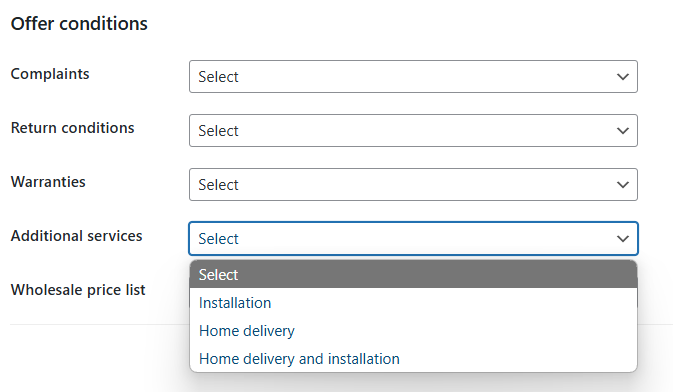
When you list or update an auction using this template, the plugin sends the selected additional services group to Allegro together with the auction data.
