• Skip to primary navigation
  • Skip to main content
  • Skip to footer
WP Desk = premium plugins for WordPress & WooCommerce
  • Plugins
        • Checkout & OrdersMake your work easier and automate the orders. Adjust the order form to your needs and make it more useful to your customers. Print order labels directly from WooCommerce. Put the orders in order using our plugins. Find out how to streamline the procurement process in your store.
          • Flexible Checkout Fields
          • Active Payments
          • Automatic Payment Status
          • Flexible Refund and Return Order
          • Print Orders and Address Labels
          • Flexible Subscriptions Recurring Shipping
          • Flexible Subscriptions Payment Retry
          • Flexible Subscriptions Stock Management
        • ProductsThese plugins will help you manage your WooCommerce products. Here you will find the plugins to import and update products from XML or CSV files. Then you can change the product unit of measure, show the lowest price in the last 30 days (Omnibus Directive), or let customers name the product price!
          • Flexible Product Fields
          • Dropshipping Import Products
          • Dropshipping FTP Import Products
          • Dropshipping Export Products
          • Custom Price
          • WP Desk Omnibus
          • Flexible Quantity Calculator
          • Dropshipping Orders Export
        • MarketingPromote your store online. Add products from your shop to price comparison websites directly from WooCommerce. Acquire new customers and communicate with your existing ones. Build a customer base and communicate with clients using one of the most effective marketing tools, namely e-mail marketing. Check out our promotional tools!
          • Flexible Pricing
          • Flexible Wishlist - Analytics & Emails
          • OLX WooCommerce
          • Flexible PDF Coupons
          • ShopMagic
          • Flexible Invoices
  • Bundle🔥
  • WP Desk Care
  • Support
  • Blog
  • My Account
  • 0

More results

Allegro WooCommerce

Boost sales with two-way WooCommerce and Allegro integration. Allegro WooCommerce is a plugin that extends your WooCommerce store with features for managing Allegro auctions.

💾 Active Installations: 3000 | 🔄 Last update: 2026-08-21

View PricingDemo Docs
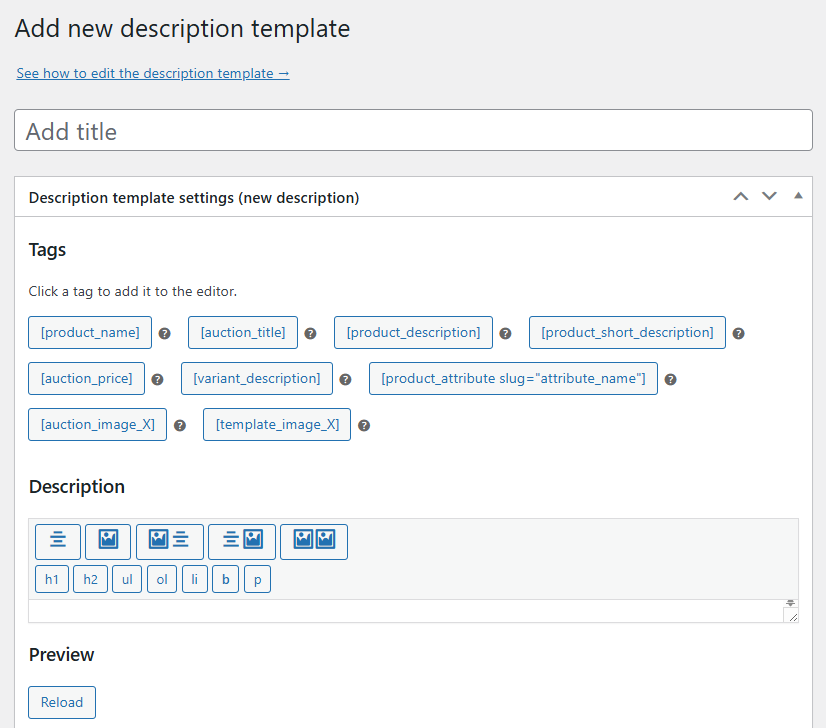
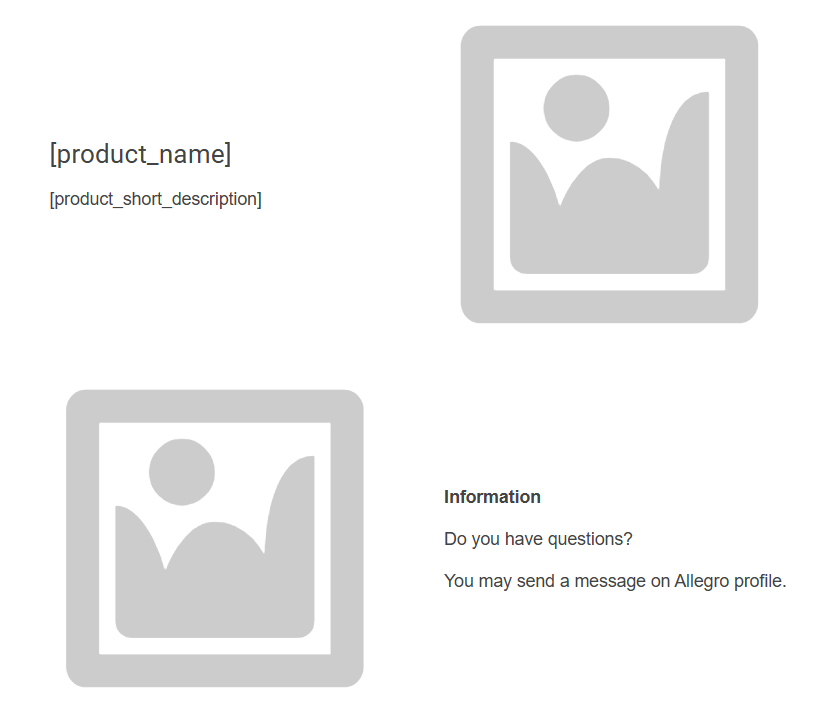
Description template first example
View Screenshots
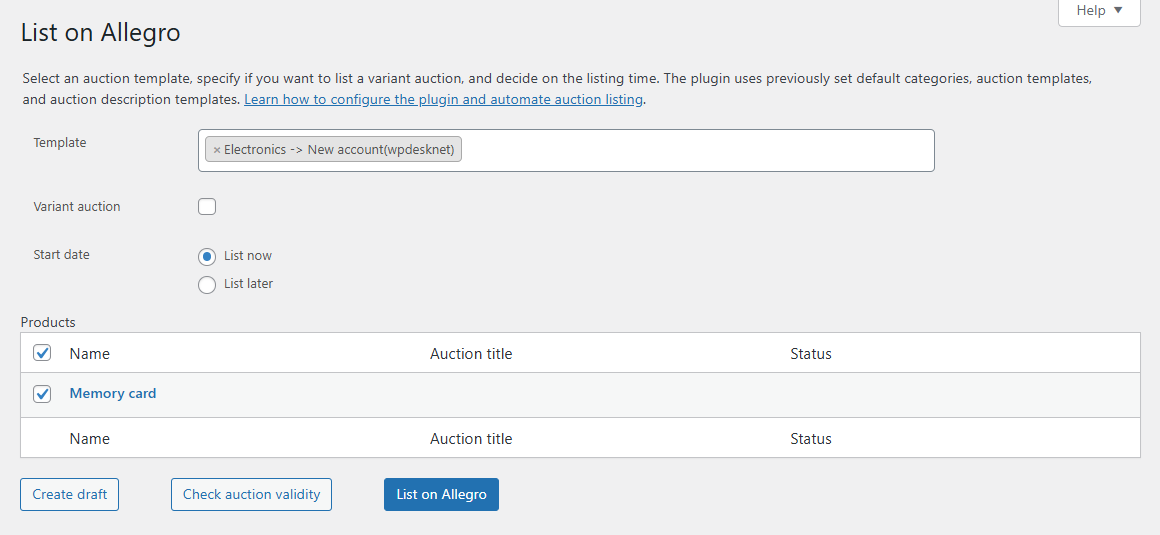
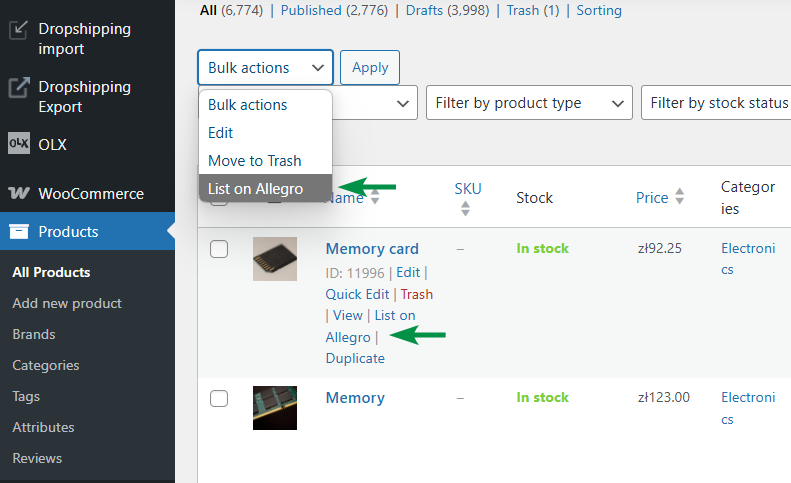
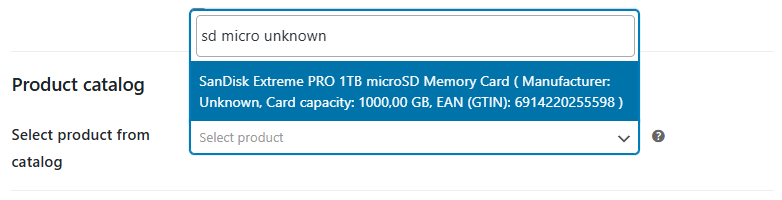
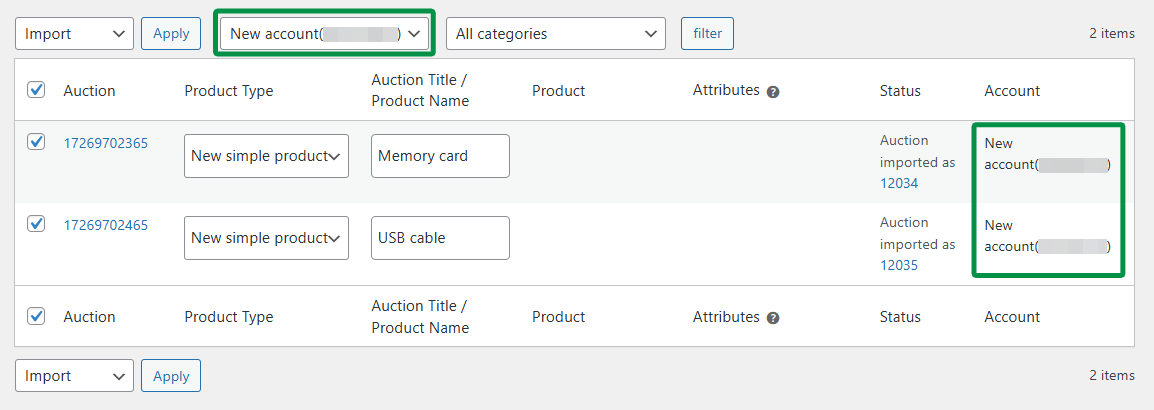
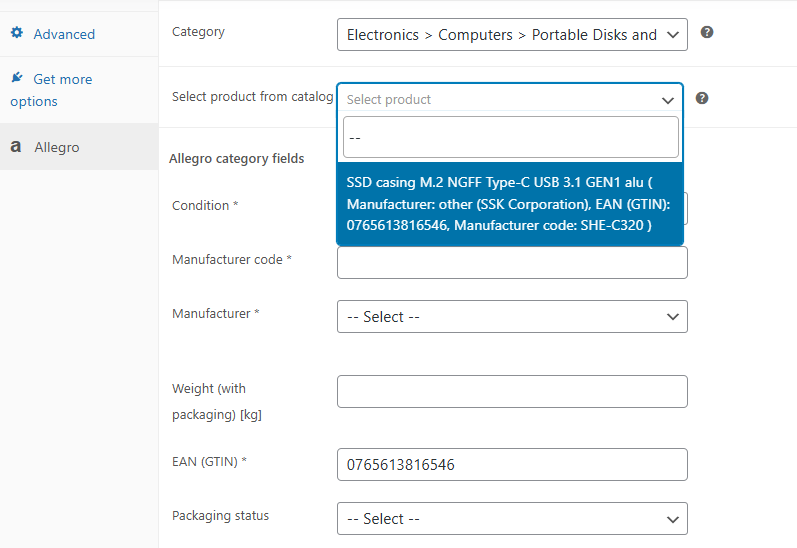
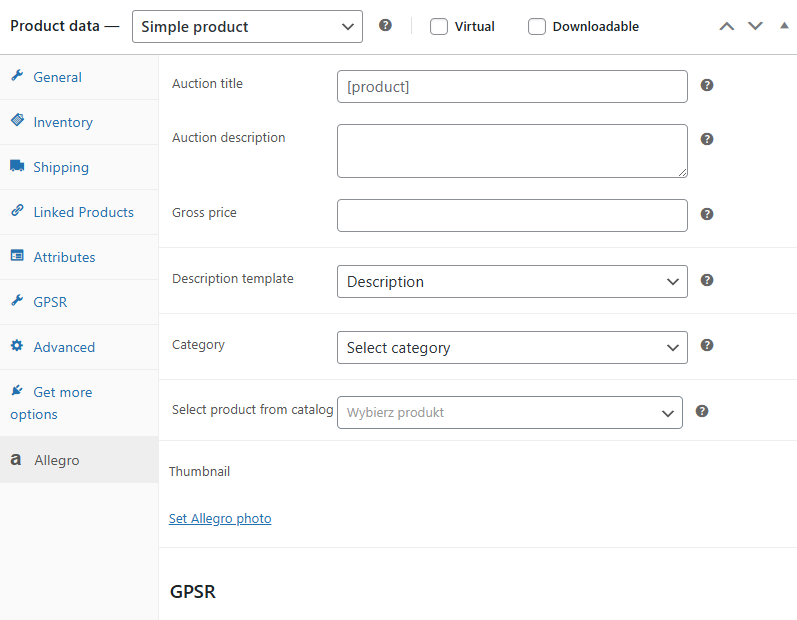
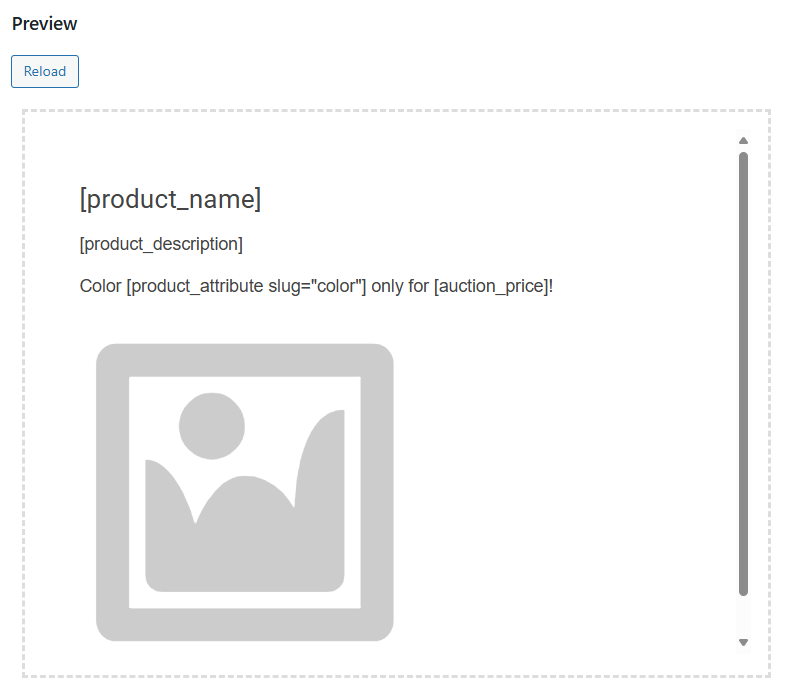
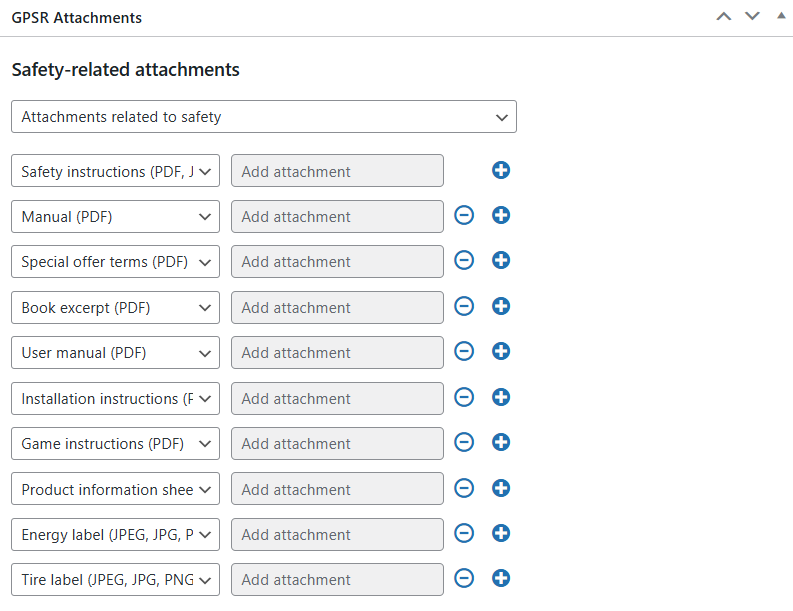
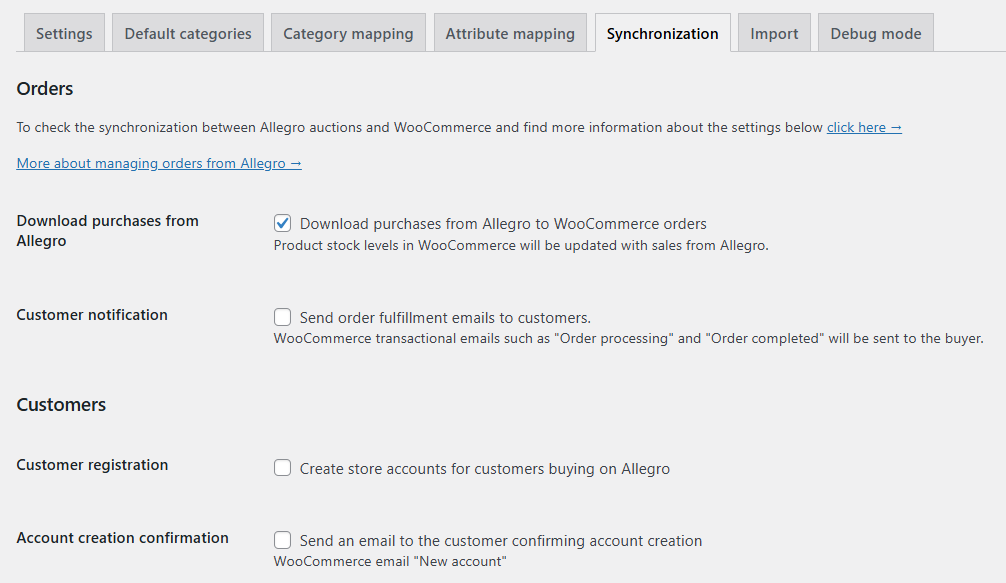
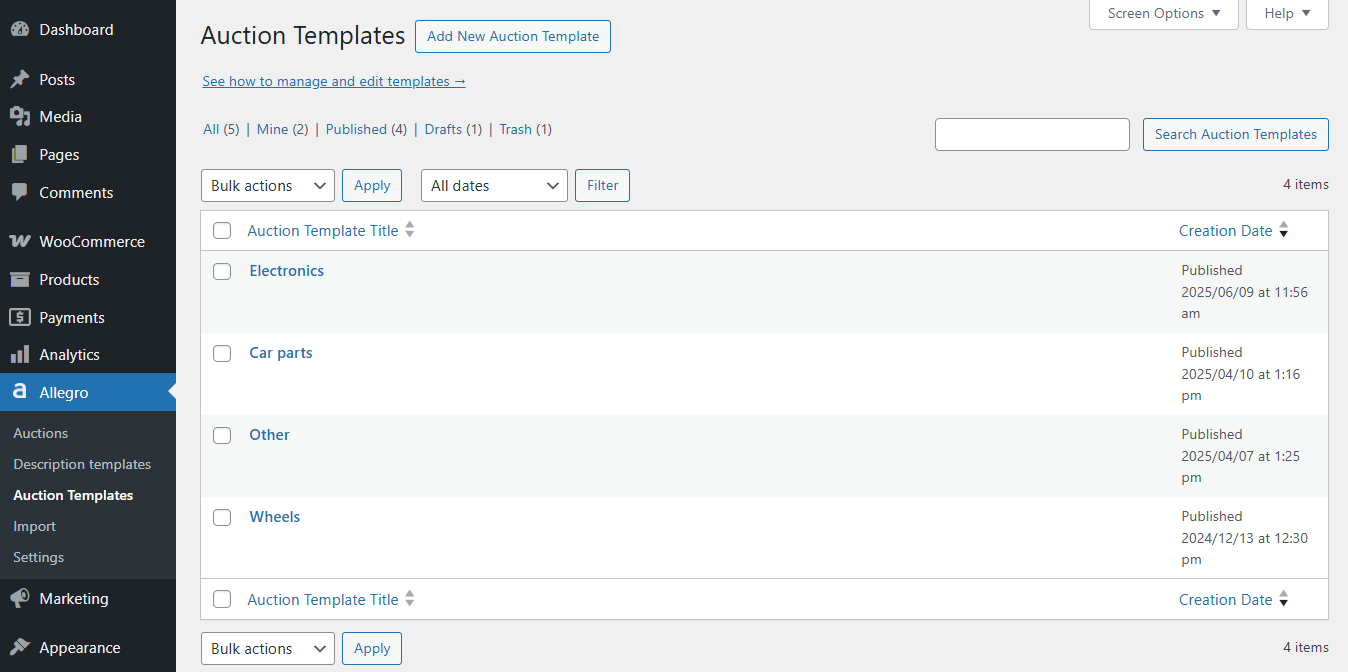
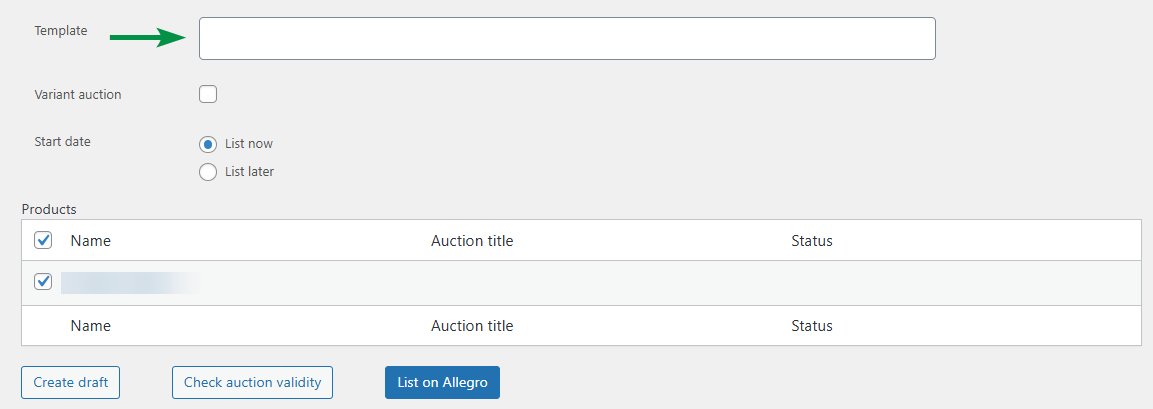
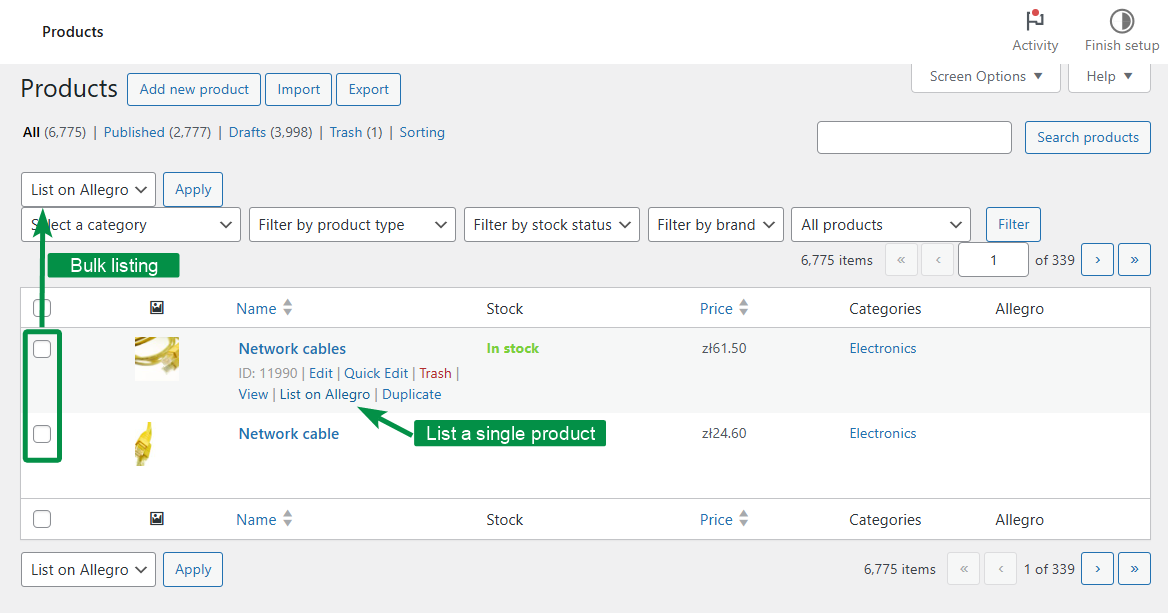
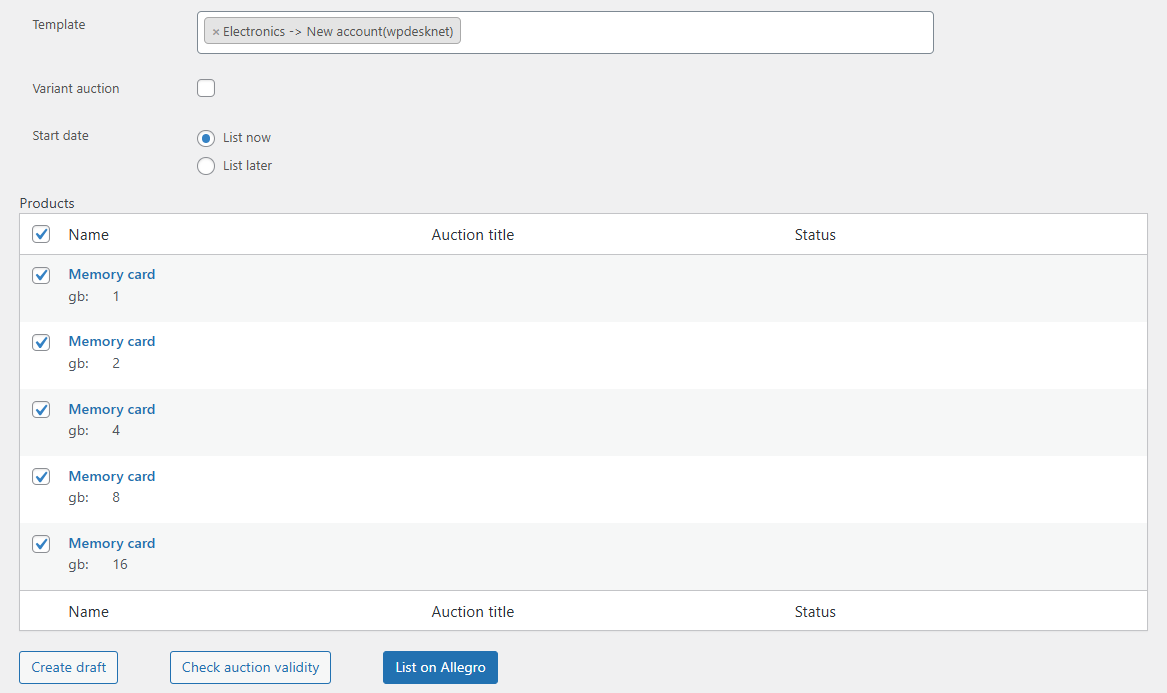
Allegro WooCommerce - description template editorListing an auction exampleList on Allegro from the product view screenProduct catalog parameter exampleImporting auctions to WooCommerce products from a selected Allegro accountProduct from catalog based on EAN exampleAllegro WooCommerce - product settingsAllegro WooCommerce – description template previewGPSR attachments - auction templateImporting orders from Allegro to WooCommerce - settingsAllegro WooCommerce - price synchronization optionAuction templates list in Allegro WooCommerce

Integration of Allegro and WooCommerce

Allegro and WooCommerce integration makes ease to manage sales on Allegro from your WooCommerce store. It handles automation processes in your store!

Order Importing

Import orders from Allegro.com to WooCommerce

Selling on the Allegro.com

List products from WooCommerce on Allegro.com

Sync the inventories

Sync inventory of WooCommerce and Allegro.com

Allegro.com is the biggest e-commerce in Central Europe

Allegro WooCommerce

Allegro is the biggest Central European marketplace, with 22 million clients every month.
They can choose from over 250m offers at the most attractive prices with maximum convenience including fast and free deliveries under the Allegro Smart! programme, modern financial services (Allegro Pay), as well as Poland’s widest 50k pickup points network.

The website offers products in all key categories including Automotive, Fashion, Home&Garden, Electronics, Books and Collectibles, Kids or Health and Beauty.

Boost sales with two-way WooCommerce and Allegro integration

Allegro WooCommerce is a plugin that extends your WooCommerce store with features for managing Allegro auctions.
You can list auctions in just three steps.

List auctions in 3 steps

List individual or multiple products on Allegro in just a few clicks. Multi-variant auctions are supported.

Central sales view

Access auctions, shipping options, and invoices — all from your WooCommerce dashboard.

All shipping in one place

Handle the entire shipping process directly in the WooCommerce order panel.

Fewer errors, faster fulfillment

SMART shipments are detected automatically, eliminating manual data entry.

Import existing Allegro auctions

Import your Allegro auctions into WooCommerce and generate matching products automatically.

No usage limits

There are no limits on listing auctions or importing orders. The plugin works without additional subscriptions.

wpdesk.net
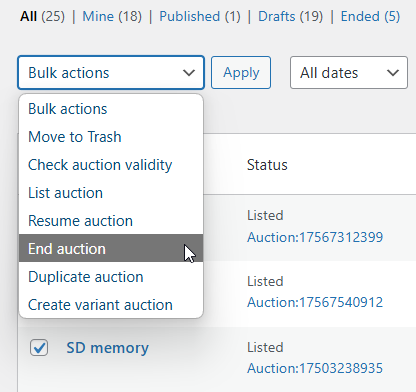
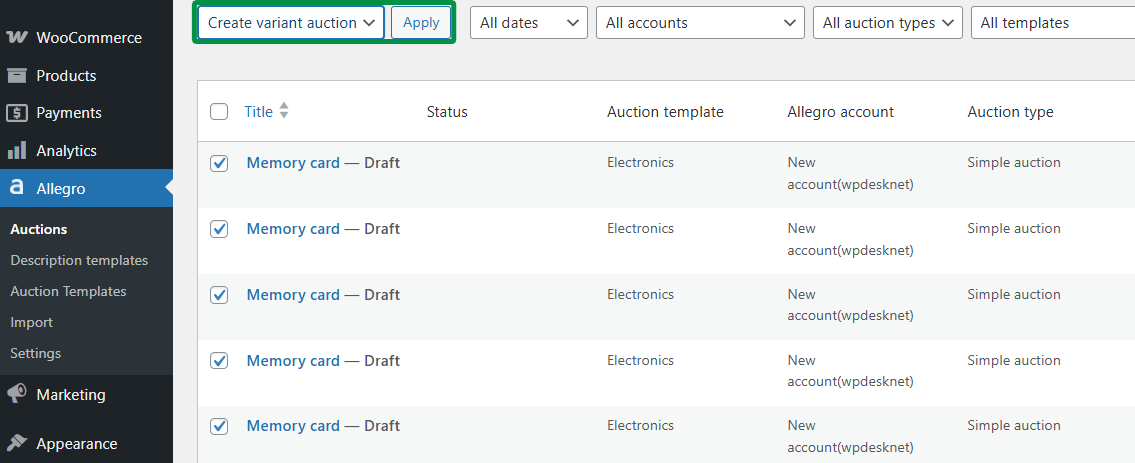
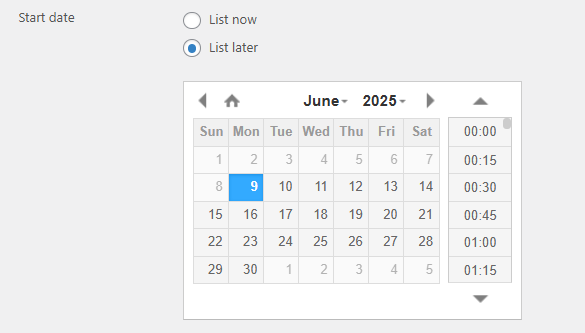
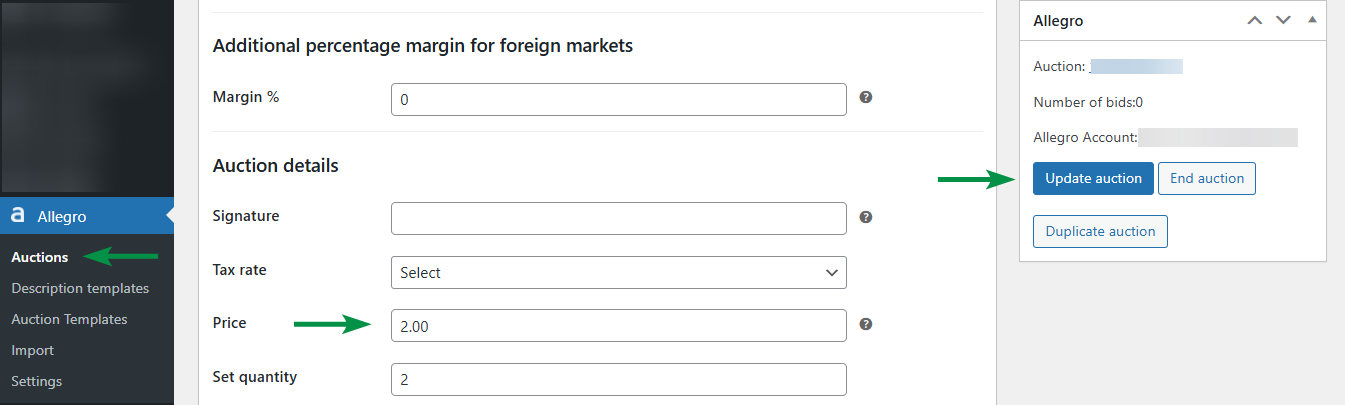
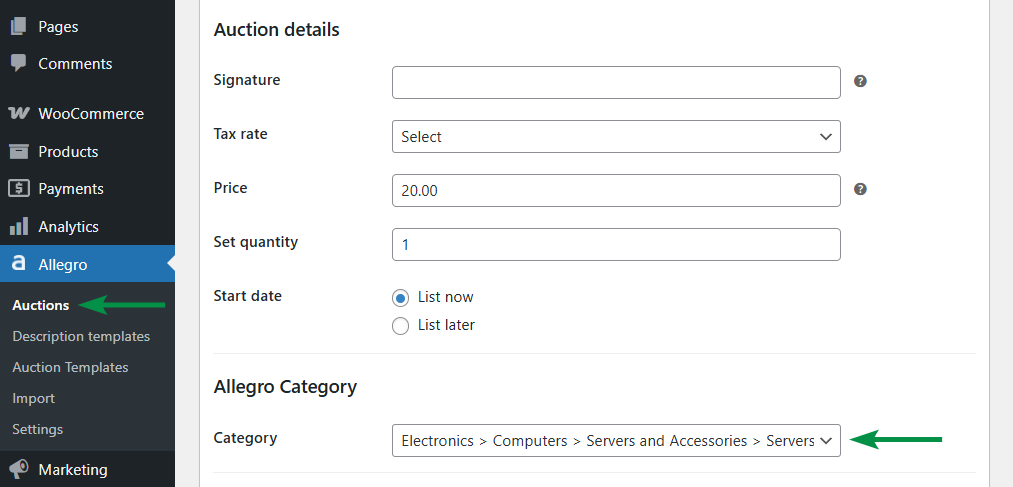
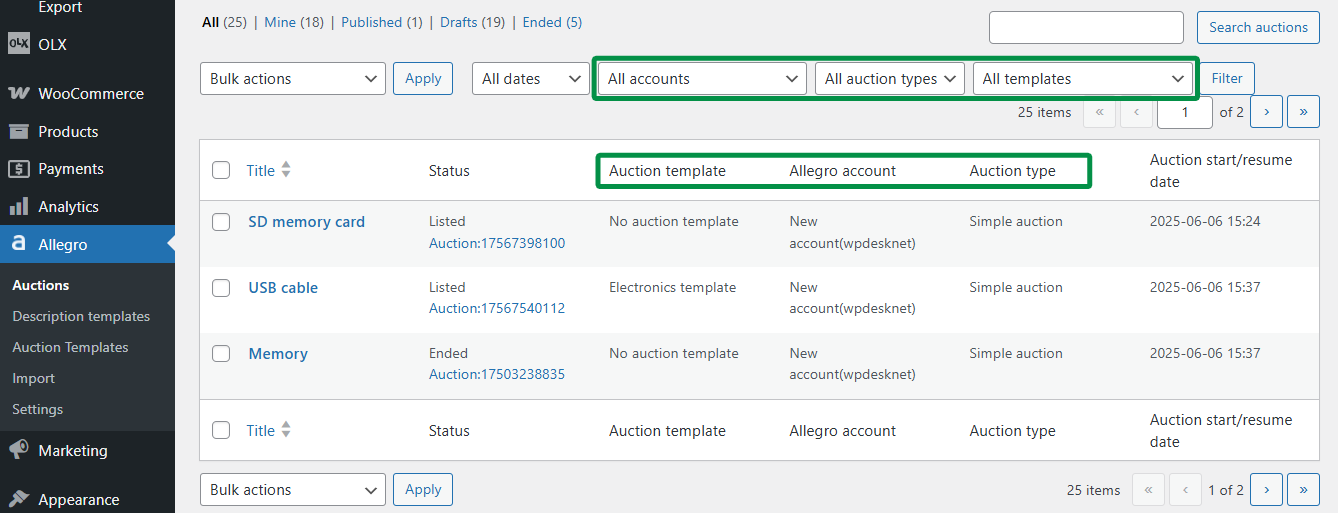
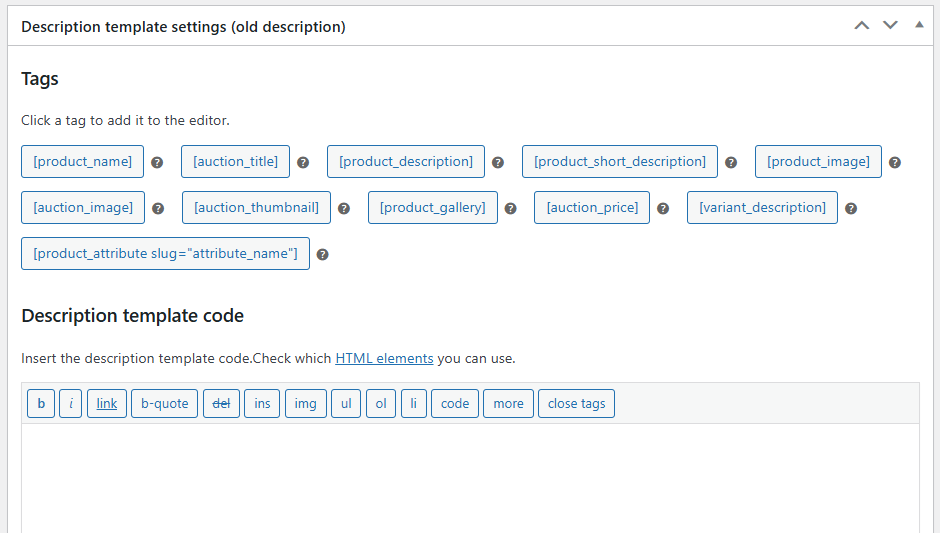
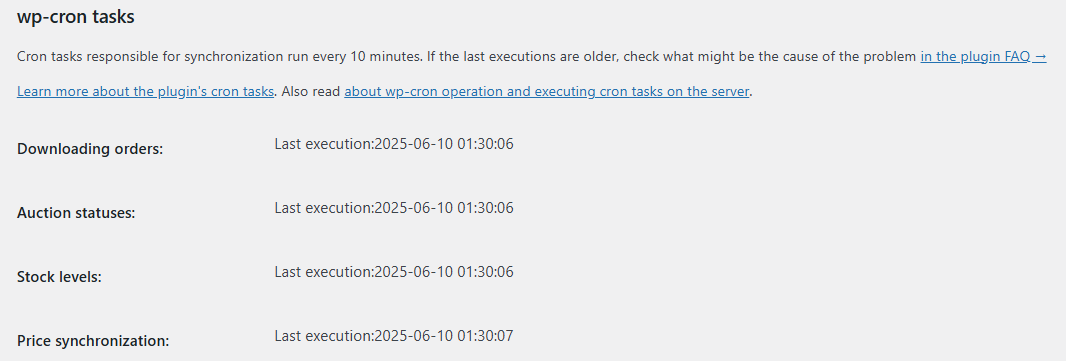
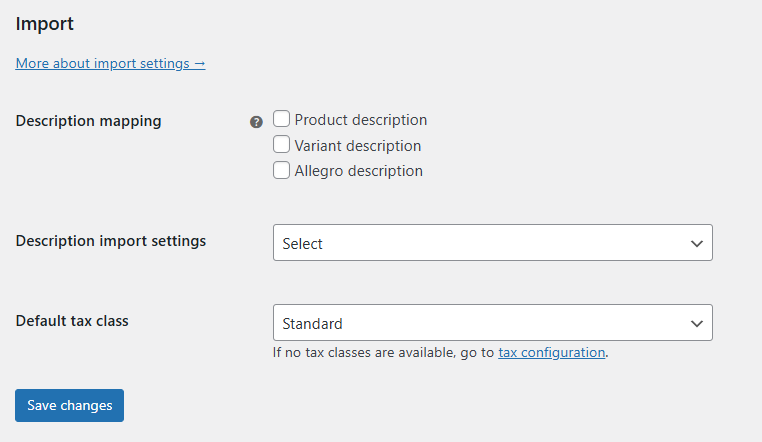
List on Allegro from the product view screenTemplate for auction exampleEnding auctionsAdding multi-variant auctions from simple auctionsList later optionEdit the auction price exampleChanging the auction categoryFilter auctions and Allegro accounts in the auction screenThe old description editorImporting orders from Allegro to WooCommerce - settingswp-cron tasks in Allegro WooCommerceAllegro WooCommerce - import settings

Why use the Allegro WooCommerce plugin?

Manage all Allegro sales activities directly in WooCommerce — including international auctions. Allegro WooCommerce provides tools to handle listing, syncing, and order processing. Once configured, the plugin allows you to import Allegro auctions into WooCommerce. If you want to expand your store beyond Allegro, this integration makes it easy to migrate and organize your products in WooCommerce.

Sell outside Allegro

Manage your product catalog directly in WooCommerce.

Simple and variable product support

Import auctions as simple products or variations based on Allegro attributes.

Automatic product creation

Choose auctions to import, configure essential options, and populate your store quickly.

Two-way sync between Allegro and WooCommerce

Synchronize orders, stock, and customer data between Allegro and WooCommerce. Operations run automatically in the background.

Works with other WP Desk plugins

Allegro WooCommerce integrates with other WP Desk plugins.

Shipping integrations

Compatible with WP Desk plugins: Paczkomaty, eNadawca, and Orlen Paczka WooCommerce.

Automated Allegro SMART shipping inside WooCommerce

Allegro Delivery lets you manage Allegro SMART shipments directly in WooCommerce. It automatically creates shipments, generates labels and orders courier pickups — without switching systems or manual work.

Automatic shipping workflow

A status change triggers automatic shipment creation, label generation and courier pickup.

All shipping in one place

Handle the entire shipping process directly in the WooCommerce order panel.

Fewer errors, faster fulfillment

SMART shipments are detected automatically, eliminating manual data entry.

wpdesk.net
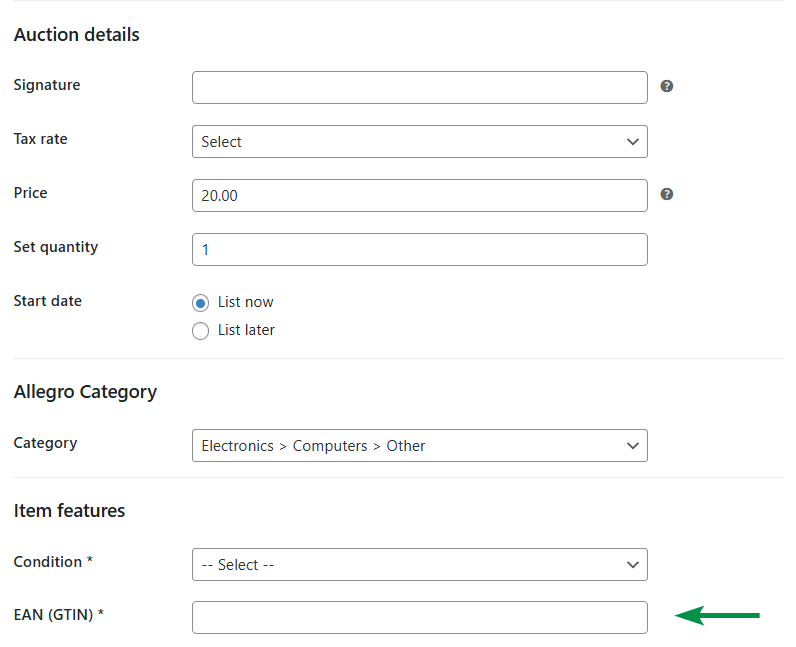
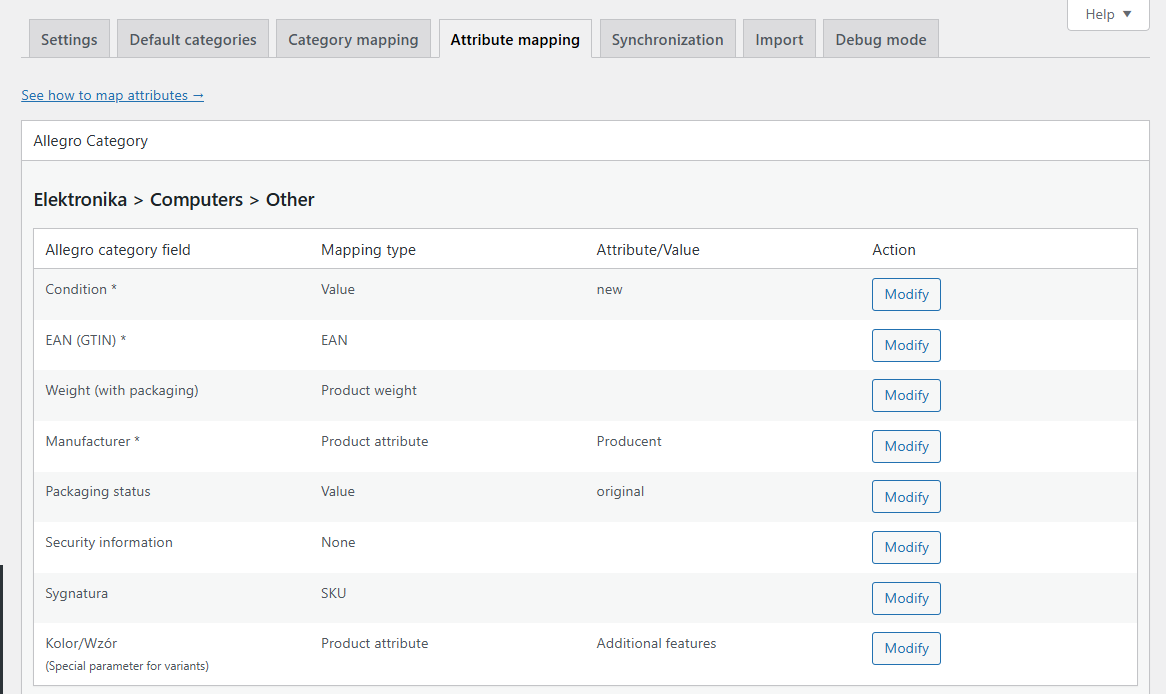
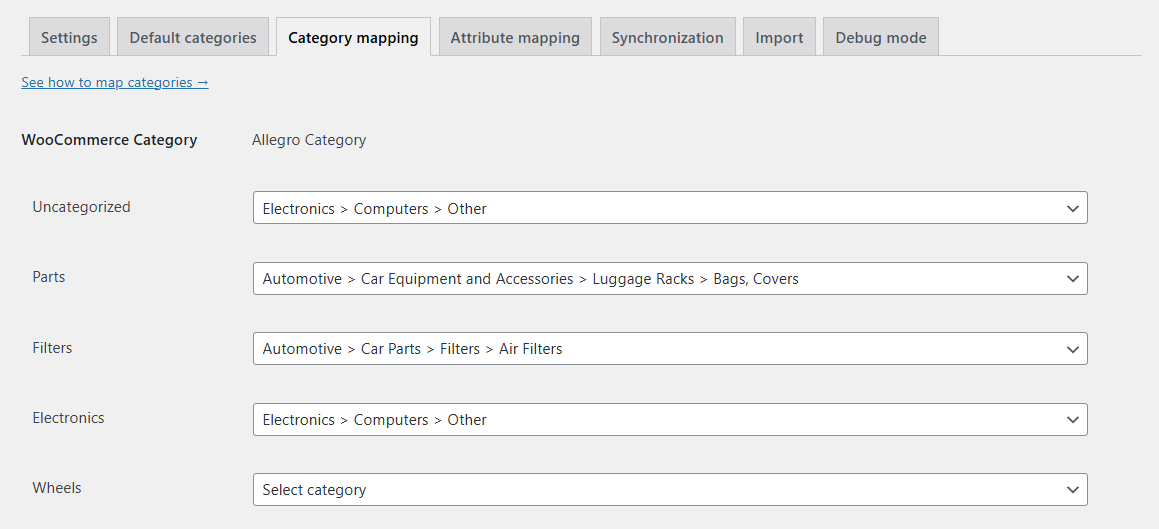
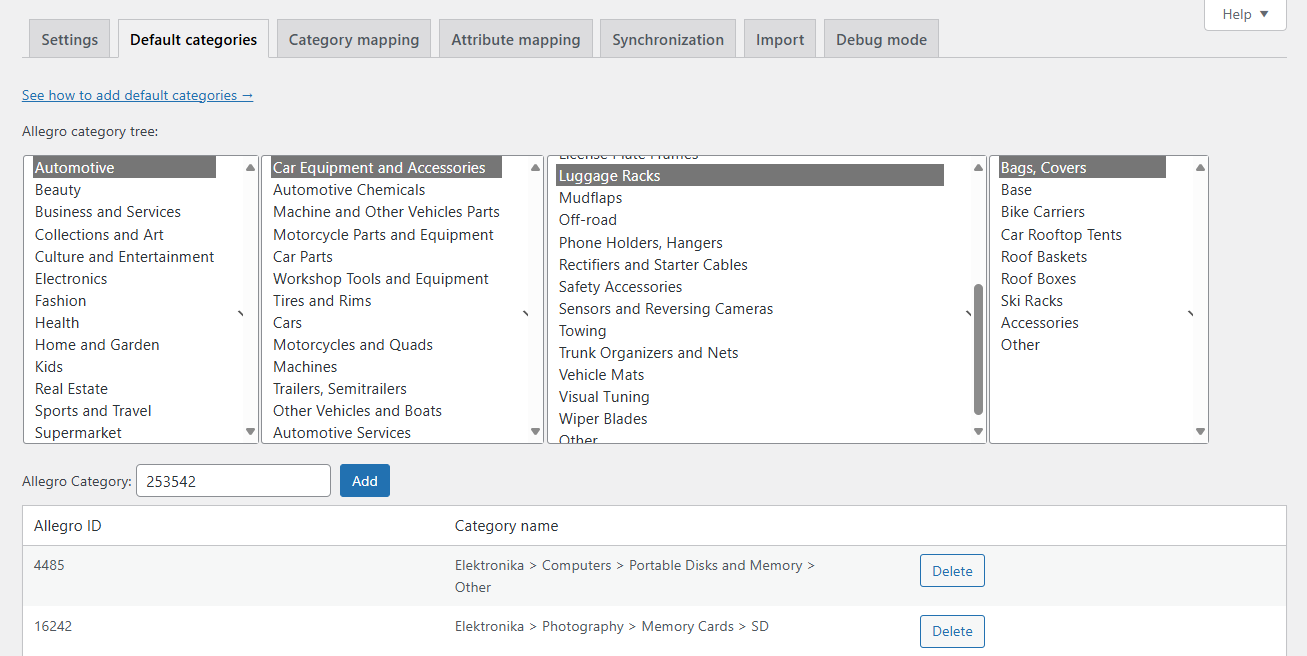
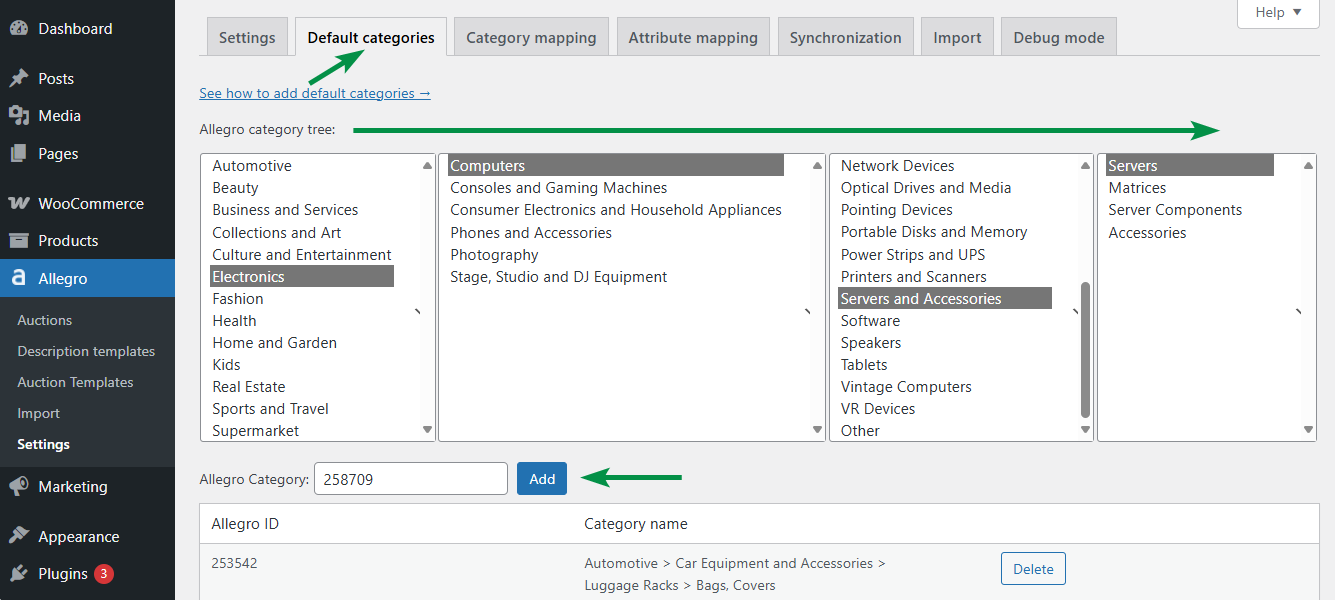
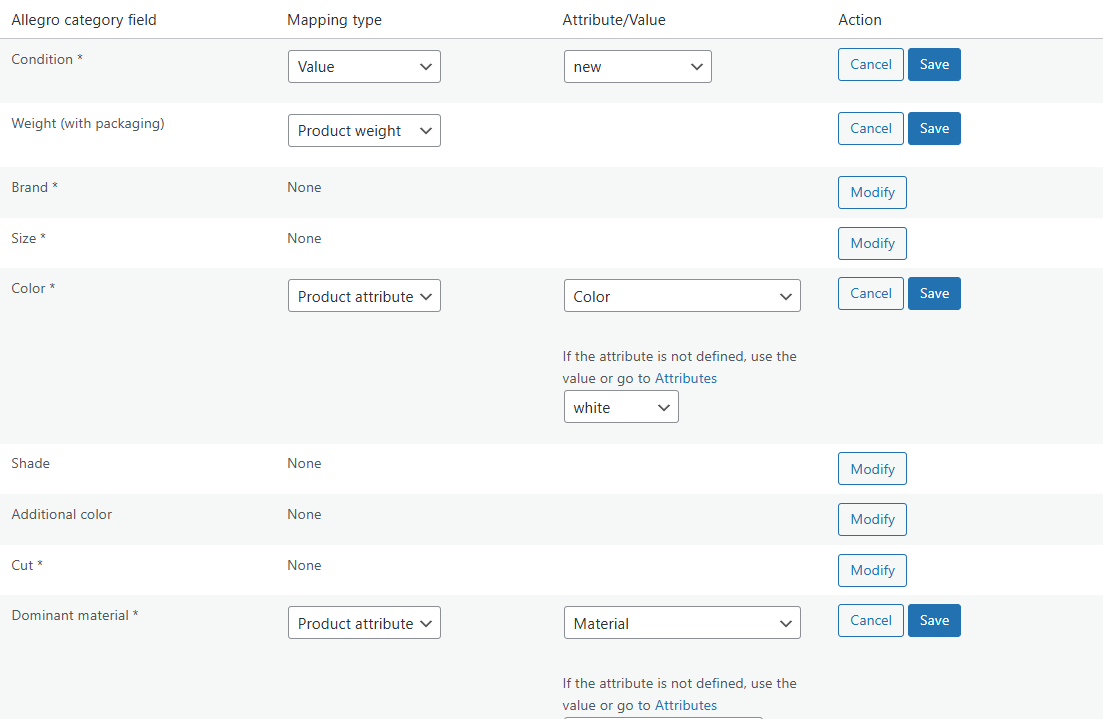
List on Allegro - WooCommerce productsProduct from catalog based on EAN exampleSimple auctions for each variationEAN field example - edit auction screenGPSR attachments - auction templateAllegro WooCommerce - product settingsAttribute mapping - Allegro WooCommerceCategory mapping settings - Allegro WooCommerceDefault categories - Allegro WooCommerceAdding a default category in Allegro WooCommerceAttribute mapping example

Key plugin features

Allegro WooCommerce provides tools for managing your Allegro auctions within WooCommerce. Below are key features of the integration. Full details are available in the plugin documentation.

Allegro auction management

 
✅ List auctions directly from WooCommerce
✅ Support for international listings
✅ Create and use auction templates
✅ Validate listings before publishing
✅ Edit and update active auctions
✅ List products in bulk
✅ Relist or duplicate auctions
✅ Close and relist auctions in bulk
✅ No limit on listed auctions
✅ Support for multi-variant listings
✅ List variations as separate auctions
✅ Advanced pricing and inventory settings
✅ Import Allegro auctions and match them with products
✅ Use templates for flexible auction settings

Advanced synchronization

 
✅ Import orders and sync pricing and stock
✅ Sync orders from Allegro for plugin-listed auctions
✅ Order status synchronization
✅ No limit on processed orders
✅ Update Allegro stock from WooCommerce inventory
✅ Update WooCommerce stock for Allegro orders
✅ Link existing auctions created outside the plugin
✅ Automatically relist when stock is updated
✅ Sync prices between WooCommerce and Allegro
✅ Log synchronization events
✅ Support for European shipping destinations

Compatibility and scalability

 
✅ Expand your reach to international markets
✅ Map Allegro categories to WooCommerce
✅ Map Allegro fields to WooCommerce attributes
✅ Create unlimited setting and layout templates
✅ Use product parameters in auction listings
✅ Search Allegro orders from WooCommerce
✅ Create WooCommerce accounts for Allegro customers
✅ Select delivery pricing, additional services, and promotions
✅ Support for wholesale pricing
✅ Use new Allegro listing format
✅ Works with WP Desk shipping plugins
✅ Compatible with WP Desk invoicing plugins
✅ Professional technical support

Buy Allegro WooCommerce subscription.

You will always receive professional and friendly technical support from us.
Pay once a year. Cancel anytime with just 1 click.

LIMITED TIME OFFER

£119 / year

  • Support & Updates - 1 site
  • 1 year e-mail support
  • 30-day money back guarantee
Buy Now

Need more license keys?

  • Do you need more subscription keys?
  • Support & Updates - more sites
  • 1 year e-mail support
  • 30-day money back guarantee
Contact support

All payments are handled by Stripe secure payments and SSL checkout. 🔒

239,852 +

Active Installations

4.6/5

Average plugin rating

30 day

money back guarantee

FAQ & Plugin Details

Learn more about the plugin and check some of the most popular questions about the purchase.

How do our plugins' subscriptions work?

All the plugins we offer can be purchased in a yearly subscription model and are paid annually. An active subscription entitles you to 1 year of updates and our support.

Renewing the subscription after 12 months is optional, not required, and you can cancel it at any time. The renewal cost is the same as the initial price. You may renew the subscription if you like or not if don't need to.

Please mind that an active subscription grants you the possibility to download the plugins' newer versions and updates, get our tech support if you encounter any problems and move and activate the API keys between the sites/domains.

If you decide to cancel the subscription or if it expires, you can keep using our plugins. They will work the same as before but you won't be able to do the updates, get our support and transfer the plugin files between sites and activate them in the new environment.

View terms.

Do you have the plugin demo or trial?

You can set up your own full featured demo here: WP Desk Demo.

We also offer 30 day money back guarantee, so you can test the plugin risk free in your WooCommerce store.

Where can I find the plugin documentation?

We wrote a fine piece of docs, just follow this link: Allegro WooCommerce Docs.

Do you offer money back guarantee?

Absolutely. We stand strongly behind our products and offer 30 days money back guarantee. Please read our refund policy for details.

I have more questions!

We will be happy to help, just drop us a line and we will try to answer in 24 hours: Contact WP Desk Support.

What payment methods do you accept?

We accept Stripe payments including the most popular credit cards.

All payments are handled by Stripe secure payments and SSL checkout. We do not store your credit card details.

Details

  • Works with

    WooCommerce 10.7 - 11.1

    PHP >= 7.4

  • Last Updated

    2026-08-21

  • Version History

    View changelog

  • Categories

    Marketing, WooCommerce Plugins

WP Desk › Premium Plugins › WooCommerce Plugins › Allegro WooCommerce

Stay updated on our how-to articles

WP Desk news, WooCommerce tips, promo codes - right to your inbox.

By entering your e-mail, you agree to our Terms & Conditions and Privacy Policy.

By entering your e-mail, you agree to our Terms & Conditions and Privacy Policy.

Footer

WP Desk - WooCommerce Plugins

At WP Desk we create great WooCommerce plugins with awesome support. Save time and money with our e-commerce solutions. See how we can help you improve your e-store →

Secured by Comodo

WP Desk

  • About us
  • Giving Back
  • Blog
  • Get Support
  • Contact us

Products

  • Premium Plugins
  • WP Desk Care
  • Documentation
  • WooCommerce Invoices
  • Email Marketing
  • PDF Coupons

Legal

  • Terms & Conditions
  • Refund Policy
  • Support Policy
  • Privacy Policy

© 2026 WP Desk

We value your privacy

We use necessary cookies to make our site work. We'd also like to set additional cookies to understand site usage, enhance your browsing experience, and serve personalized ads or content. By clicking ‘Accept All,’ you consent to our use of additional cookies.

Functional Always active
The technical storage or access is strictly necessary for the legitimate purpose of enabling the use of a specific service explicitly requested by the subscriber or user, or for the sole purpose of carrying out the transmission of a communication over an electronic communications network.
Preferences
The technical storage or access is necessary for the legitimate purpose of storing preferences that are not requested by the subscriber or user.
Statistics
The technical storage or access that is used exclusively for anonymous statistical purposes. Without a subpoena, voluntary compliance on the part of your Internet Service Provider, or additional records from a third party, information stored or retrieved for this purpose alone cannot usually be used to identify you. The technical storage or access that is used exclusively for anonymous statistical purposes. Without a subpoena, voluntary compliance on the part of your Internet Service Provider, or additional records from a third party, information stored or retrieved for this purpose alone cannot usually be used to identify you.
Marketing
The technical storage or access is required to create user profiles to send advertising, or to track the user on a website or across several websites for similar marketing purposes.
  • Manage options
  • Manage services
  • Manage {vendor_count} vendors
  • Read more about these purposes
View preferences
  • {title}
  • {title}
  • {title}