Contents
Key plugin features
- creating multiple payment retry rules, triggered after a specified number of hours or days,
- ready-made retry models for digital and physical products,
- automatic payment retries for supported recurring payment methods,
- changing the subscription status after consecutive failed attempts,
- sending separate notifications to the customer and administrator,
- the ability to choose and customize message templates,
- support for manual payments — without automatically charging funds, but with configured notifications applied,
- saving the history of completed attempts in the renewal order details.
The plugin can be useful when a payment fails due to a temporary card issue, insufficient funds, or an error on the payment provider’s side. It gives the customer additional time to pay for the renewal, and the email message can include a link for manual payment. It also allows you to suspend the subscription or mark it as pending cancellation if subsequent attempts fail.
Demo
On the demo page, you can check how the PRO versions of our plugins work before purchase. You only need a valid email address to create a test account.
Installation
Subscription activation
What does the plugin do?
Payment Retry extends the Flexible Subscriptions plugin with support for failed renewal payments. When automatic payment collection fails, the plugin can schedule additional attempts according to a defined schedule.
First steps
After installing and activating the plugin, go to Flexible Subscriptions → Settings → the Payment Retry tab.
Settings
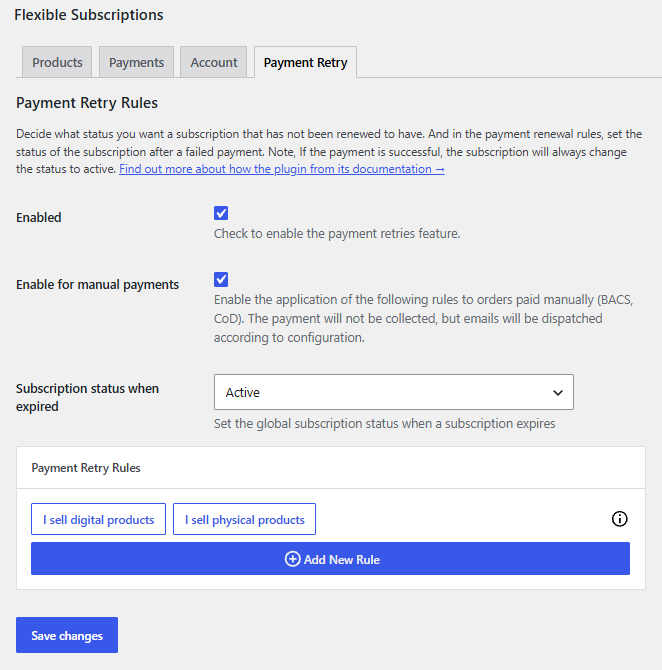
Enabled - Select the checkbox to enable payment retry rules.
Enable for manual payments - Select this option to apply the rules below to manually paid orders, such as cash on delivery or bank transfer. The rules will apply to email messages, not payment retries.
Subscription status when expired - Choose the status the subscription will receive after the payment deadline has passed. The available options are:
- Active
- Suspended
Payment retry rules
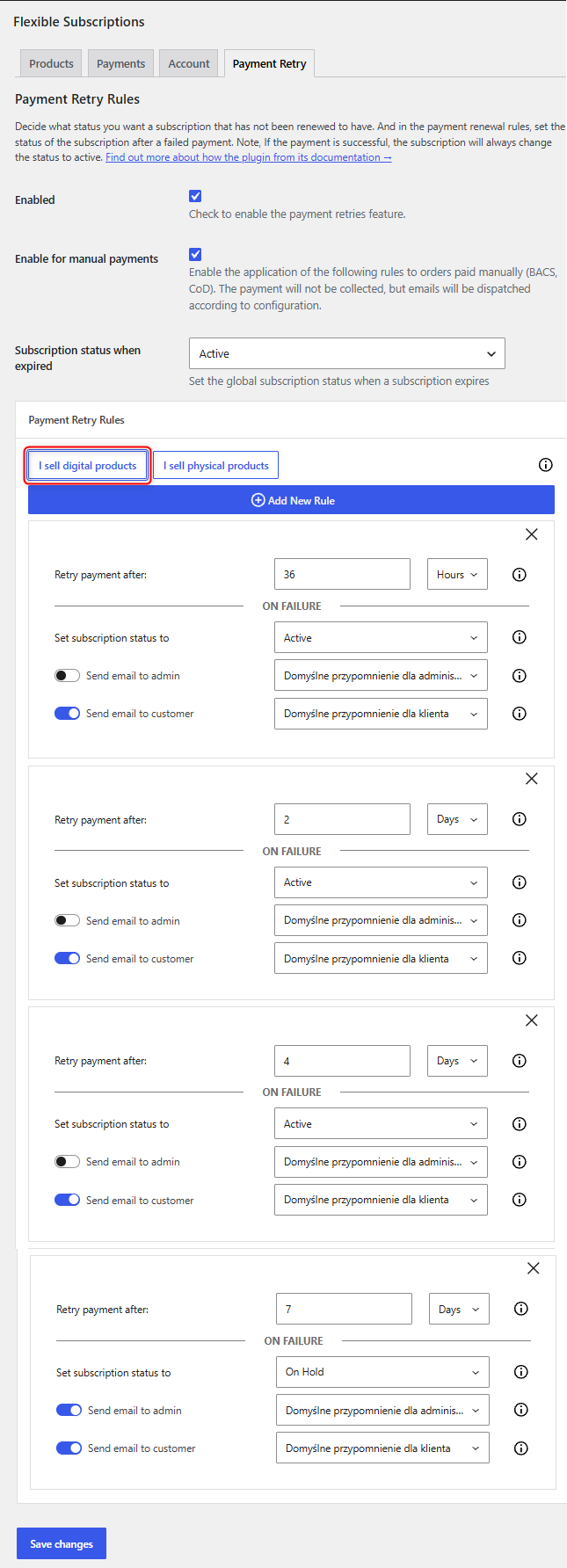
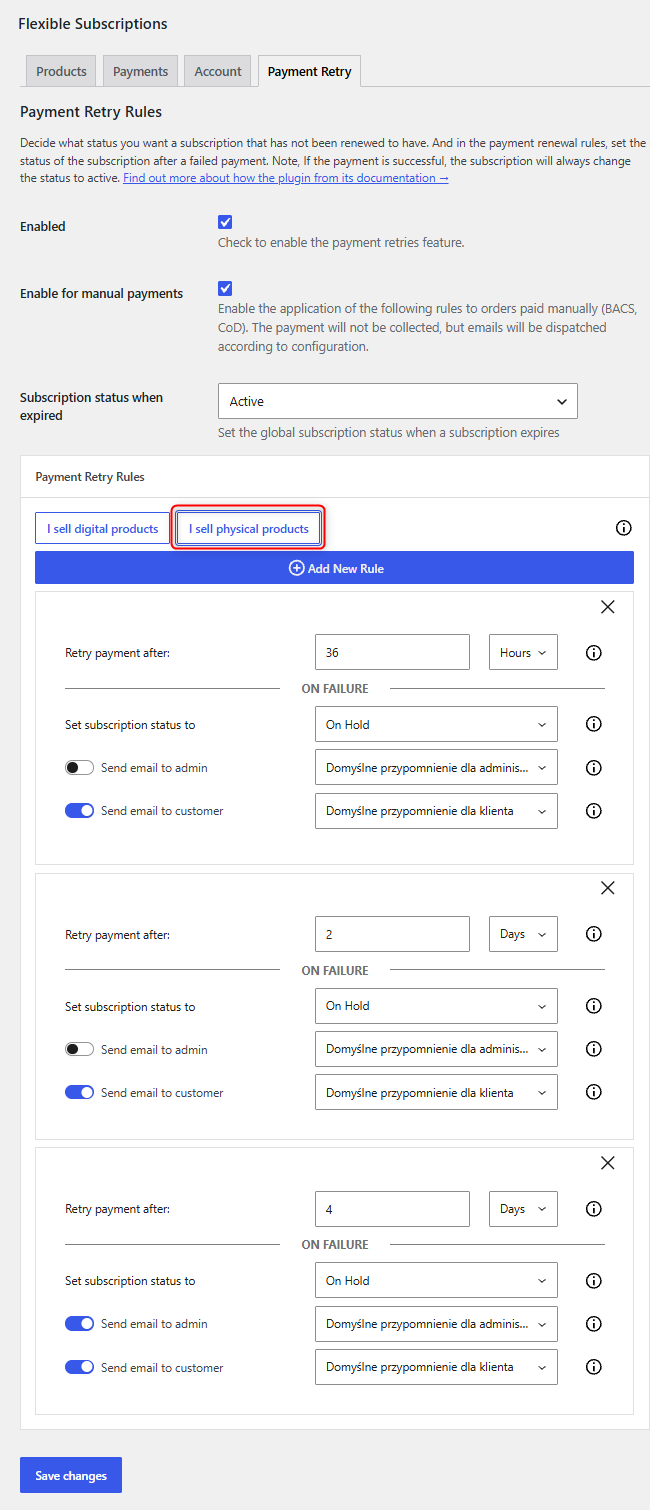
Payment retry rules - At the top of the form, you can choose a predefined payment model for digital or physical products.
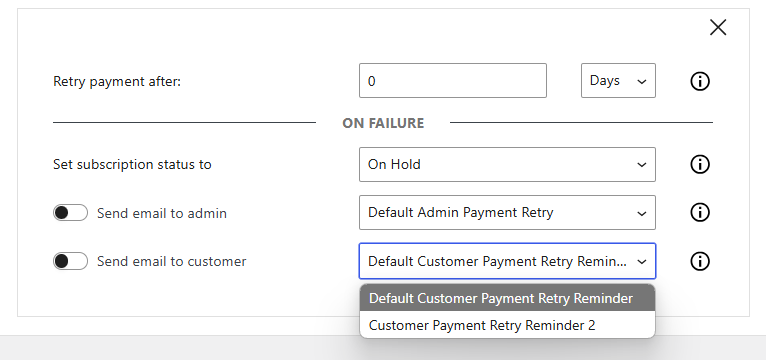
You can also configure your own payment renewal rules by filling in each field of the form:
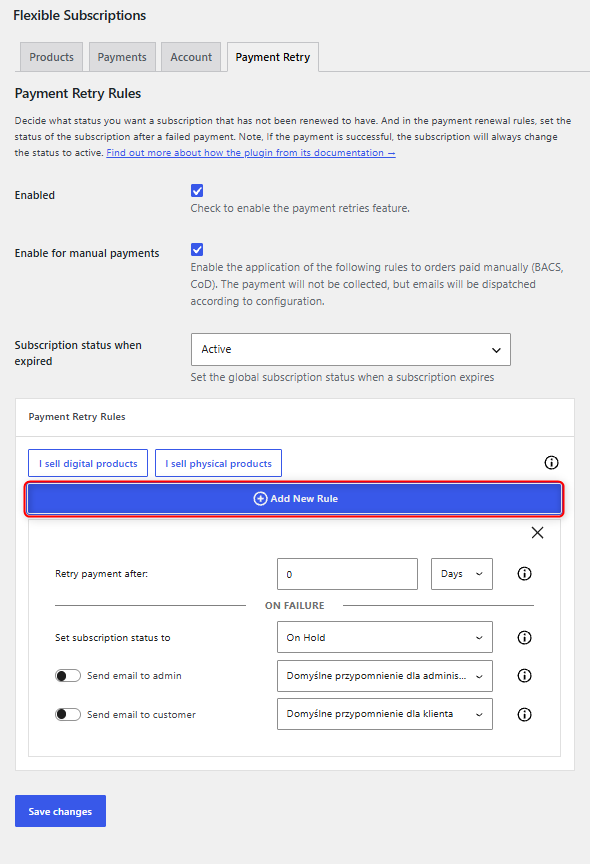
Retry payment after - Choose how many hours or days after the last payment attempt the payment should be retried.
Set subscription status to - Choose the status that should be set for the subscription if the payment retry fails.
Send email to admin - Enable email sending and choose the message template that will be sent to the administrator with information about the payment renewal.
Send email to customer - Enable email sending and choose the message template that will be sent to the customer with information about the payment renewal.
Additional message templates
The plugin allows you to add new email templates by copying the template file in WooCommerce → Settings → Emails while editing one of the plugin templates.

The copied file will be placed in the folder of the currently used theme. By editing this directory (for example, through the customer panel in your hosting account or via FTP), you can copy such a template. After editing, adjusting the content, changing the name, and saving the new file, an additional template will appear in the plugin settings.
Worth reading
- https://wpdesk.net/blog/woocommerce-subscriptions-without-recurring-payments/
- https://wpdesk.net/blog/subscriptions-recurring-payments/
- https://wpdesk.net/blog/how-to-cancel-woocommerce-subscription/
- https://wpdesk.net/blog/woocommerce-product-subscriptions/
- https://wpdesk.net/blog/7-plugin-alternatives-for-woocommerce-subscriptions-and-something-new/
- https://wpdesk.net/blog/variable-subscription-woocommerce/
