

Adding products in WooCommerce is easy, but when you need to import products with images, read this article. You will see the 3 ways to add images to products. Especially if you migrate from another store or want to start dropshipping in your store. Learn how to import products with images into WooCommerce from CSV and XML files with a FREE plugin 🎉.
Download WooCommerce Product Importer for free →
Contents
- WooCommerce & Import Products with Images
- Import products to WooCommerce with built-in Importer
- Export/ import product data in WordPress
- Add images and update products not automatically
- WooCommerce Plugin to Import Products with Images from CSV/ XML
- Import WooCommerce products with multiple images
- WooCommerce import products with images - summary
- Import WooCommerce products with images: product image guide
- Faster WooCommerce with the bulk import of products (free plugin)
- How to export WooCommerce products with images?
- How to import WooCommerce products with categories?
- All you need to know about WooCommerce product export import
WooCommerce & Import Products with Images
Product images are crucial for a successful user experience. Maybe you create a WooCommerce dropshipping store or move to this e-commerce solution from a different platform. Learn 3 ways to add (or import & update) WooCommerce products with a product image and data. And start selling as fast as possible.
In the next two chapters, you may learn how to use the built-in features to import products. Then, you can see how to use a WooCommerce plugin to import products with images from a CSV or XML file.
Dropshipping Import Products for WooCommerce
Import and synchronize wholesale products with WooCommerce products. Add margin to the prices of imported products. Use conditional logic. Make your work easier.
💾 Active Installations: 700+ | WordPress Rating:
Ok, let's take a closer look at these three product import methods.
Import products to WooCommerce with built-in Importer
From the main import options, first, you may use the built-in Importer in WooCommerce.
Go to the Products tab → All Products → Click the Import button.
Next, add a CSV or TXT file with products to be imported.
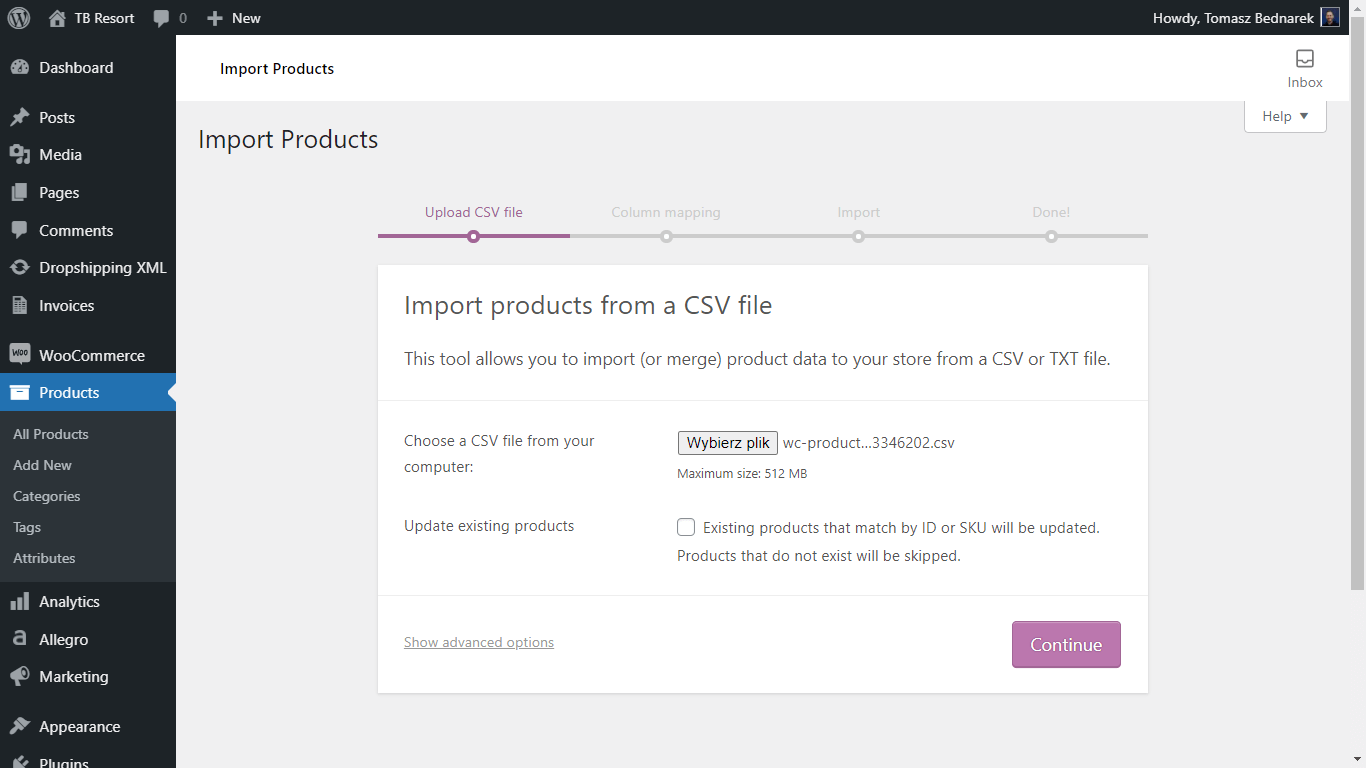
You may add, and also update existing products (by ID or SKU).
After adding the product feed you may map CSV fields to products:
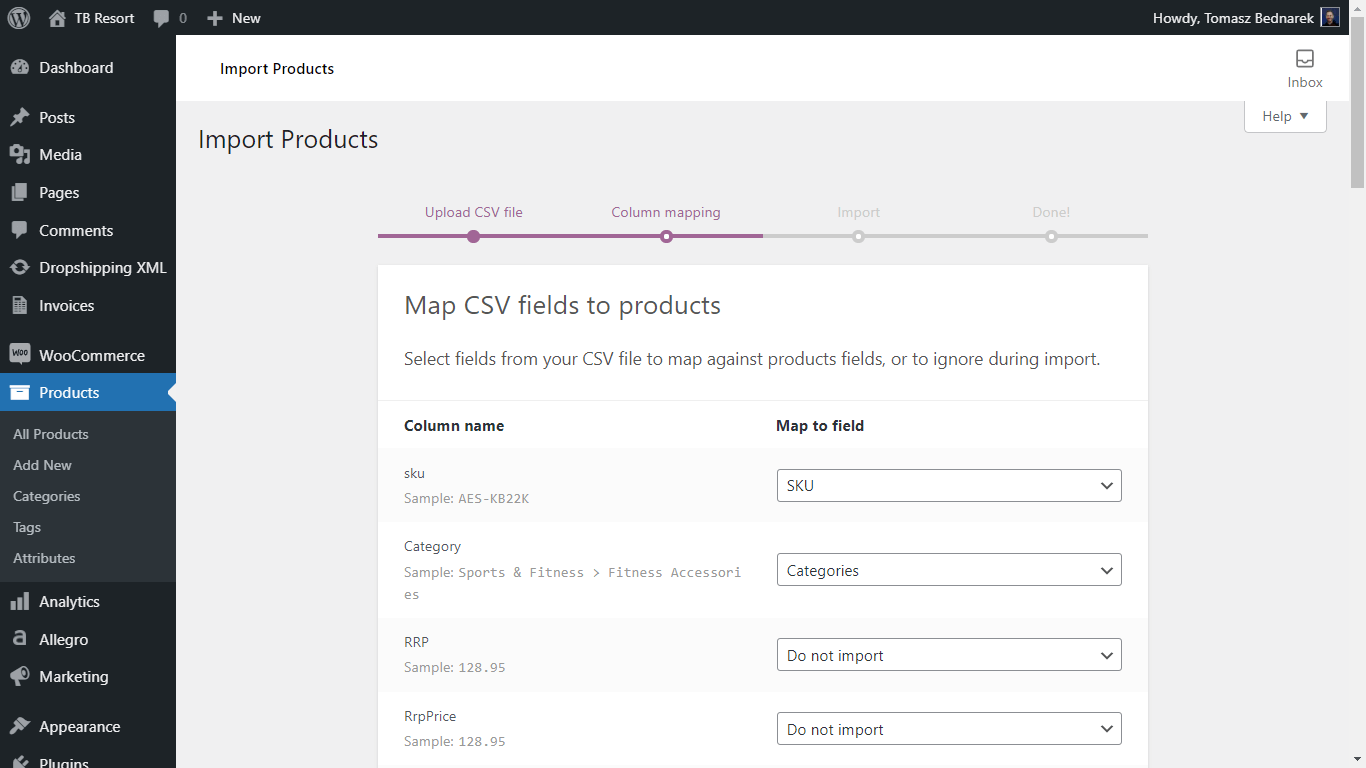
If there are images in the feed you will be able to choose the column name to import images from it to Product Images:
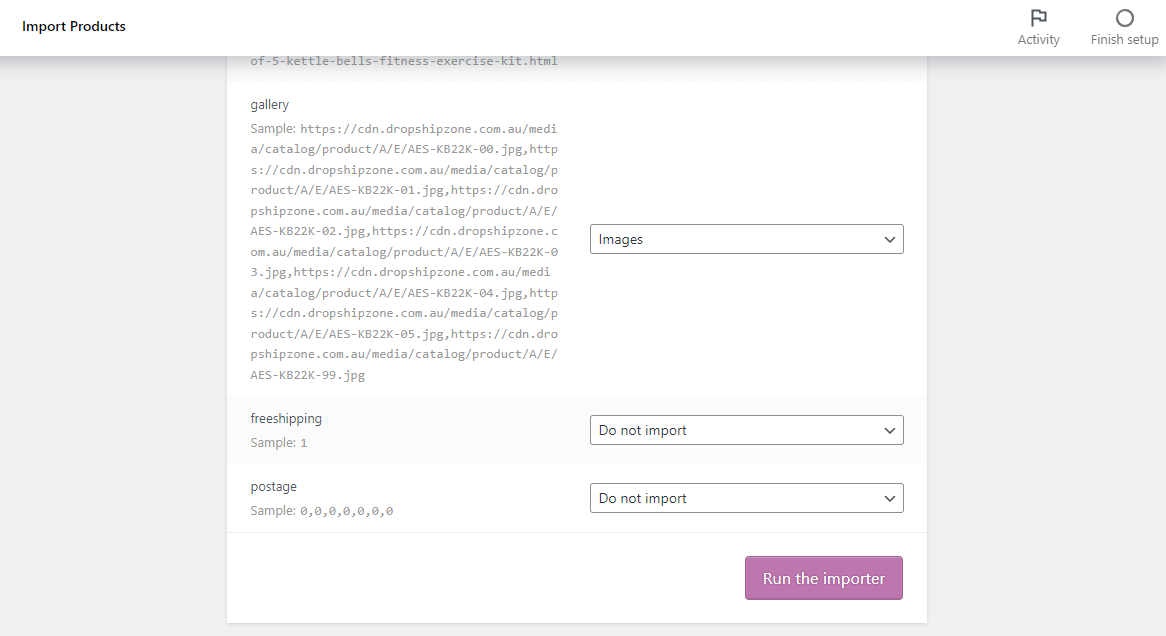
Finally, you can start the import process. It will add or update WooCommerce products.
Export/ import product data in WordPress
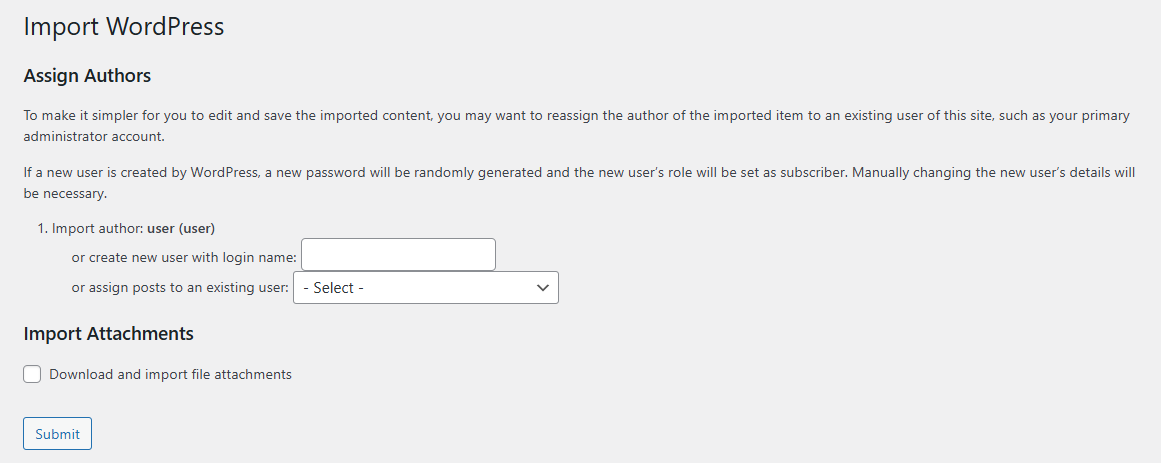
The second method comes with thee WordPress exporter in Tools → Export.
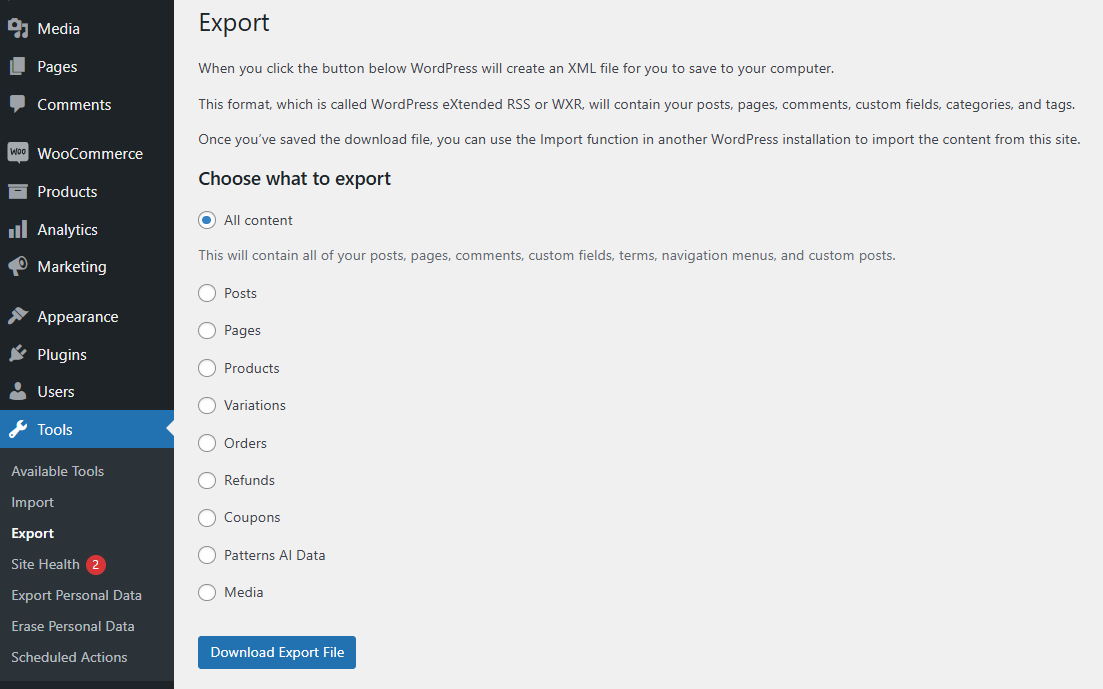
The exporter generates XML files, but you will need the built-in WordPress importer in Tools → Import to import products. This tool has no interface for setting the product import but you may:
- choose the data author (or add a new user)
- download and import attachments
The built-in Importer - Pros & Cons
The built-in WooCommerce importer is free. It lets you import products with images from CSV and TXT files.
If you have a product feed in an XML file, you will need to convert the file before the import. Also, you may only use available options. If you want to import again you'll need to repeat the whole process. You can't add additional values to imported fields or choose which fields to import and which to omit either.
Add images and update products not automatically
You may also want to add products old-fashioned way to have full control over the content and data for products. You may also import products with the built-in WooCommerce Importer and then update the product data this way. This approach is of course longer but gives you total control.
To add new WooCommerce products simply go to the Products tab → click the Add New button. Read more about adding WooCommerce products.
You can also add the Product Image and Product Gallery when adding new products or editing ones you've already created.
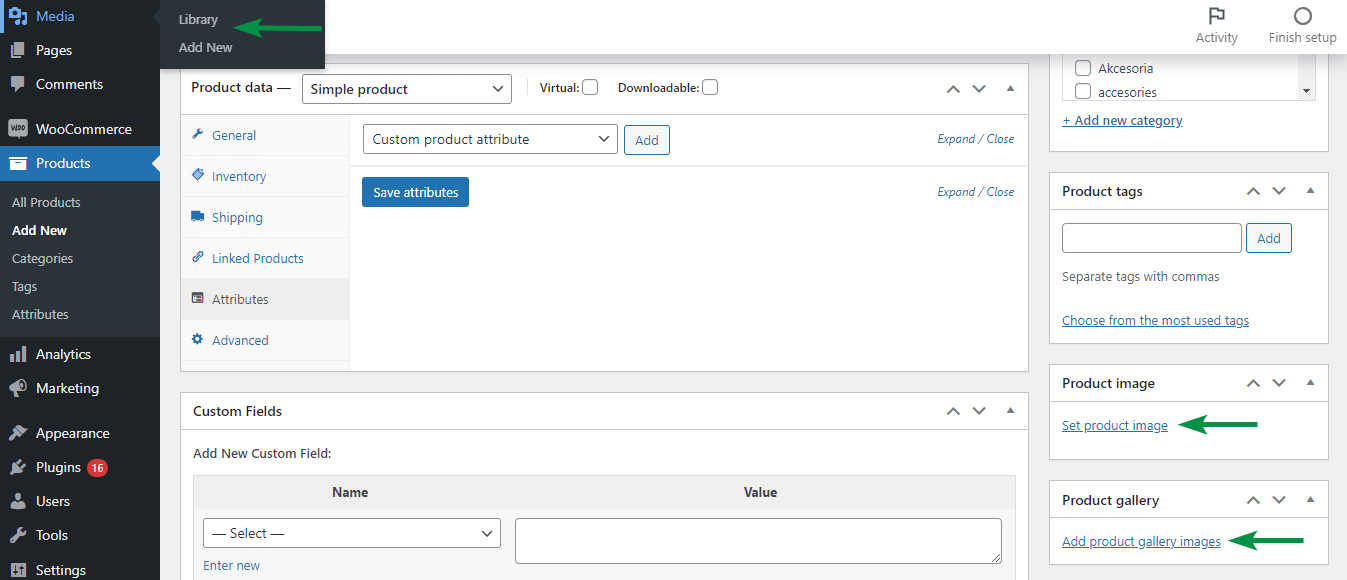
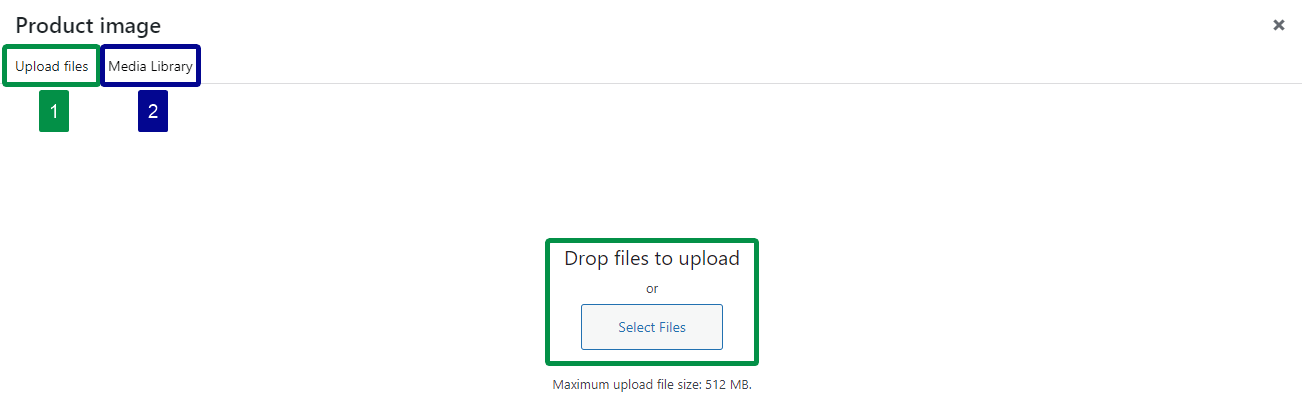
You may use images from your Media library or add new images directly from your drive.
WooCommerce Plugin to Import Products with Images from CSV/ XML
If the WooCommerce built-in importer is not enough and adding images manually is not an option there is a solution for you. The one that's useful if you have a lot of products to import, migrate from other e-commerce platforms or would like to import many files at the same time. Especially, with different settings, mapping, rules, etc.
Dropshipping XML for WooCommerce is a free plugin to import products from CSV or XML to your store. The plugin allows you to import WooCommerce simple and variable products with the data you want, including the Product Image.
Dropshipping Import Products for WooCommerce
Import and synchronize wholesale products with WooCommerce products. Add margin to the prices of imported products. Use conditional logic. Make your work easier.
💾 Active Installations: 700+ | WordPress Rating:
Import products with images to WooCommerce with the Dropshipping Import Products for WooCommerce free plugin - 5 steps
The import process is simple:
- Add a file with your product feed
- Map product fields with the CSV or XML fields
- Map the Product Image
- Select Import Options
- Start the Product Import
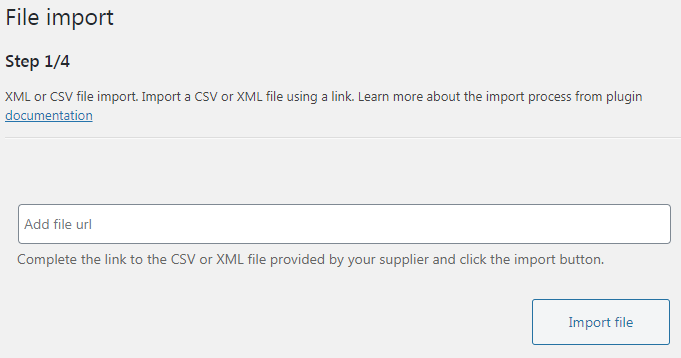
1. Add a file with your product feed
The plugin lets you choose the URL of the file (on your server or the address your dropshipping wholesaler gave you). Use any CSV or XML files:
2. Map product fields with the CSV or XML fields
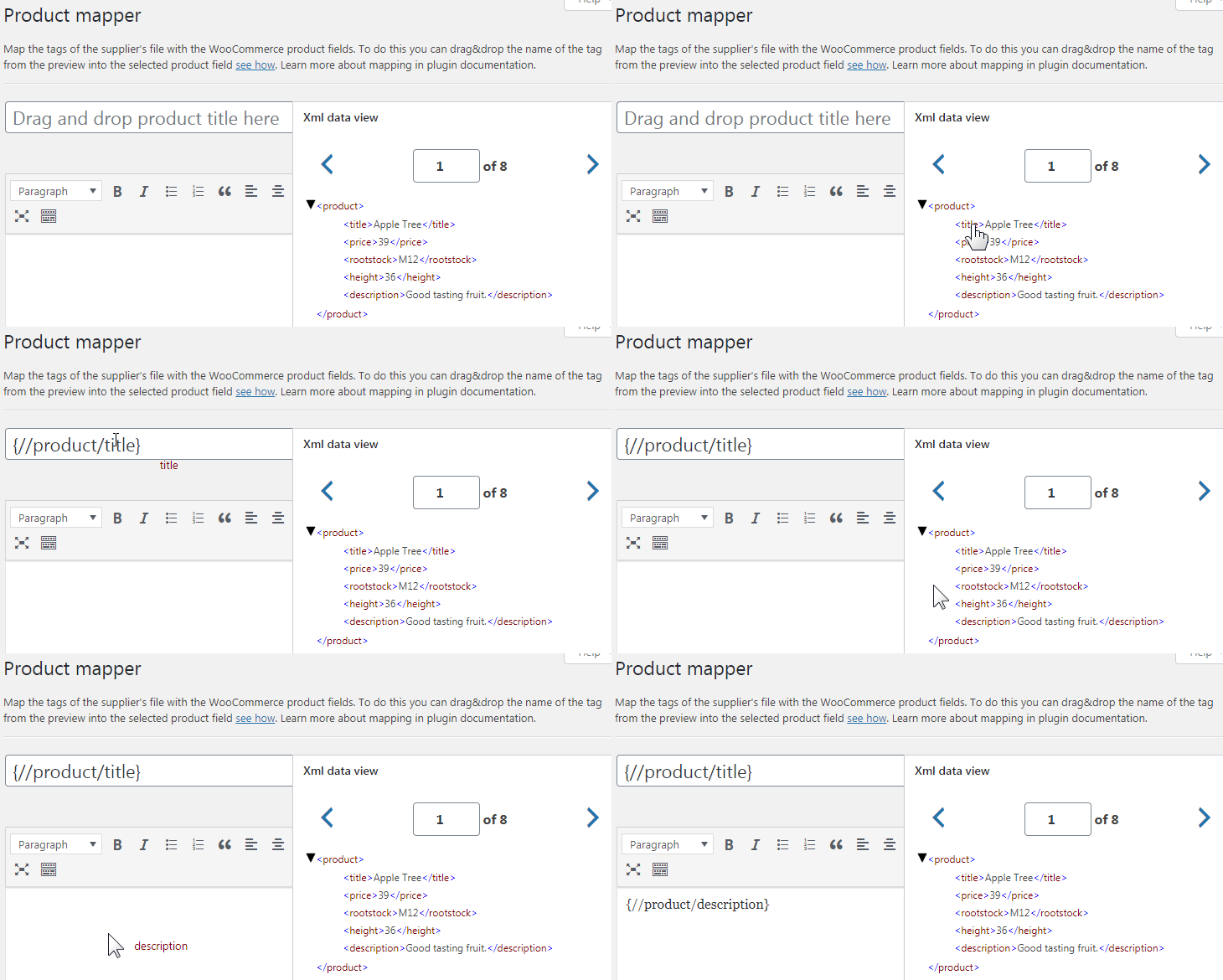
The plugin comes with an easy drag&drop interface for mapping product fields before importing products to WooCommerce. That can be helpful, for example, before importing WooCommerce products from external platforms like Shopify or Magento.
You may easily map product fields with the CSV or XML fields (read more about Product Mapper options):
3. Map the Product Image
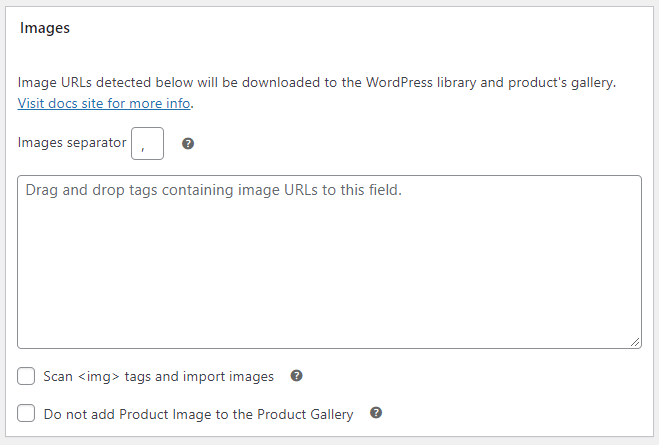
At the Product Mapper screen, you may also choose the image for the Product Image:
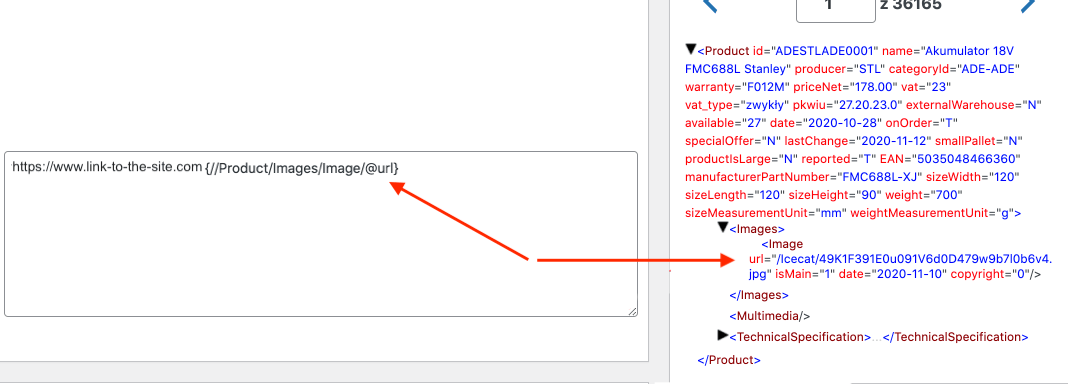
You can also add a value before a mapped field from the feed:
4. Select Import Options
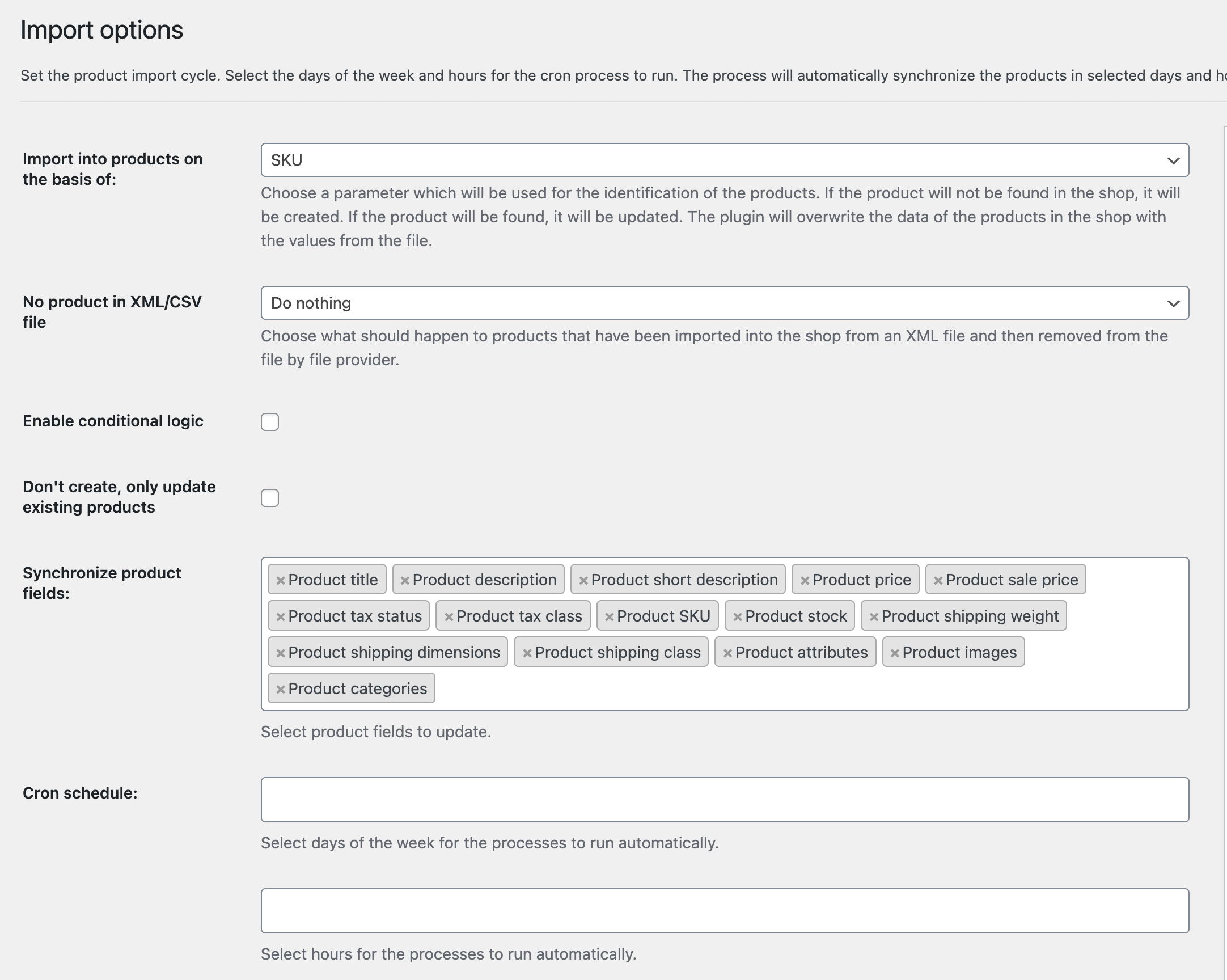
Then choose additional import options and decide which product fields to update/ synchronize. So, for example, you may import images and some attributes/ descriptions only. And omit the rest (💡 read more about import options):
5. Start the Product Import
Finally, you may start the first import:
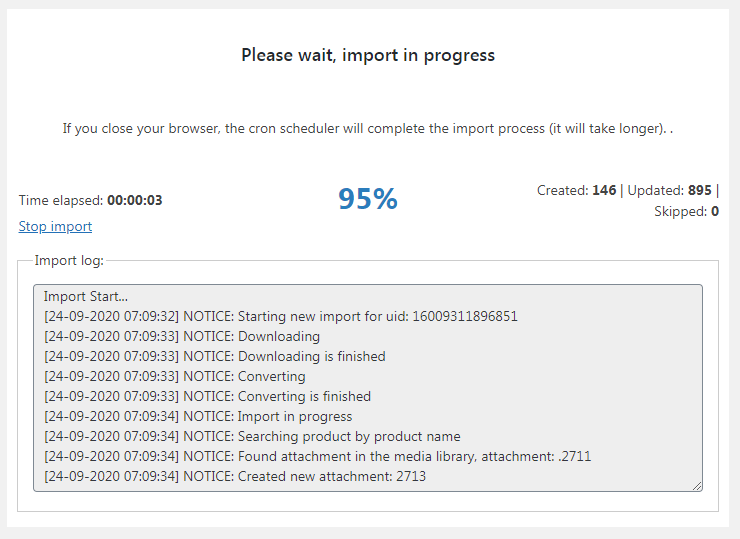
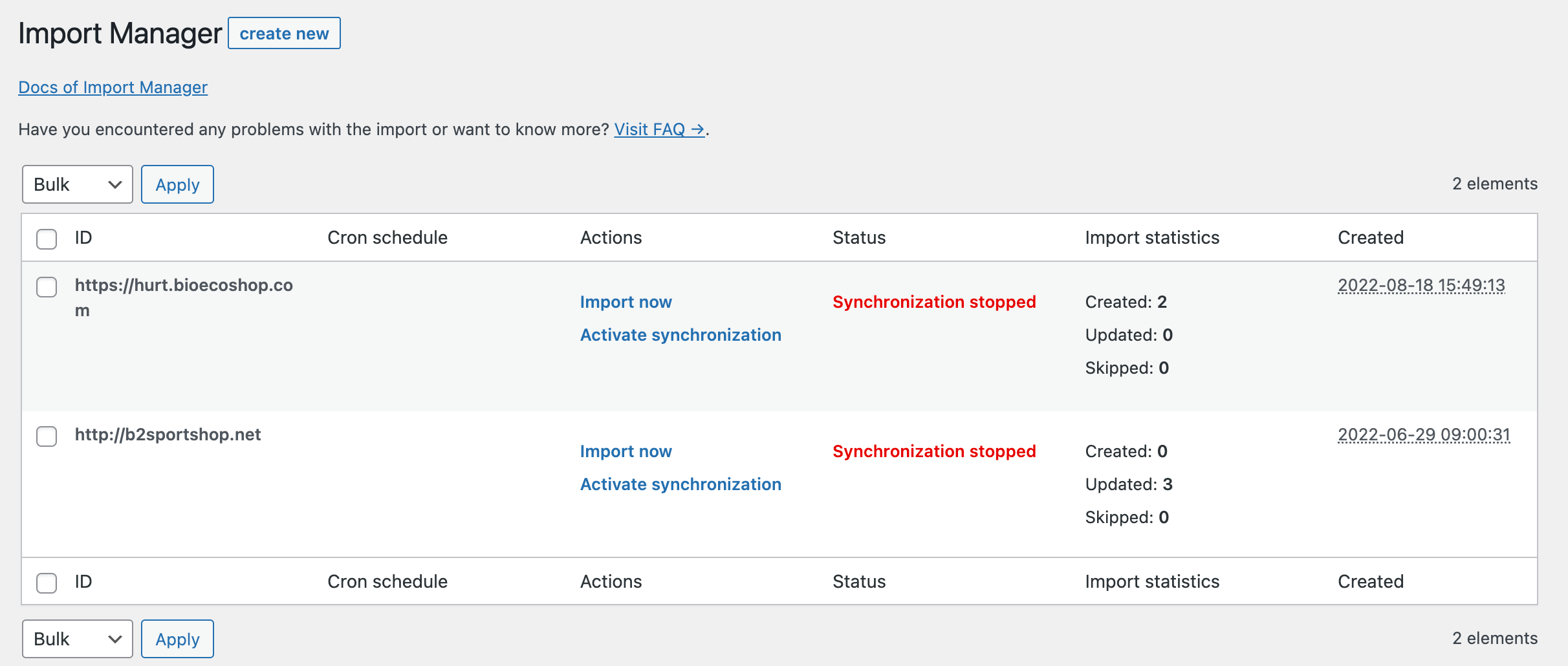
Of course, you may add multiple files or the same file with different settings if you need more customization.
Compare both versions.
If you need to import products without PRO features the free version will suffice. If you need more import options choose the PRO. You may also try both versions in the free DEMO.
| Dropshipping XML WooCommerce | Dropshipping XML WooCommerce PRO | |
|---|---|---|
| Import any CSV or XML file | ||
| No limit of imported files | ||
| Import Simple Products | ||
| Import Variable Products | ||
| Create new products, also as drafts | ||
| Import Log | ||
| Start and stop the import process | ||
| File Preview | ||
| Drag & Drop XML or CSV fields | ||
| Import and map regular prices, sale prices, tax settings fields | ||
| Import the product image, attributes, stock, SKU, and other product fields | ||
| Visual and Classic Editor for description & short description | ||
| Use multiple fields, add your custom text | ||
| Choose product category or map categories | ||
| Change the stock to 0 if there is a product missing | ||
| Update only previously imported products | ||
| Choose product fields to update | ||
| Import External/ Affiliate Products | ||
| Limit for imported product images | 1 | No limit |
| Price modifier to change regular prices | ||
| Adding attributes as taxonomy (globally for all products) | ||
| Create new categories automatically | ||
| Option to move a product to trash if a product is missing | ||
| Conditional Logic options to set rules for product imports & updates | ||
| Schedule for automatic cron imports (days and hours) | ||
| Additional filters to modify the data during imports | ||
| Test the plugin | Demo | Demo |
| Support | wp.org support forum | PRO Support according to our Support Policy |
| Refund | n/a | 30 days according to our Refund Policy |
| Price | free | Pricing |
| Get it! | Download | Buy the PRO |
Import WooCommerce products with multiple images
The Dropshipping XML WooCommerce plugin also has its PRO version. You may use it to import many images for each product.
Advanced import options
You can go PRO with extra features like:
- Conditional Logic to set rules for imports
- Import & Create Affiliate/ External Products
- Create new categories automatically
- Schedule for automatic imports
- Price modifier and advanced filters
- Add attributes as taxonomy
- Move products to trash if they are not present in the following imports
- No limit for imported images
Let's have a look at the example of more URL mapping.
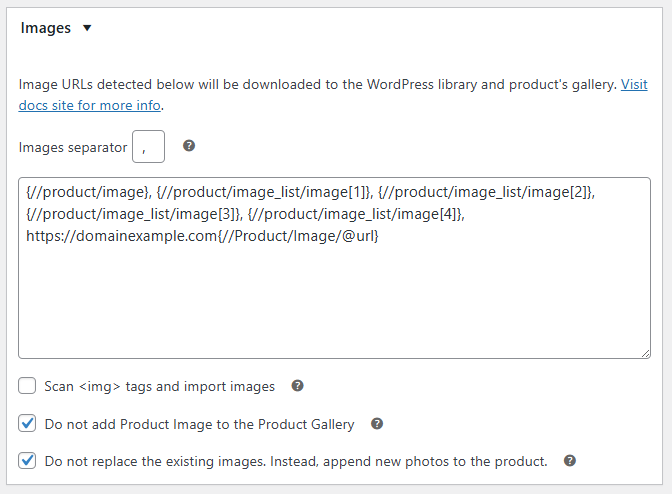
Import products with images
As you can see above, advanced options of the plugin allow image mapping based on XPath to match the XML structure.
What's more, additional conditions give more options before importing products from CSV and XML files, or external platforms such as Shopify, or Magento.
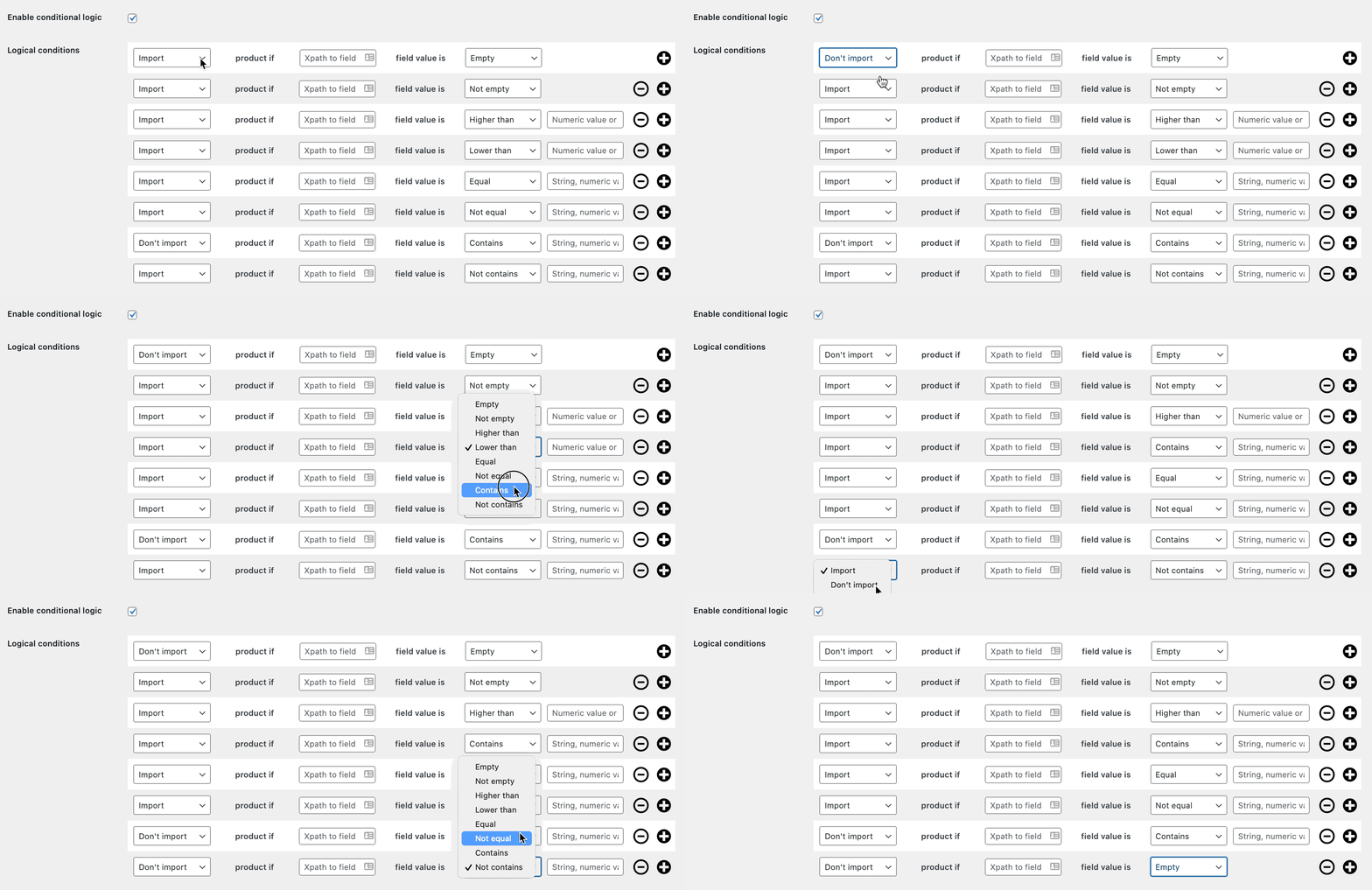
Finally, the advanced filters allow importing images when the product feed miss url parts.
WooCommerce import products with images - summary
In this article, you've seen the 3 ways of adding, importing, and updating products in WooCommerce. Why add products with images? It's obvious! Images are crucial for your customers as they give them one of the most important pieces of information about the product (with the price & description).
You may need to import products when moving from another platform or starting your dropshipping business. With a CSV or XML file with a lot of products, import is the best way to choose. Manual editing may help but takes time!
How to import products with images in WooCommerce?
As you've seen, manual work may be enough if you need to add or update several products. For more items, use the WooCommerce product importer or use a plugin.
Dropshipping Import Products for WooCommerce
Import and synchronize wholesale products with WooCommerce products. Add margin to the prices of imported products. Use conditional logic. Make your work easier.
💾 Active Installations: 700+ | WordPress Rating:
The Dropshipping XML for WooCommerce plugin will import products with images from any CSV or XML file. The plugin will also give you a lot of possible configuration options. You've seen step by step how to import simple and variable products with images to WooCommerce. So if you just want to import/ update products or you think about dropshipping with WooCommerce the plugin will be the right tool for you.
If you have any questions about each method of adding and importing products with images (or dropshipping) let me know.


Leave a Reply