The plugin adds transactional emails in the style of WooCommerce Subscriptions to the Flexible Subscriptions plugin. Configuration is done in the WooCommerce panel.
Contents
Requirements
- WordPress 6.5+ (plugin tested up to 6.9).
- WooCommerce 10.0+ (tested up to 10.3).
- PHP 7.4+.
- Active Flexible Subscriptions plugin (min. 1.6.0).
Settings Location
Go to: WooCommerce > Settings > Emails. Additional items related to subscription renewals and subscription status changes will appear on the list.
Available Emails
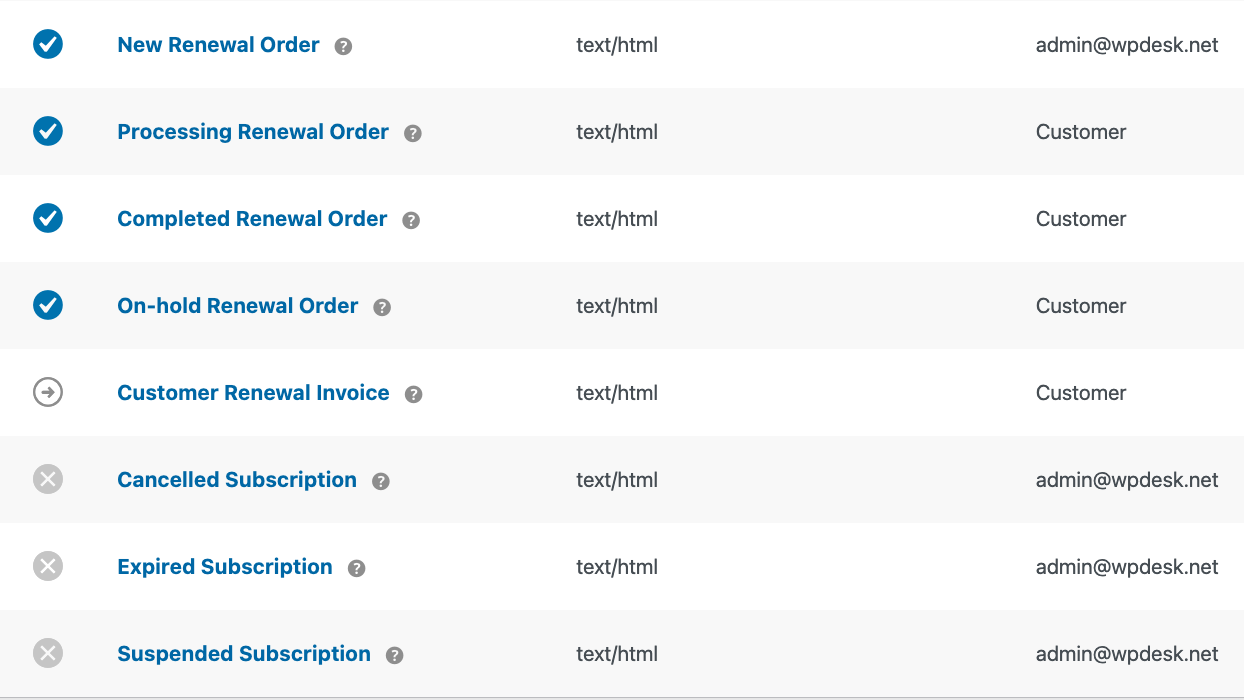
- New Renewal Order – to admin, when renewal payment is being processed.
- Processing Renewal Order – to customer after paying for renewal, when the order is processing.
- Completed Renewal Order – to customer after renewal completion.
- On-hold Renewal Order – to customer when renewal awaits manual payment confirmation.
- Customer Renewal Invoice – to customer when manual payment for renewal is required.
- Cancelled Subscription – to admin when subscription is cancelled or in "pending cancellation" status.
- Expired Subscription – to admin when subscription expires.
- Suspended Subscription – to admin when subscription is suspended/paused.
Interface Fields (Email Settings)
After clicking on a specific email, you'll see the standard WooCommerce form with fields:
- Enable/Disable – enables or disables sending of that email.
- Recipient(s) – only for admin emails; enter addresses separated by commas (default: admin address).
- Subject – you can override the subject; leave empty to use default.
- Email Header – header text; leave empty to use default.
- Additional Content – text displayed below the main email content.
- Email Type – message format (HTML / plain text / multipart, depending on WooCommerce settings).
Dynamic Placeholders in Subjects and Headers
{blogname}– store name.{order_date}– renewal order date.{order_number}– renewal order number.
