

The main free alternative to the official WooCommerce Subscriptions extension is Flexible Subscriptions, which creates subscription products, generates renewal orders and supports both the classic and block checkout, with paid add-ons for retries, recurring shipping, stock control, variations and API access. Whichever plugin you compare it against, five questions decide whether a switch will actually work: your payment gateway, your checkout, variable plans, failed payments and stock. This guide walks through each one and explains what to prepare before migrating existing subscribers.
Contents
- Why stores look for an alternative
- What a subscription plugin has to do
- What to check before you switch
- Free, paid, and the honest middle ground
- Planning the migration
- Summary
- Frequently asked questions
- Is there a free alternative to WooCommerce Subscriptions?
- Will I lose my subscribers when switching subscription plugins?
- Does an alternative subscription plugin work with the block checkout?
- Can I sell one-time products and subscriptions in the same store?
- What should I check first when comparing subscription plugins?
Why stores look for an alternative
Stores rarely look for an alternative because the official extension does not work. They look because of the annual licence cost, features that stay unused, and the suspicion that a simple monthly plan should not require the heaviest tool in the catalogue.
This text is the starting point of a series. Each linked article covers one part of the subscription workflow in detail.
What a subscription plugin has to do
Before comparing names, separate the mandatory from the optional. A subscription plugin must create a subscription product type, generate renewal orders on schedule, charge a stored payment method through a compatible gateway, and give both the store and the customer a place to manage what is running.
Customer-facing communication belongs in that list too. Renewal reminder emails are the cheapest way to cut failed charges and refund requests.
Everything beyond that, from trials to variable plans to prorated upgrades, is a choice about your business model.
What to check before you switch
Does it support your payment gateway?
This decides the whole project. A subscription plugin can only renew through a gateway that supports repeated charges against a stored method. Confirm it before migrating anything, because the failure appears on the first renewal cycle, often weeks after launch, and by then real customers are involved.
Flexible Subscriptions works with gateways that support WooCommerce subscription renewals. One exception is documented and worth knowing in advance: WooPayments is removed from available payment methods when a subscription product sits in the cart.
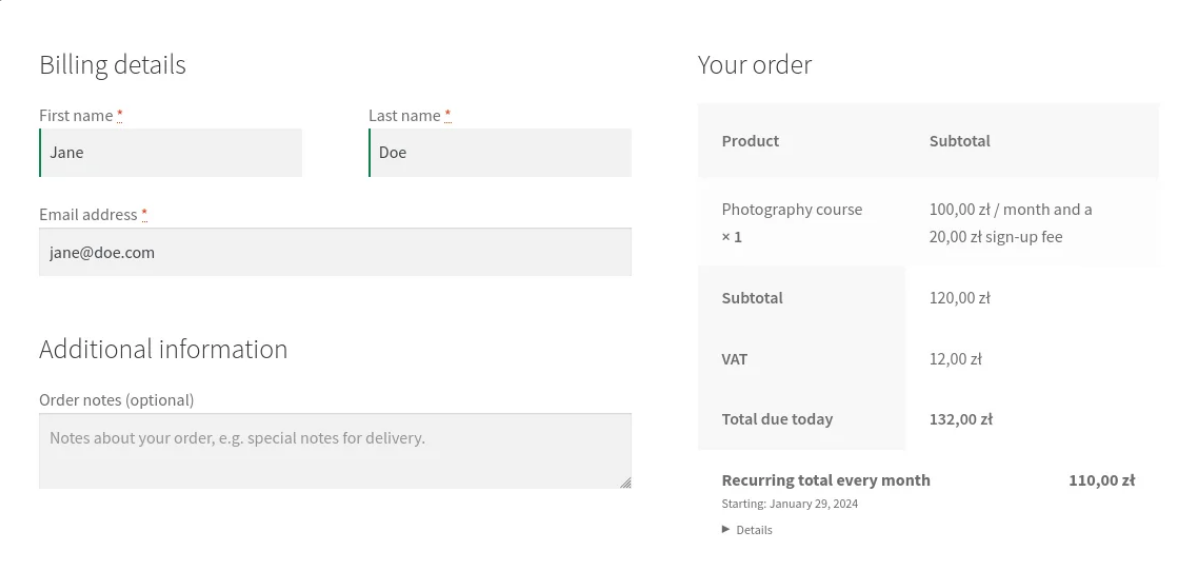
Does it work with your checkout?
WooCommerce now has two checkouts in active use, the classic one and the block-based Cart and Checkout. A plugin that only supports one of them will break the moment you redesign.
WP Desk telemetry from 19,803 stores, August 2026, shows 87% still on classic checkout and 13.8% using the block cart. If you are in the majority today, you will probably not stay there forever, so compatibility with both is worth having before you need it. Flexible Subscriptions supports both, along with High Performance Order Storage, which 34.4% of surveyed stores had enabled.
Does it handle variable subscriptions?
If you sell one plan, almost anything works. If you sell small, medium and large, or monthly and annual versions of the same product, variable subscriptions decide whether the catalogue stays manageable.
There is a step beyond variable plans: selling subscriptions for selected variations only, so one size renews monthly while another stays a one-time purchase.
What happens when a payment fails?
A plugin without retries turns every expired card into a cancellation. Check whether retries exist, how many attempts you can schedule, and whether the customer is notified automatically.
If retries matter to you, how to set a retry schedule covers the number of attempts, the spacing and what to do with customer access in the meantime.
What happens when stock runs out?
For physical products, this is the question most comparisons skip. Renewals fire on schedule regardless of inventory unless something stops them. See stock management for recurring orders for how to stop a renewal firing into an empty warehouse.
One cost comparisons routinely miss sits next to it: charging shipping on every renewal rather than only on the first order.
Free, paid, and the honest middle ground
Flexible Subscriptions is free and handles subscription products, billing cycles, trials, variable subscriptions and the recurring order flow. The paid add-ons cover specific workflows: payment retries, recurring shipping, stock-based cancellation, subscriptions on selected variations, API access and automated emails.
That structure matters when comparing costs. A store that needs recurring billing and nothing else pays nothing. A store that needs two specific workflows pays for two add-ons rather than one large licence covering twenty features it will never open.
Planning the migration
Export existing subscriptions with their billing dates, amounts and payment tokens before changing anything. Payment tokens are the part that rarely transfers cleanly between systems, and without them customers have to re-enter cards, which is where subscriber lists shrink.
Run both systems in parallel for one billing cycle if you can. One renewal cycle tells you more than any feature comparison.
Stores that run subscriptions alongside an ERP or a CRM should also check how to connect subscriptions to external systems via API before migrating, because that integration is usually the hardest part to rebuild.
Summary
The right alternative is the one that matches your gateway, your checkout and your product structure. Start with the payment gateway, confirm checkout compatibility, decide whether you need variable plans, and only then compare prices.
Frequently asked questions
Is there a free alternative to WooCommerce Subscriptions?
Yes. Flexible Subscriptions is a free plugin that creates subscription products and handles renewals, with optional paid add-ons for specific workflows such as payment retries, recurring shipping and stock control.
Will I lose my subscribers when switching subscription plugins?
Not necessarily, but the risk sits in payment tokens. They rarely transfer cleanly between systems, and if customers have to re-enter card details, expect attrition. Plan the communication around that step.
Does an alternative subscription plugin work with the block checkout?
It depends on the plugin. Flexible Subscriptions supports both the classic checkout and the Cart and Checkout Blocks, along with High Performance Order Storage.
Can I sell one-time products and subscriptions in the same store?
Yes. That is the normal setup. Test a mixed cart before launch, because the payment method chosen at checkout has to support recurring charges for the subscription line.
What should I check first when comparing subscription plugins?
The payment gateway. A subscription plugin can only renew through a gateway that supports repeated charges against a stored method, and that single answer rules out most of the shortlist before any feature comparison starts.

