Every store is fast when one person is browsing it. Before the season, few stores check what happens when two hundred people are shopping at once, and many find out at nine in the evening on Black Friday.
Contents
How to test your store under load
Send more traffic than you expect to a copy of the store, not to the live site, and watch where it slows down. The test does not have to be sophisticated, because the first bottleneck is usually obvious as soon as you measure anything. A load-testing tool such as k6 or Apache JMeter is enough, and it is worth telling your hosting provider before the test, because heavy traffic from one source can look like an attack.
Start with a target. Take the number of visitors from last year's busiest hour and double it. If the store handles that comfortably, you know your margin. If it does not, you have learned something you could not have guessed.
Then test the pages that matter, not the homepage. A load test on the homepage mostly measures your cache. The pages that fail under load are the ones that cannot be cached: the cart, the checkout, the customer account and the search results. Point the whole test at those four. Set the payment gateway to test mode, so the test does not create real payments.
Run the test on a copy with real product data. A test on an empty installation tells you little, because a catalogue of thirty products behaves differently from one of six thousand.
What usually breaks first
Most often it is the database, not the web server. Cart and checkout requests cannot be served from the cache, so each one runs database queries, and plugins that add their own queries to every request are what turn a comfortable load into a problem.
Second come external services called during checkout. A shipping rate lookup, an address validator or a tax service adds its own response time to every order, and when that service is also busy on Black Friday, your customers wait longer.
Third is the admin panel. Three people refreshing the orders list compete for the same resources as the customers, and the orders list is one of the heaviest screens in WooCommerce.
What to fix with the time you have
Limit what runs on every request before you pay for a bigger server. A plugin that does work on the checkout page which could be done after the order is placed is usually the cheapest thing to fix and often gives the biggest gain.
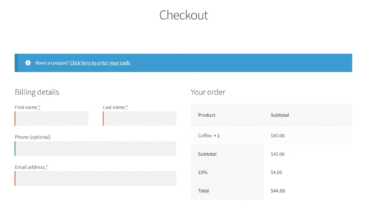
Shorten the checkout. Fewer fields mean fewer validations and fewer chances to abandon the order, and fields that call external services, such as address autocomplete, also add requests. Our comparison of plugins that speed up the WooCommerce checkout shows how to simplify the form.
Decide in advance what gets switched off if the store slows down. A live chat widget, a recommendation engine or a review carousel is easy to disable on the night, as long as somebody has already decided which of them goes first.
A shorter checkout helps twice: it has less to validate and gives customers fewer reasons to abandon the order. Flexible Checkout Fields PRO lets you remove, reorder and conditionally hide fields without editing a template.
Summary
A load test means sending more traffic than you expect to a copy of the store and watching where it slows down. A good target is double the number of visitors from last year's busiest hour. The test should cover the cart, the checkout, the customer account and search, because these pages cannot be cached, while a test on the homepage mostly measures the cache. It should run on real product data, with the payment gateway in test mode and the hosting provider informed. The database usually breaks first, then external services called during checkout, such as shipping rates or address validation, and then the admin panel, where the orders list competes for resources with customers. Before buying a bigger server, move work out of the checkout request, shorten the checkout form and decide in advance which widgets get switched off if the store slows down.
Frequently asked questions
Will a caching plugin solve this?
Only partly. Caching speeds up catalogue and product pages, but it does not help the cart and checkout, where most of the load lands during a sale.
Is it worth upgrading hosting for one weekend?
Often yes, and many hosting providers offer a temporary upgrade. Do it after the test, not instead of it, so you know what you are paying for.
How late can a load test be run?
Four weeks before the peak is comfortable, because the fixes take longer than the test. A week before, it is still worth running, because knowing where the limit is changes what you do on the night.