
• Skip to primary navigation
  • Skip to main content
  • Skip to footer
WP Desk = premium plugins for WordPress & WooCommerce
  • Plugins
        • Checkout & OrdersMake your work easier and automate the orders. Adjust the order form to your needs and make it more useful to your customers. Print order labels directly from WooCommerce. Put the orders in order using our plugins. Find out how to streamline the procurement process in your store.
          • Flexible Checkout Fields
          • Active Payments
          • Automatic Payment Status
          • One Click Return for WooCommerce
          • Print Orders and Address Labels
          • Flexible Subscriptions Recurring Shipping
          • Flexible Subscriptions Payment Retry
          • Flexible Subscriptions Stock Management
        • ProductsThese plugins will help you manage your WooCommerce products. Here you will find the plugins to import and update products from XML or CSV files. Then you can change the product unit of measure, show the lowest price in the last 30 days (Omnibus Directive), or let customers name the product price!
          • Flexible Product Fields
          • Dropshipping Import Products
          • Dropshipping FTP Import Products
          • Dropshipping Export Products
          • Custom Price
          • WP Desk Omnibus
          • Flexible Quantity Calculator
          • Dropshipping Orders Export
        • MarketingPromote your store online. Add products from your shop to price comparison websites directly from WooCommerce. Acquire new customers and communicate with your existing ones. Build a customer base and communicate with clients using one of the most effective marketing tools, namely e-mail marketing. Check out our promotional tools!
          • Flexible Pricing
          • Flexible Wishlist - Analytics & Emails
          • OLX WooCommerce
          • Flexible PDF Coupons
          • ShopMagic
          • Flexible Invoices
  • Bundle🔥
  • WP Desk Care
  • Support
  • Blog
  • My Account
  • 0

More results

WooCommerce checkout & orders

WP Desk › WooCommerce checkout & orders › Page 13

Checkout page customization & order management are two important places for optimization in WooCommerce. Faster and lighter checkout may help increase the conversion rate. It’s possible to adjust the WooCommerce checkout page by deleting unnecessary fields, rearranging the form, or adding new custom fields.

What’s more, WooCommerce standard payment or shipping options can be conditionally available in the checkout e.g. for specific conditions or shipping localizations.

WooCommerce orders and order fulfillment can also be optimized. For example, by automatic order status change or printing shipping labels and order details. Finally, there are tools to export orders or manage WooCommerce refunds faster.

You may find the categories and articles below. Or see plugins for checkout optimization & order management in WooCommerce.

Plugins for WooCommerce checkout & orders →

Print & export orders in WooCommerceSubscriptions for WooCommerceWooCommerce checkout fieldsWooCommerce order statusWooCommerce payments & shippingWooCommerce refunds

All articles

WooCommerce cart page hooks

WooCommerce Cart Page Hooks - A Visual Guide (code examples)

WooCommerce is extremely friendly for developers because it has a ton of actions and filters - called hooks. We use them often when we develop WooCommerce plugins and tweak our cart page, here at WP Desk. No matter if you are a beginner or advanced WooCommerce developer, we created this visual guide ...

2 minutes read78962 views

WooCommerce DPD & DPD Local Plugin Released - Ship your orders faster!

The moment in which you ship out a parcel to your customer is certainly a turning point in the buying and selling process. It's no longer up to you what is happening with the ordered product. Now, it's a delivery company's job to bring the goods to your customer who is eagerly awaiting the products ...

2 minutes read2910 views

Checkout page hooks - visual and hook list

WooCommerce Checkout Page Hooks - A Visual Guide with Examples

WooCommerce is extremely friendly for developers because it has a ton of actions and filters - or just hooks. We use them often when we develop WooCommerce plugins or tweak our checkout process, here at WP Desk. That's why we created this article about WooCommerce checkout page hooks. We hope that ...
2 minutes read66493 views

DPD Send Parcels Faster

DPD Send Parcels - How to ship orders faster with WooCommerce DPD?

Our WooCommerce DPD UK & DPD Local plugin is all about making your life as a shop manager easier. If you ship DPD orders faster you have more time to grow your business or just rest. In this tutorial we will cover creating and sending DPD parcels from your WooCommerce dashboard. Adding DPD ...
2 minutes read365 views

WooCommerce Weight Based Shipping Tutorial

WooCommerce Weight Based Shipping Tutorial for Beginners

Do you run a shop with products of different sizes and weight? If so, you know that the Flat Rate Shipping is just not enough, and you need a method to calculate shipping cost in an advanced way. But how can you make weight based shipping work in WooCommerce? Learn this in our newest WooCommerce ...
2 minutes read153 views

DPD Parcel Tracking

DPD Parcel Tracking - How to track shipments with WooCommerce DPD?

Automatic shipment tracking for store managers and customers is a crucial feature of every e-commerce store. That's why we made sure to make it as easy as possible for both parties. In this tutorial we will explain everything about DPD parcel tracking for our WooCommerce DPD UK plugin. DPD ...

1 minute read885 views

What is Table Rate Shipping? - short guide with examples for easier understanding

Many stores sell products of different sizes and weights. Therefore, Flat Rate Shipping is just not good enough for them. They need a solution for advanced shipping cost calculations. So, what is Table Rate Shipping? It is an easy way in which a store can set rules to calculate advanced shipping ...

3 minutes read147 views

woocommerce_checkout shortcode and WooCommerce checkout settings

WooCommerce Checkout - Settings, Shortcode & Configuration Guide

WooCommerce checkout features - which are mostly related to payment settings - play a vital role in running an online store. It's often thanks to them that a customer decides to make a purchase. Therefore, provide your customers with convenient payment methods, so they are more likely to buy from ...
6 minutes read41747 views

WooCommerce Shipping Zones

WooCommerce Shipping Zones Explained

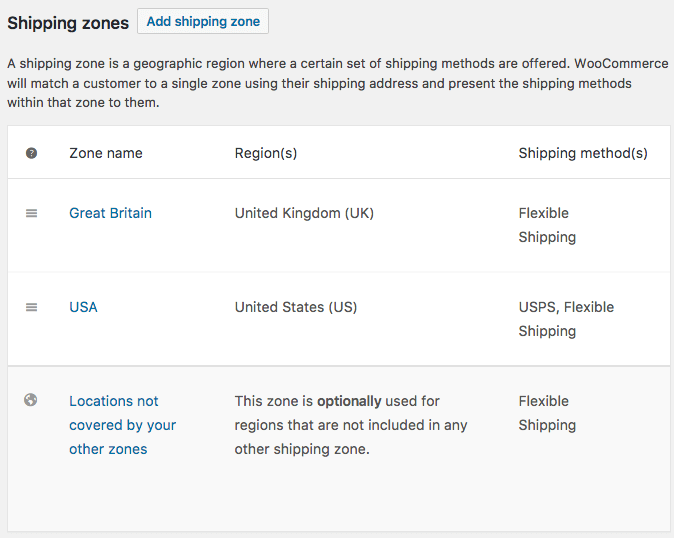
WooCommerce Shipping Zones introduced in version 2.6 are a killer feature making advanced shipping methods a standard. Adding the Zones gives you more flexibility and resolves the problem of creating multiple shipping methods. What's more, when using flat rate charge for shipping classes, you can ...

3 minutes read166 views

WooCommerce Cart Based Shipping - How to set up

WooCommerce is a great tool for selling all kind of stuff. However it falls short on some features. One of them, in my opinion, is advanced cart based shipping. In this tutorial I will show you how to configure cart based shipping for WooCommerce with our 5-star rated Flexible Shipping ...

2 minutes read141 views

  • ⟨
  • Go to page 1
  • Interim pages omitted …
  • Go to page 11
  • Go to page 12
  • Go to page 13
  • Go to page 14
  • ⟩

Stay updated on our how-to articles

WP Desk news, WooCommerce tips, promo codes - right to your inbox.

By entering your e-mail, you agree to our Terms & Conditions and Privacy Policy.

By entering your e-mail, you agree to our Terms & Conditions and Privacy Policy.

Footer

WP Desk - WooCommerce Plugins

At WP Desk we create great WooCommerce plugins with awesome support. Save time and money with our e-commerce solutions. See how we can help you improve your e-store →

Secured by Comodo

WP Desk

  • About us
  • Giving Back
  • Blog
  • Get Support
  • Contact us

Products

  • Premium Plugins
  • WP Desk Care
  • Documentation
  • WooCommerce Invoices
  • Email Marketing
  • PDF Coupons

Legal

  • Terms & Conditions
  • Refund Policy
  • Support Policy
  • Privacy Policy

© 2026 WP Desk

We value your privacy

We use necessary cookies to make our site work. We'd also like to set additional cookies to understand site usage, enhance your browsing experience, and serve personalized ads or content. By clicking ‘Accept All,’ you consent to our use of additional cookies.

Functional Always active
The technical storage or access is strictly necessary for the legitimate purpose of enabling the use of a specific service explicitly requested by the subscriber or user, or for the sole purpose of carrying out the transmission of a communication over an electronic communications network.
Preferences
The technical storage or access is necessary for the legitimate purpose of storing preferences that are not requested by the subscriber or user.
Statistics
The technical storage or access that is used exclusively for anonymous statistical purposes. Without a subpoena, voluntary compliance on the part of your Internet Service Provider, or additional records from a third party, information stored or retrieved for this purpose alone cannot usually be used to identify you. The technical storage or access that is used exclusively for anonymous statistical purposes. Without a subpoena, voluntary compliance on the part of your Internet Service Provider, or additional records from a third party, information stored or retrieved for this purpose alone cannot usually be used to identify you.
Marketing
The technical storage or access is required to create user profiles to send advertising, or to track the user on a website or across several websites for similar marketing purposes.
  • Manage options
  • Manage services
  • Manage {vendor_count} vendors
  • Read more about these purposes
View preferences
  • {title}
  • {title}
  • {title}